
4.3 Why is an EdisonOS Library practice test or problem set unavailable?
When an EdisonOS Library practice test, problem set, or question will not open, preview, copy, or assign, match what you see below to a cause: the item belongs to a different program, your plan does not include the Library, your academy's subscription is inactive, your role lacks access, or the item cannot render a preview. Every cause has the exact message it shows and a one-line fix.
What "unavailable" looks like
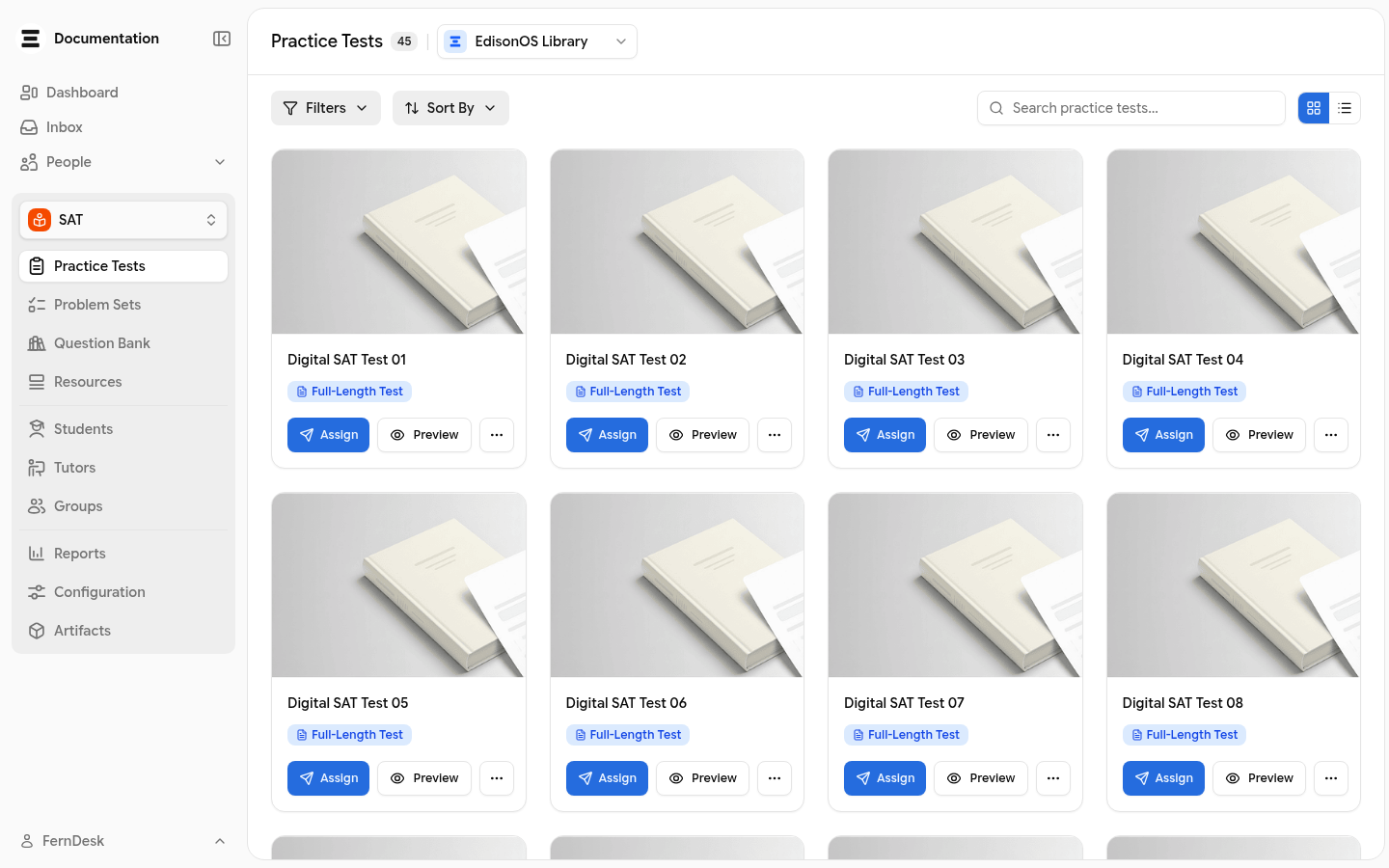
Inside a program, the Question Bank, Practice Tests, and Problem Sets pages each have a source toggle between My Library and EdisonOS Library. Available Library items show Assign and Preview actions on their cards.
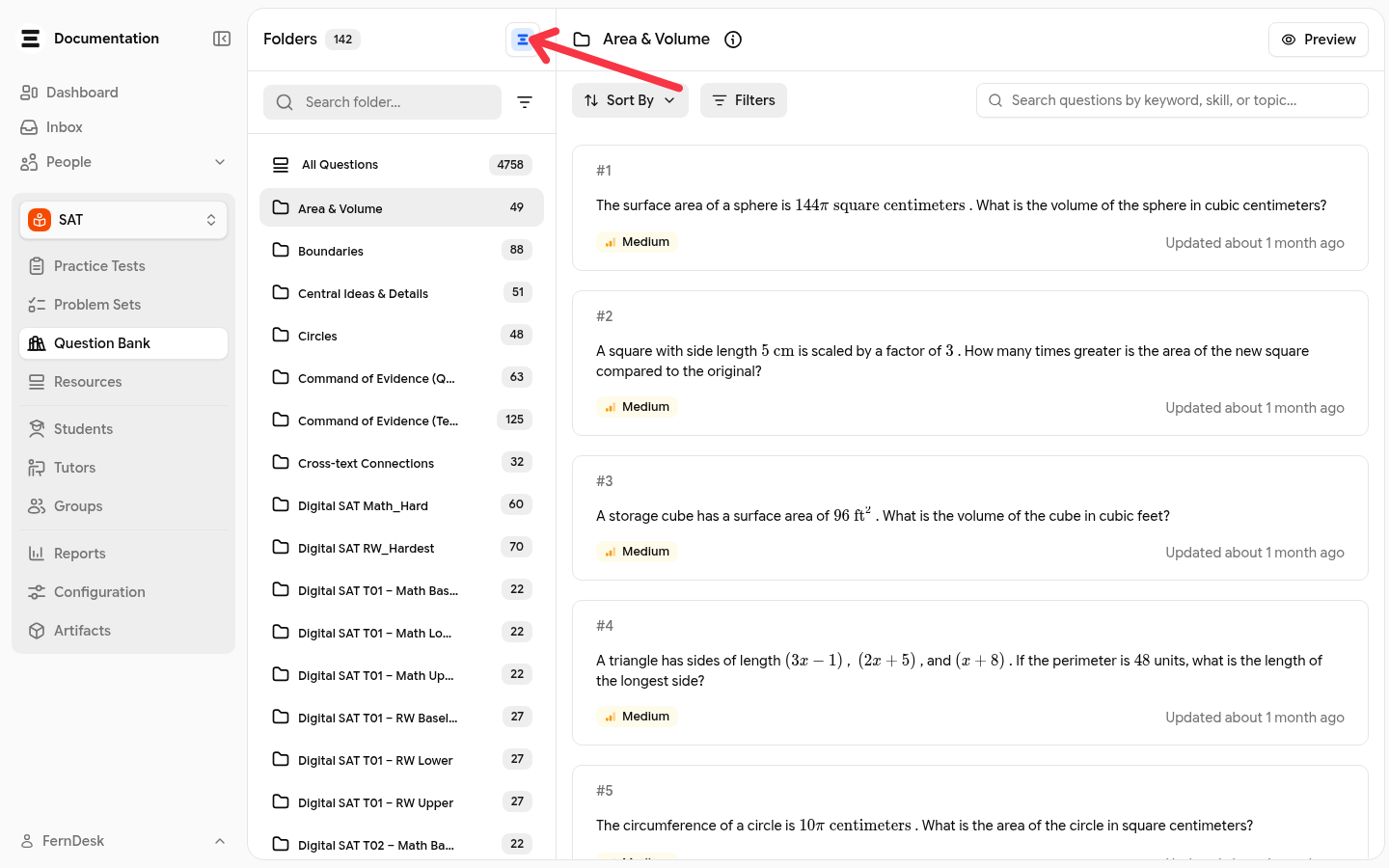
Access problems show up in three ways, depending on the cause: the EdisonOS Library option disappears from the source toggle, the list loads empty, or an Upgrade your plan prompt replaces the content. In the Assign dialog, each student row ends with a funding indicator whose tooltip reads Active license, Has enough credits, or Not enough credits.
Quick triage
Find what you see, then apply the fix. The sections below explain each row.
What you see | Why | What to do |
|---|---|---|
The item is missing from the list, or the list says "No practice tests in the EdisonOS Library yet" / "No problem sets in the EdisonOS Library yet" | Library items only appear in the program they belong to | Open the Library from the program that owns the item |
An "Upgrade your plan" prompt replaces the Library content | The Free plan does not include EdisonOS Library content | An academy owner clicks Upgrade; everyone else asks their academy owner to upgrade |
"EdisonOS Library" is missing from the source toggle | Library access is switched off for this program | Contact [email protected] |
"This academy isn't active right now." | The subscription is inactive, has ended, or a payment failed | The academy owner completes the payment or reactivates in Console |
"Not enough credits" beside a student in the Assign dialog | The student's funding is short. This is a warning only: the assignment still goes through | Add credits or assign a license before the student starts |
A "Students cannot start this test" banner in preview | The test needs more questions than your plan or program allows | Apply the plan or program fix stated in the banner |
"Preview not available", or no Preview button | Adaptive tests, tests without sections, and some problem sets cannot render a static preview | Open the item's setup or edit flow, or assign it directly |
Question Bank is missing from the menu, or questions fail to load | The Tutor role does not include Question Bank access | Use an admin account, or enroll the person as an admin |
No edit, copy, or duplicate option on a Library question | EdisonOS Library content is read-only | Recreate the question in My Library |
Causes and fixes
The item doesn't appear in the EdisonOS Library list
Library practice tests, problem sets, and questions are filtered to the program you have open, so SAT content does not appear in an ACT or AP program. There is no "wrong program" badge: the list simply does not show the item, and a direct link to it fails to load. Open the Library from the program that owns the item.
The list shows "Upgrade your plan"
The Free plan does not include EdisonOS Library content. The prompt says "EdisonOS practice tests are not included in the Free plan. Upgrade to use them." for practice tests, "EdisonOS problem sets are not included in the Free plan. Upgrade to use them." for problem sets, and "EdisonOS question bank is not included in the Free plan. Upgrade to use it." for the Question Bank. Academy owners see an Upgrade button; other users see "Ask your academy owner to upgrade."
An active 7-day Basic trial includes Library access, as do the paid Basic, Pro, Scale, and Enterprise plans. See Pricing & Plans Overview for what each plan includes.
"EdisonOS Library" is missing from the source toggle
Each program has its own EdisonOS Library access switch. When it is off, the page offers only My Library, and a direct link to a Library test or set shows "Couldn't load this practice test" or "Couldn't load this problem set". This switch is controlled by EdisonOS rather than by a setting in your admin portal, so contact [email protected] to have it checked.
"Not enough credits" appears beside a student in the Assign dialog
This indicator is a warning, not a blocker: you can still select the student and submit the assignment. The student's credits are checked when they start the test, not when you assign it, so a student with insufficient credits or no active license will fail at the start. Add credits or assign a license before the student begins. See Student Can't Start a Test Due to Test Credits for the full fix.
Preview says "Preview not available", or there is no Preview button
Adaptive tests and problem sets cannot render a static preview, so their Preview action shows "Preview not available". An active practice test with no sections has no Preview button at all. These are preview limitations, not access restrictions: you can still assign the item, and students take it normally. See Preview & Validation for the practice-test cases.
Preview opens but shows "Students cannot start this test"
This banner appears when a Library-based test or set needs more questions than your academy's own question bank contains. The banner text names the cause: "This test needs more questions than your own question bank has. EdisonOS questions are not included in the Free plan." or "This test needs more questions than your own question bank has. EdisonOS questions are not enabled for this program." Resolve the plan or program condition it names so students can start.
You can't edit, copy, or duplicate a Library question
EdisonOS Library content is read-only. Editing it shows "EdisonOS content cannot be edited", and the only copy action is Copy question URL, which copies a link to the question rather than its content. Creating content in an EdisonOS folder is also refused with "You cannot create content using EdisonOS resources. Please use your academy's resources." To adapt a Library question, recreate it manually in My Library. See Browsing the EdisonOS Library.
The whole portal says "This academy isn't active right now."
This is a subscription block, not a Library setting: it applies to the entire academy app. The owner sees "We couldn't process the last payment for this academy." with a Complete your payment action when a payment failed, or "This academy's subscription has ended." with Reactivate in Console when the subscription ended. Students and staff see "Contact your academy admin to get access restored." See Pricing & Plans Overview for subscription details.
When to contact support
Email [email protected] when none of the fixes above restore the item, or when a program's Library access needs to be switched on. Include the item's name and the program you are opening it from.