
9.1 Academy Dashboard
Updated today
The Academy Dashboard is the first screen you land on when you log into EdisonOS as an admin. It's a launch pad with a personalised greeting, a quick way to get help, an overview video, and direct links to the most useful starter resources.
Personalised greeting
At the top, you'll see a time-of-day greeting (Good morning, Good afternoon, or Good evening) followed by your name, with the current date and time on the right.
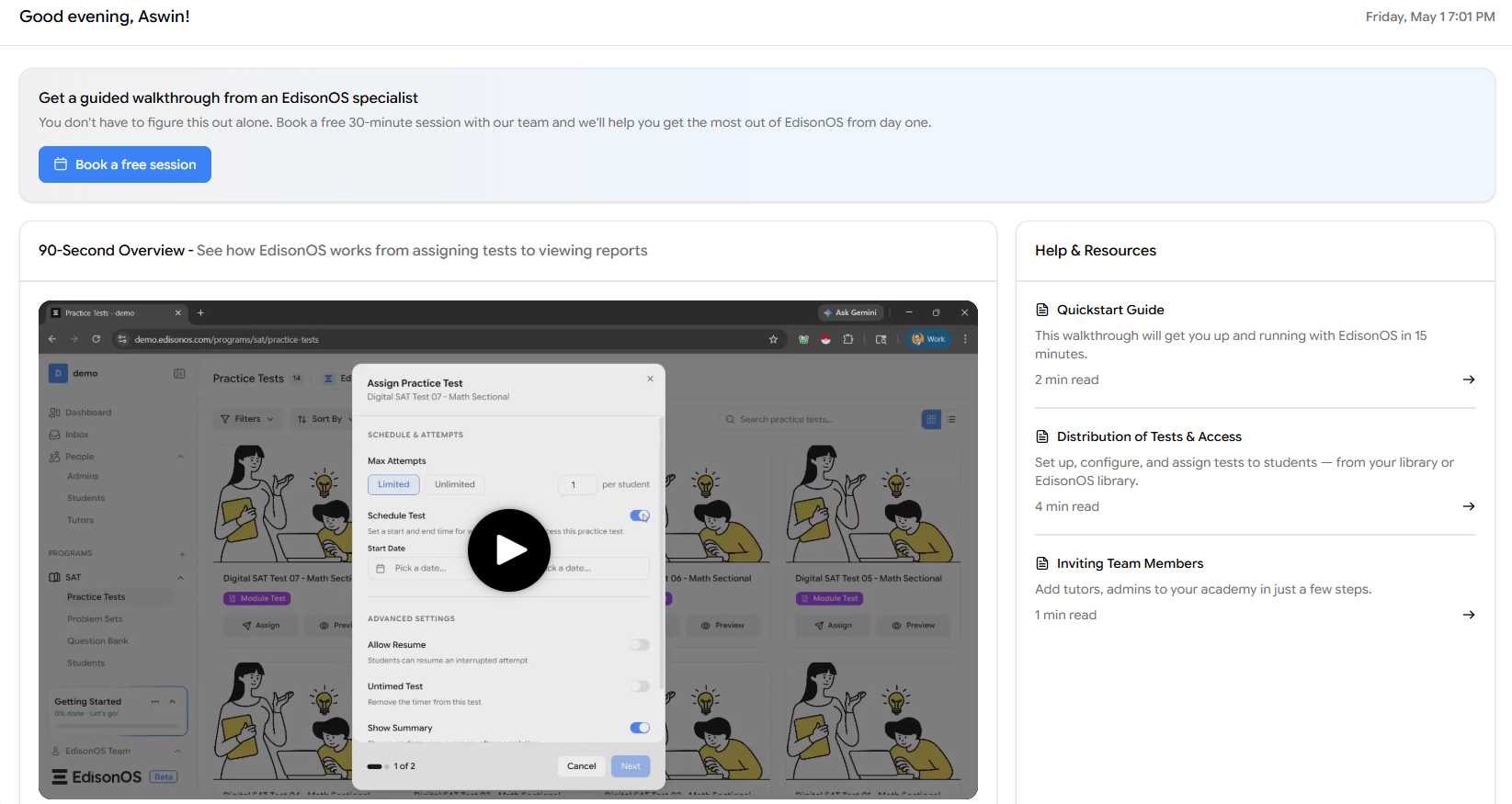
Get a guided walkthrough
The first card offers a free 30-minute session with an EdisonOS specialist who will help you set up your academy and answer questions specific to your tutoring business. Click Book a free session to pick a slot.
Even experienced admins find it useful for surfacing features they hadn't discovered yet. No commitment, no upsell - it's purely an onboarding aid.
Quick Overview video
In the centre, the Quick Overview gives you a fast tour of how EdisonOS works end-to-end from assigning a test to viewing reports. Click play to watch.
Help & Resources
On the right, the panel surfaces three starter articles:
Quickstart Guide (2 min) - Get up and running in 15 minutes.
Distribution of Tests & Access (4 min) - Set up and assign tests to students.
Inviting Team Members (1 min) - Add tutors and admins to your academy.
Click the arrow on any card to open the full article.
Left sidebar - your navigation hub
While the dashboard is your launch pad, the left sidebar is your main navigation menu, giving you access to Dashboard, Inbox, People, and Programs. Under Programs, you can view and add programs from the available list, including SAT, ACT, SHSAT, AP and PSAT. Each program has its own sections, such as Practice Tests, Problem Sets, Question Bank, Students, Reports, and Configuration. Depending on the program, you may also find an Artifacts section.
You'll spend most of your day inside specific programs, but the Academy Dashboard is worth returning to when a new admin joins your team, when you need a help article quickly, or when you want to share the Quick Overview with someone evaluating the platform.