
A tutor with no active group assignment sees no students, and a group with no students shows its tutors nothing either. Open the group and confirm students are listed on the Students tab and the tutor is on the Tutors tab.
8.6 Adding Students to a Tutor
Updated last week
Students aren't assigned to tutors directly. A tutor sees every student who shares an active group with them, so giving a tutor students means adding both the students and the tutor to the same group. The tutor must also be enrolled in the program the students belong to.
Before you start
The tutor needs to be enrolled in your academy and assigned to the right program. Enroll a new tutor from People → Tutors with Enroll Tutors, or open an existing tutor's profile and use Add programs. A tutor who isn't enrolled on the program sees a You don't have access to this program message instead of the roster.
If the group doesn't exist yet, create it first: see 8.1 Creating & Managing Groups.
Add the students to the group
If the group has no students yet, its Students tab shows an empty state with the same Assign students action.
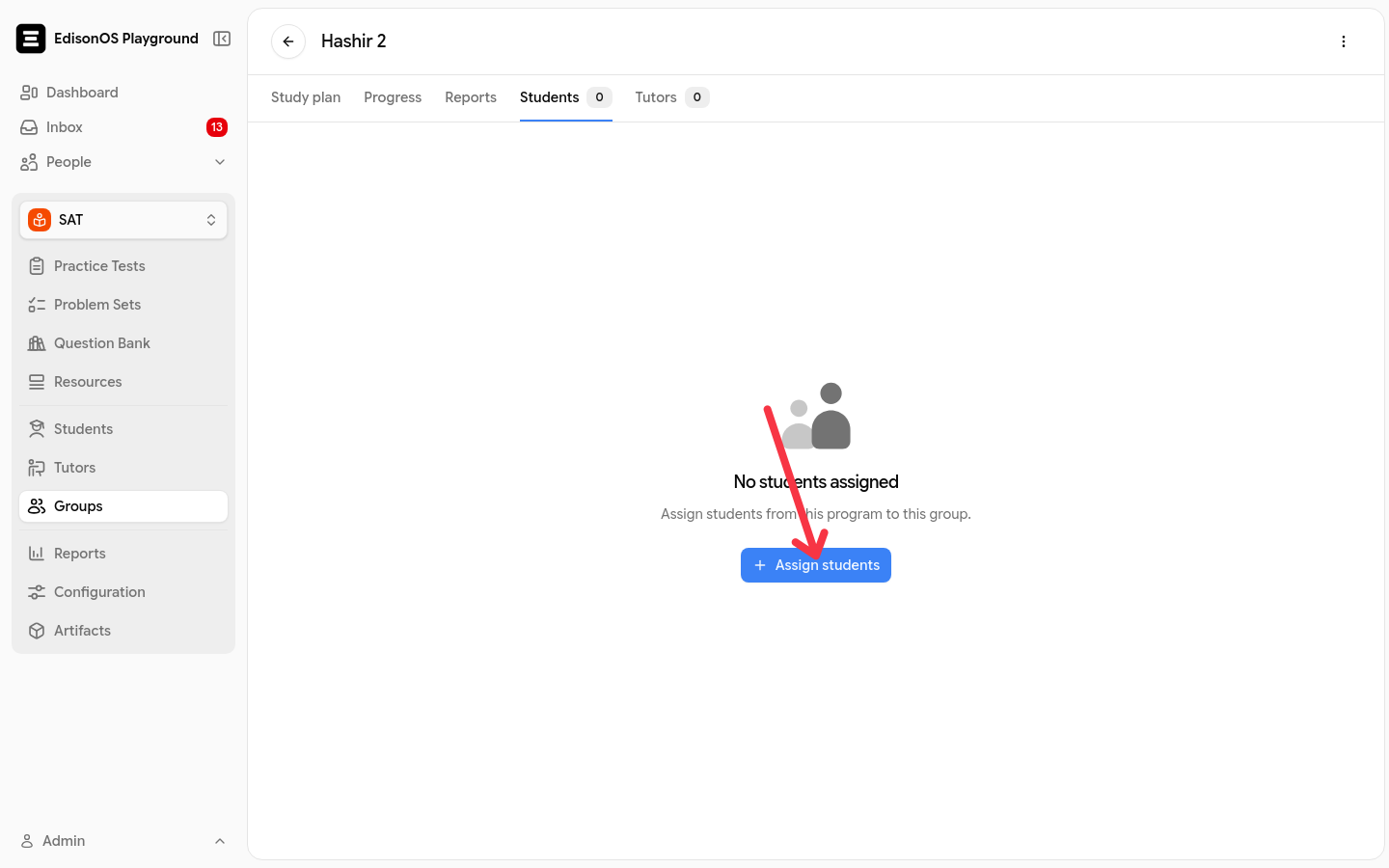
Go to People → Groups and open the group.
Open the Students tab.
Click Assign students.
Search for and select the students to add. You can select several at once.
Click the confirm button: Assign 1 Student when you picked one, or Assign N Students (for example, Assign 2 Students) for a bulk selection.
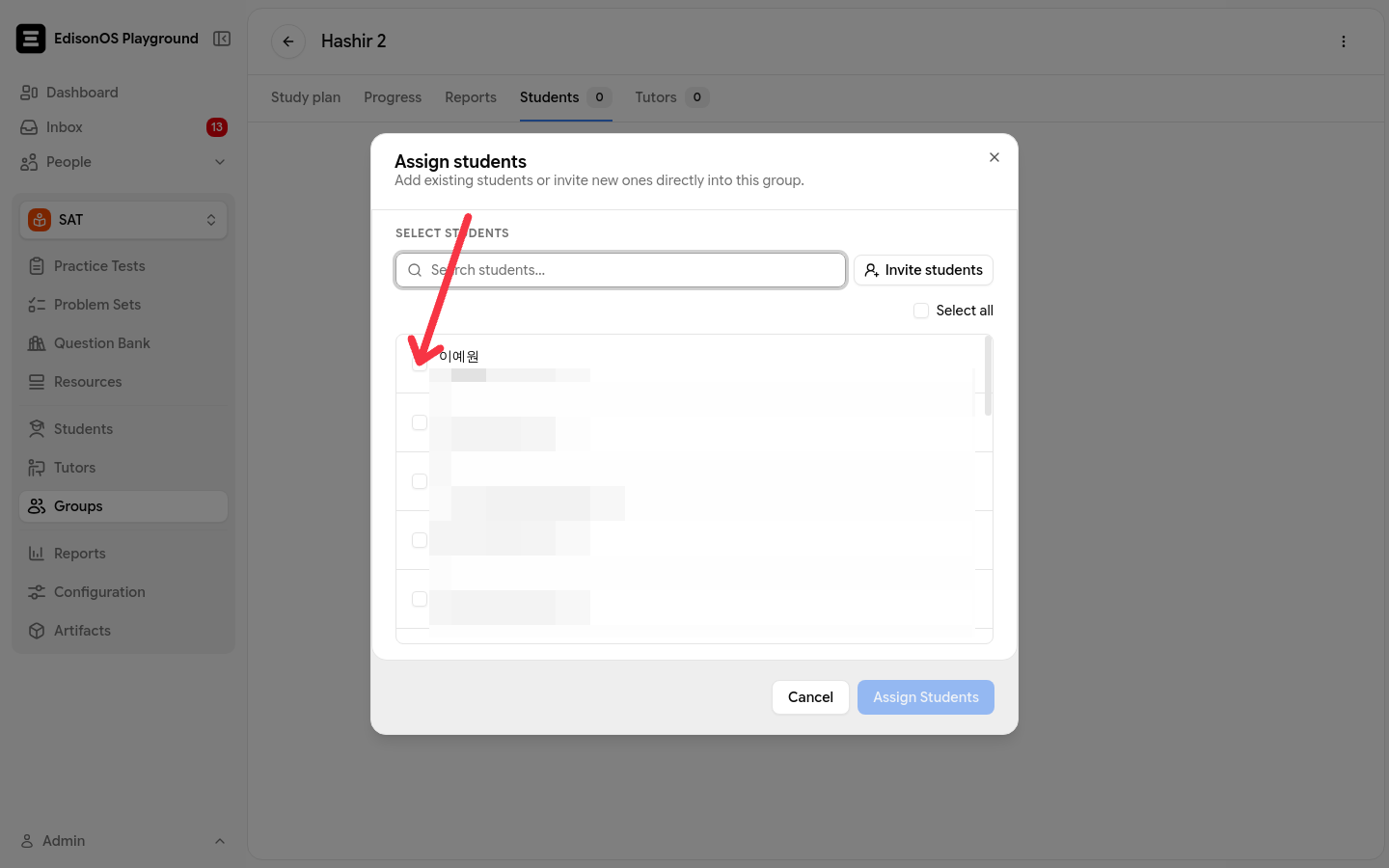
Assigned students immediately become visible to every tutor assigned to that group.
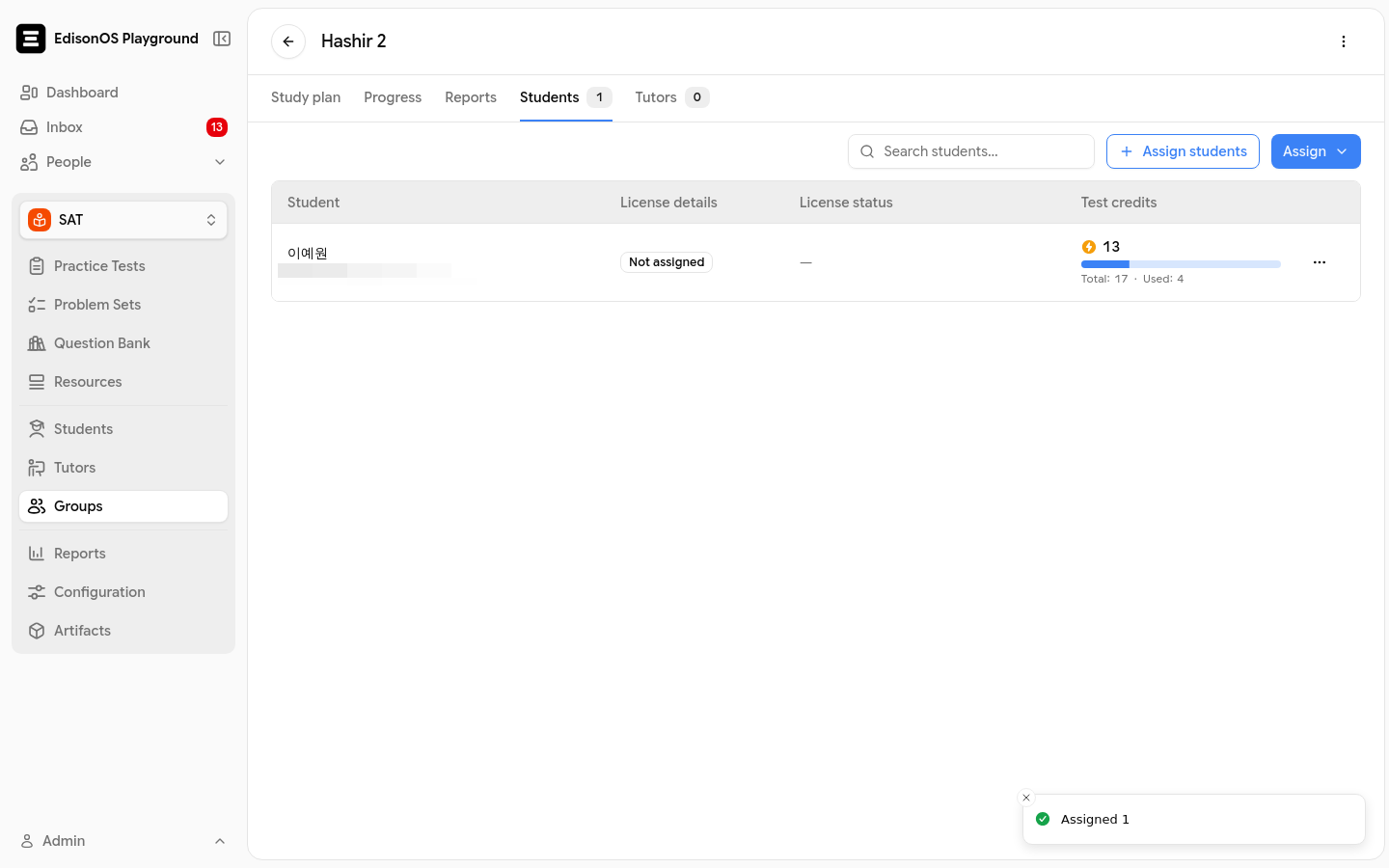
Assign the tutor to the group
Assign the tutor from the same group. You can do this before or after adding the students; visibility comes from both sharing the group.
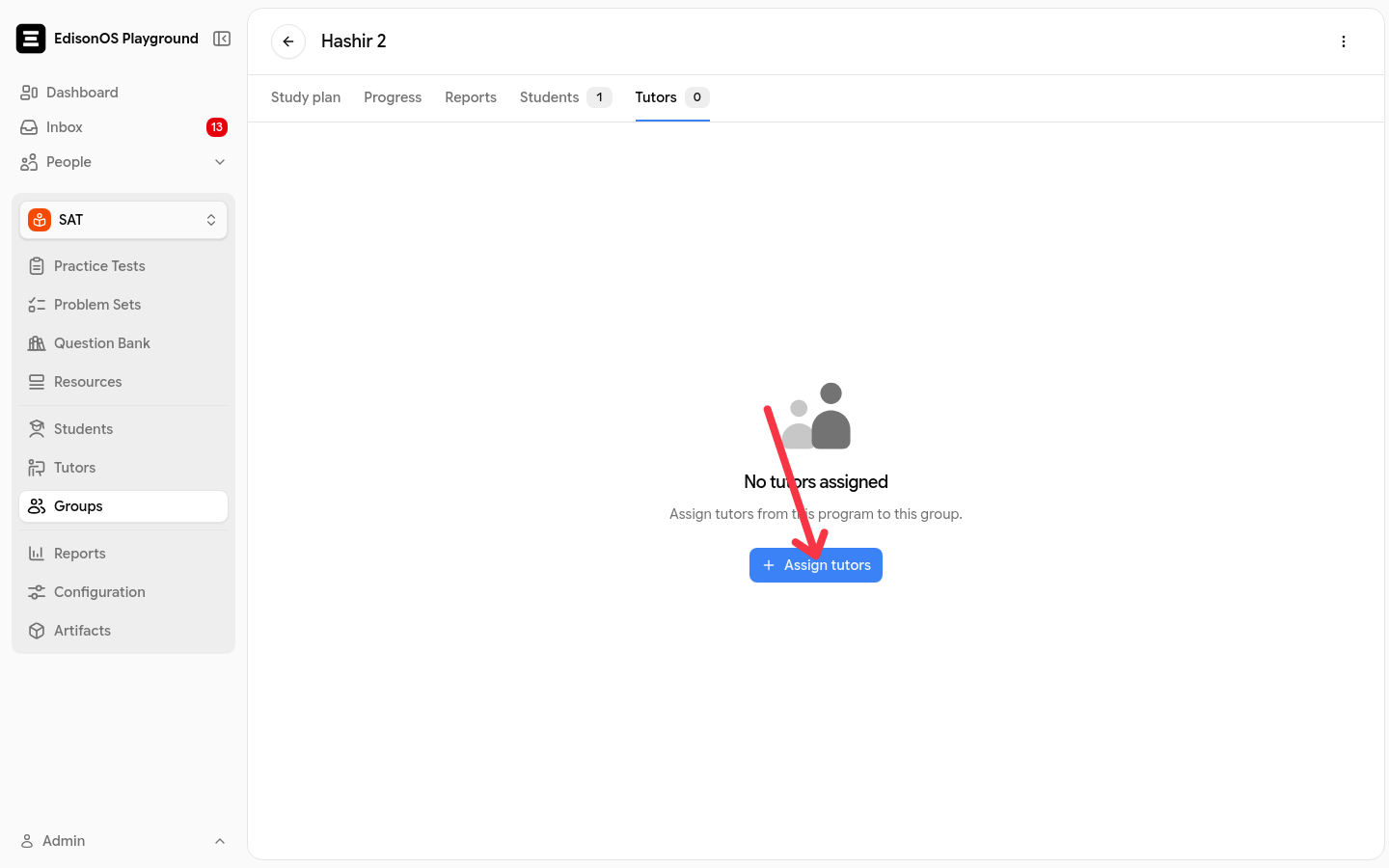
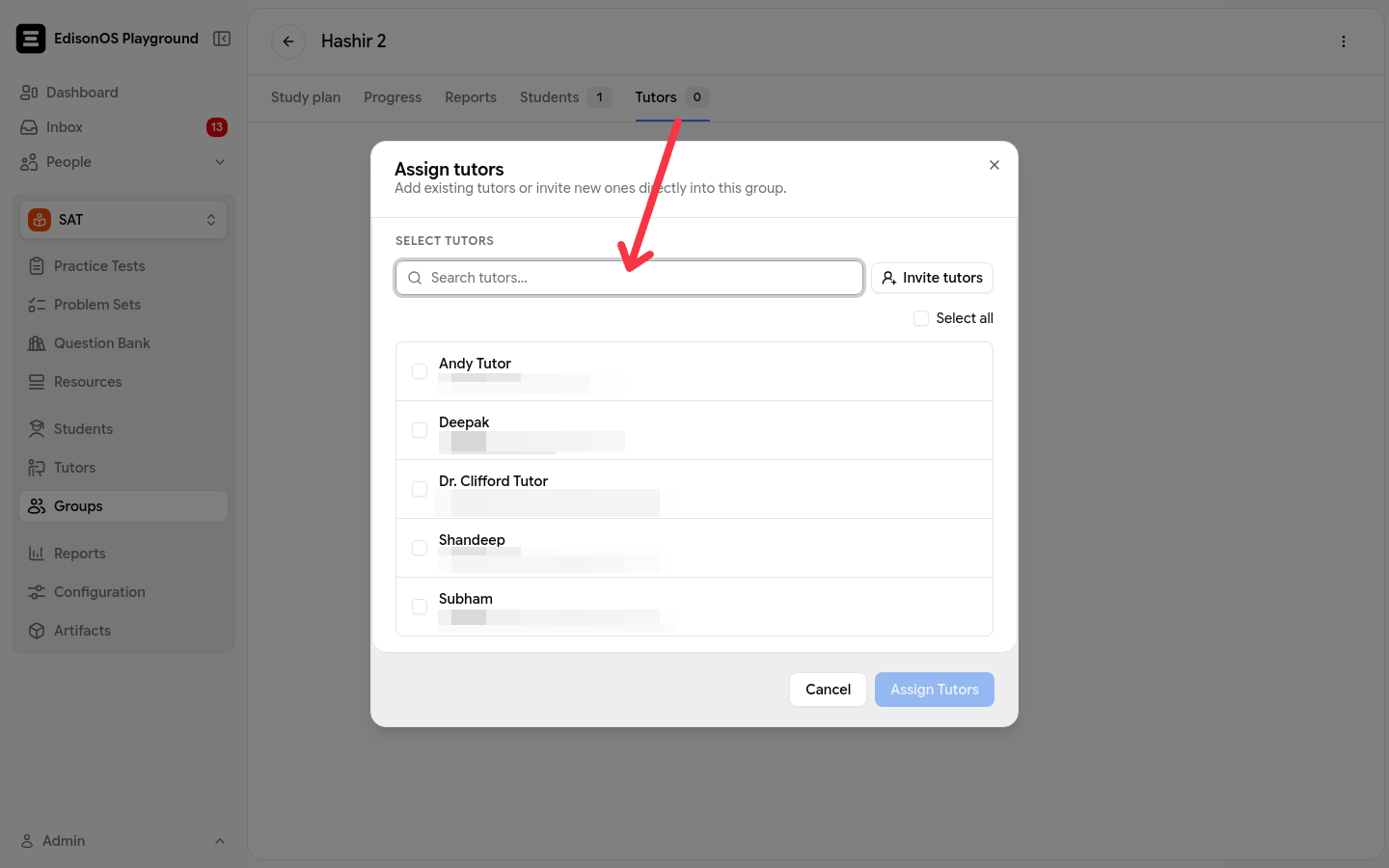
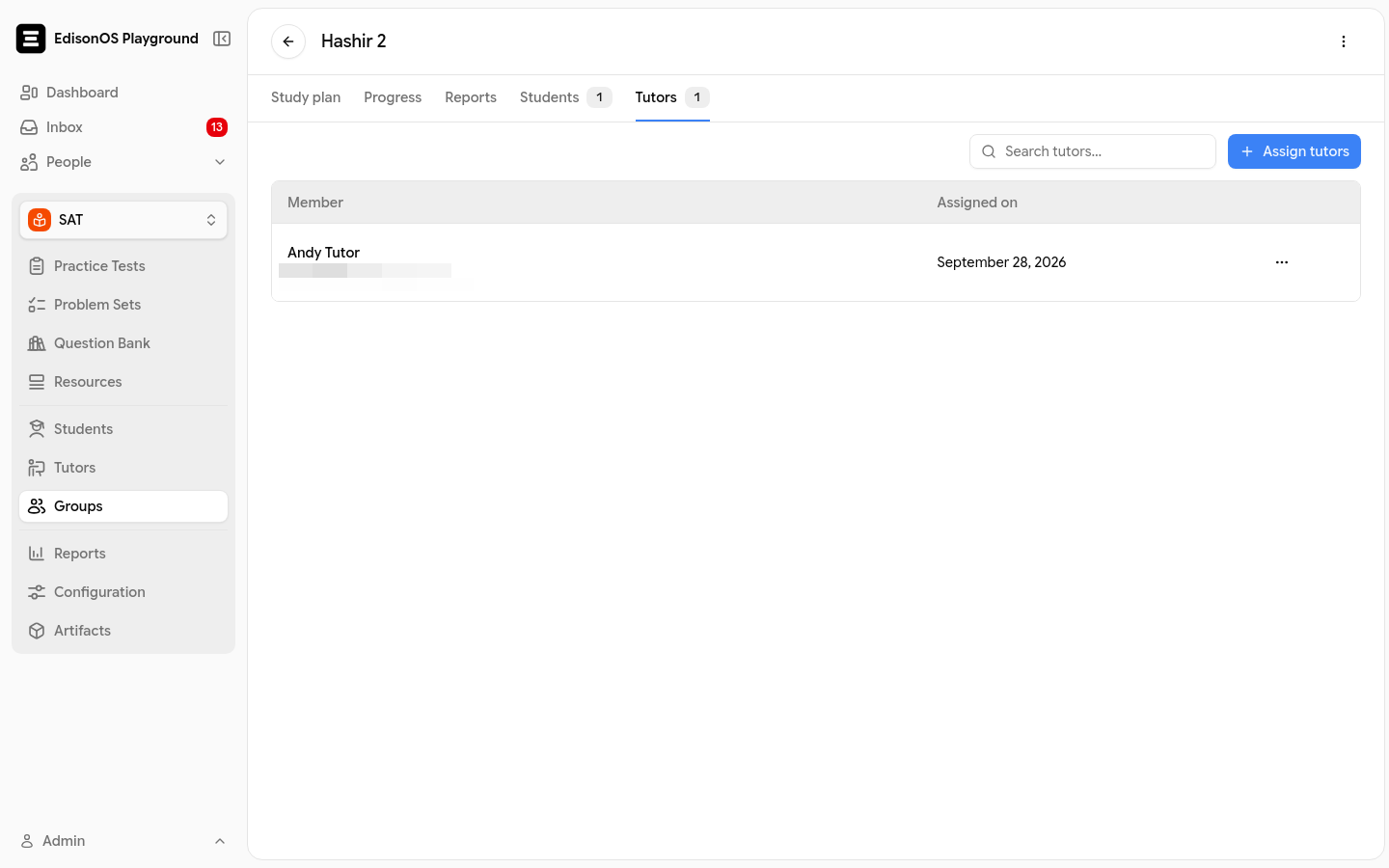
Open the group and switch to the Tutors tab.
Click Assign tutors.
Search for and select the tutor. Tutors already assigned to the group don't appear in the list.
Click the confirm button: Assign 1 Tutor when you picked one, or Assign N Tutors for a bulk selection.
Where the tutor sees the students
The students appear in the tutor's program roster. A tutor sees the combined students of every group they're assigned to, and a student who belongs to several of the tutor's groups appears once. The tutor's profile also shows the total as Students reached.
From there the tutor can view the group's study plan and assign content. Creating or editing a study plan requires study-plan management permission: see 8.5 - Study Plan.
If the tutor still can't see a student
The tutor's roster is completely empty
One specific student is missing
The student isn't in an active group assigned to that tutor. Enrolling a student in the academy or the program alone doesn't make them visible to a tutor; add the student to a group the tutor is assigned to. Removing a student from a group hides them from that group's tutors again.
The tutor can't open the program at all
The tutor isn't enrolled on the program. Open their profile from People → Tutors and add the program with Add programs.
The Edit allowlist setting on a tutor's profile controls content, not students: it picks which practice tests, problem sets, and resources the tutor can use in a program. Student visibility comes only from shared group membership.
Was this helpful?
Was this helpful?