
15.1 How to Set Test-Credit Limit for a Student?
Updated 3 weeks ago
You can manage the Test-credit limit for individual students from the Students tab.
Where is this setting?
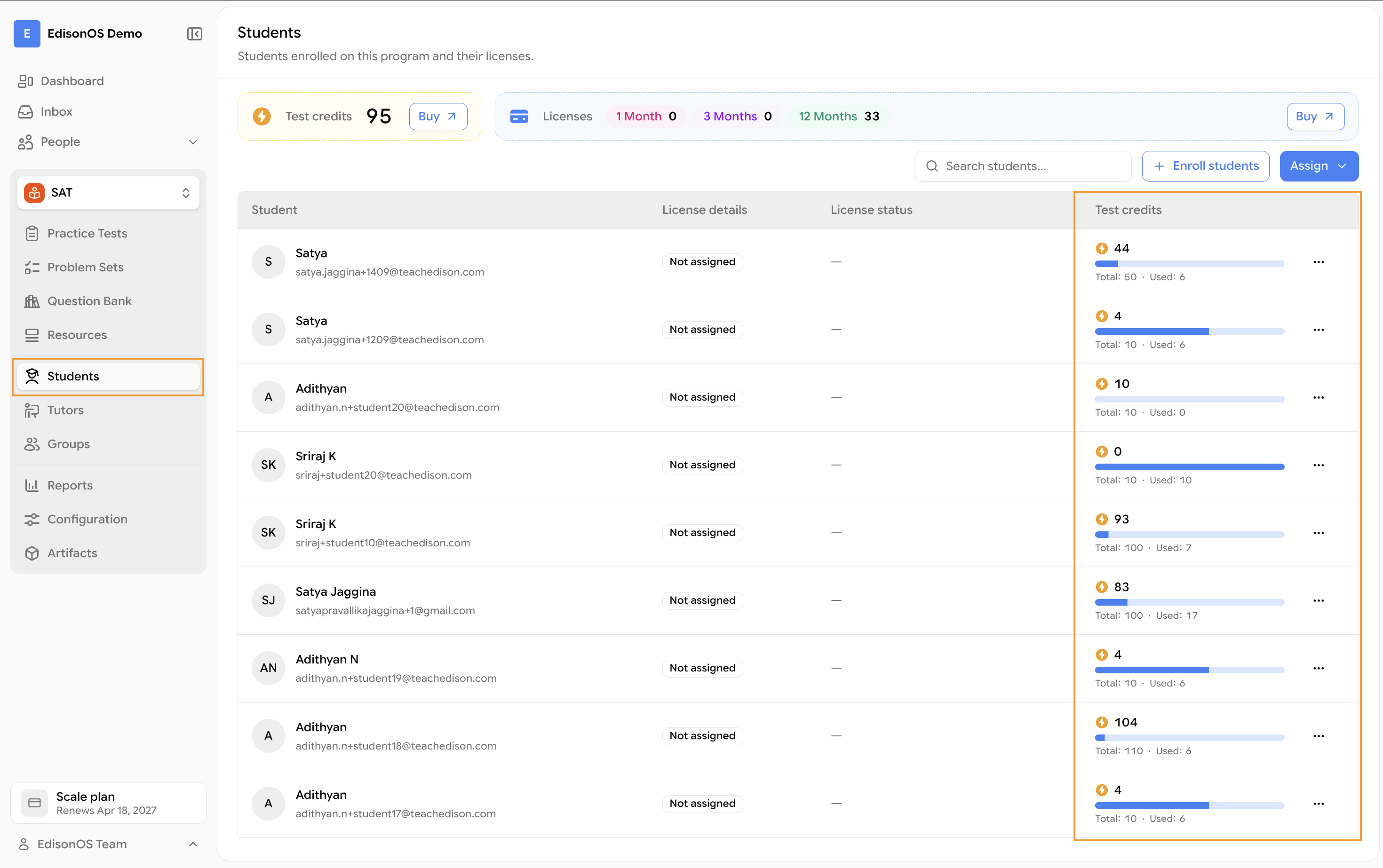
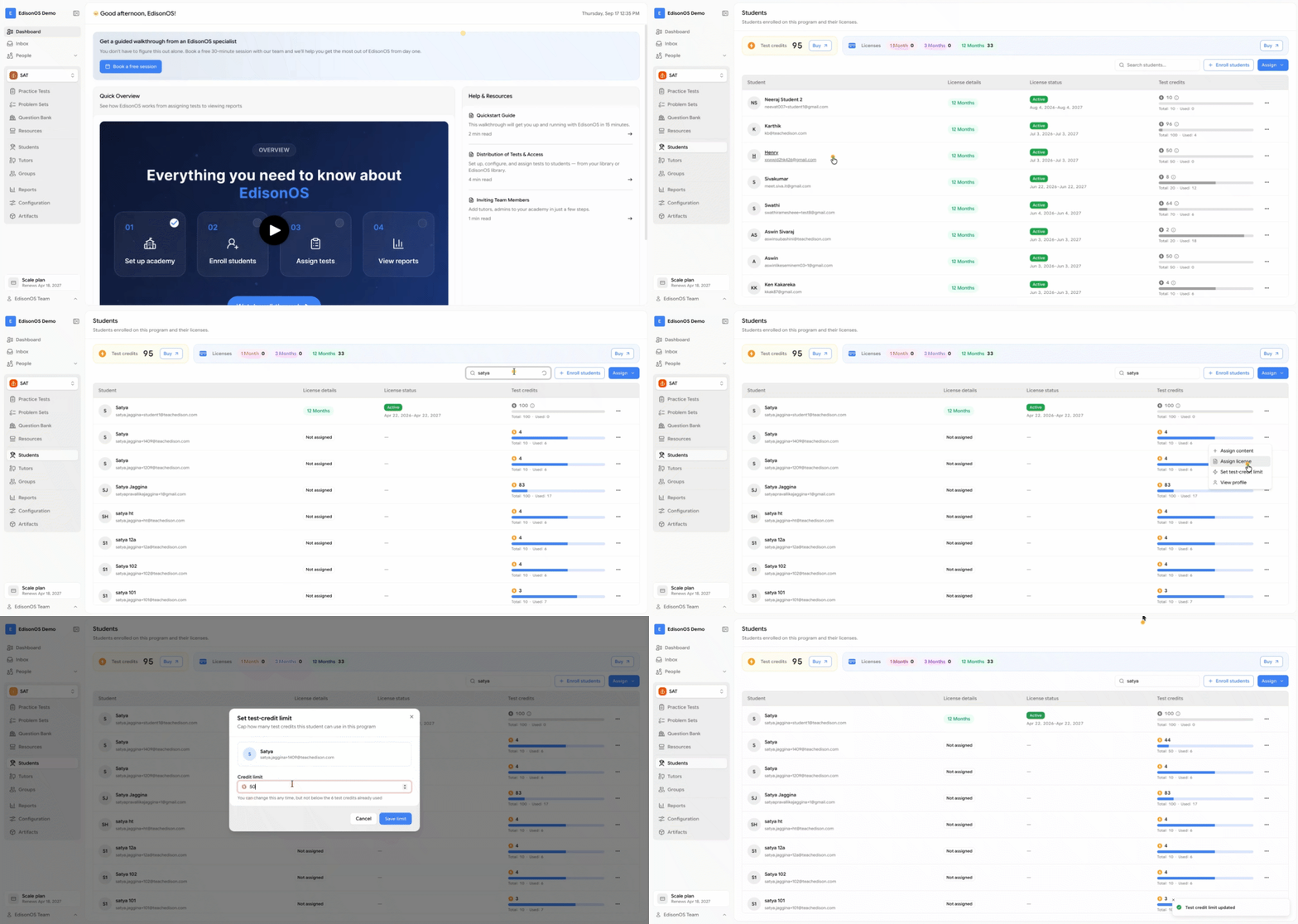
Go to the respective program (such as SAT/ACT/PSAT..)
Search for the required student.
Click the three-dot menu (⋯).
Select Set Test-Credit Limit.
Increase or decrease the student's test-credit limit as needed.
Save your changes.
How do you do it?
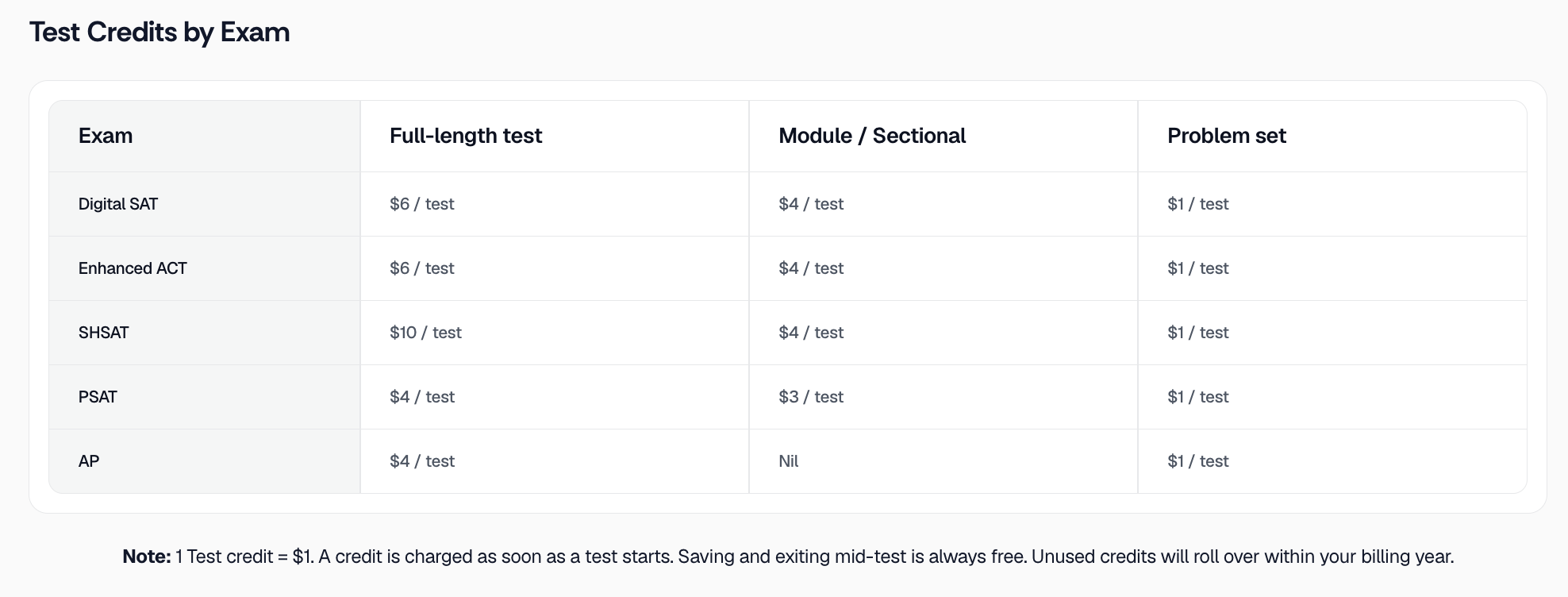
FYI - Credit Per Program
Still having trouble?
If the issue persists even after following the steps above, please reach out to our support team at [email protected]. We’ll be happy to help!
Was this helpful?
Was this helpful?