
6.4 Problem Set Reports
After a student completes a problem set, EdisonOS generates a detailed performance report. This report is available both to the student (if Show Summary is enabled) and to the admin.
What the Report Includes
The problem set report provides a comprehensive breakdown of each student's performance across every dimension of the questions attempted.
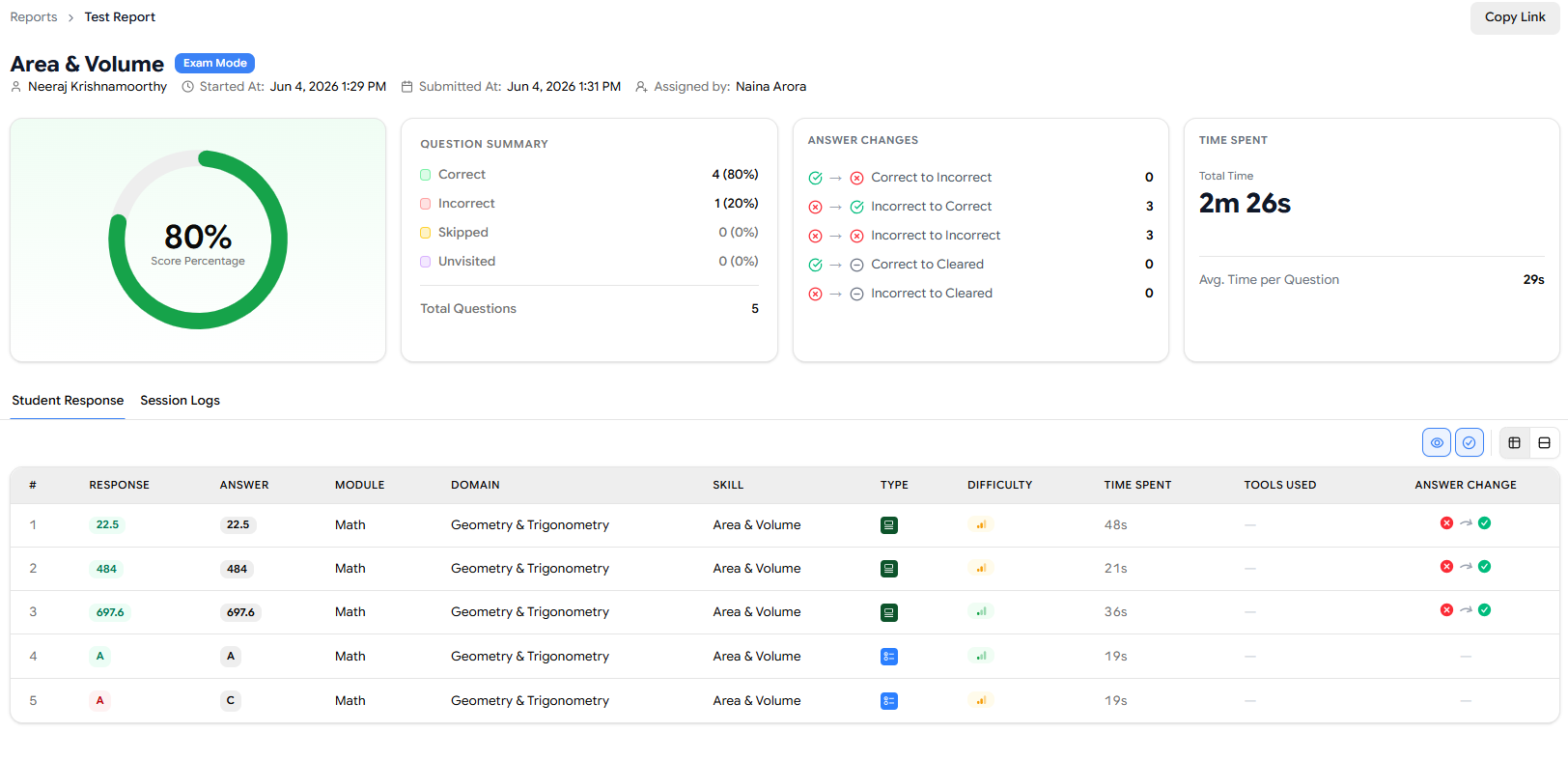
Report Field | What It Shows |
|---|---|
Question Summary | A complete overview of all questions attempted and how they were answered |
Answer Changes | Any instances where the student changed their answer before submitting |
Time Spent | Total time and per-question time breakdown |
Student Response | The exact answer the student selected or entered |
Correct Answer | The correct answer for each question, for easy comparison |
Module | Which module or section of the test the question belongs to |
Domain | The content domain of the question (e.g., Algebra, Reading Comprehension) |
Skill | The specific skill being assessed by each question |
Question Type | The format of the question (MCQ, Grid-In, Hot Text, etc.) |
Difficulty | The assigned difficulty level (Easy, Medium, Hard) |
Time Spent per Question | How long the student spent on each individual question and Average time per question |
The Answer Changes field is particularly useful for identifying student confidence and test-taking habits. A student who frequently changes correct answers to wrong ones may need test strategy coaching, not content remediation.
Use the Time Spent per Question data to identify where students are struggling silently. A student who answers correctly but spends three times longer than expected on a question type may have an underlying gap worth addressing.
Using Reports to Drive Next Steps
Problem set reports are most valuable when used as inputs for future assignments. A typical workflow looks like this:
Student completes a practice test.
Review the test report to identify weak skills and domains.
Create or assign a skill-based problem set targeting those gaps.
Student completes the problem set.
Review the problem set report to measure improvement.
Repeat with a new targeted problem set or advance the student to harder content.
Problem sets support everything that practice tests support in terms of reporting and data. Think of them as the same analytical engine just focused on a narrower, more targeted band of skills.