4.4 Question Types
EdisonOS supports a wide range of question formats to accommodate different test structures and learning objectives. When adding a question in My Library, you will be prompted to select a question type before building the content.
Available Question Types
Question Type | Description |
|---|---|
Multiple Choice | Student selects one correct answer from a list of options |
Multiple Select | Student selects all correct answers from a list (more than one may apply) |
Student-Produced Response | Student enters a numerical answer directly, no answer choices provided |
True or False | Presents a statement where the student selects whether it is true or false. |
Hot Text Question | Student clicks or highlights specific words or phrases within a passage |
Fill in the Blank | Student types a word or phrase to complete a sentence or equation |
Matrix Grid | Student selects answers across a grid where rows and columns both carry meaning |
Drag and Drop | Student drags answer items into correct positions or categories |
Categorize | Student sorts items into the correct labeled categories |
Image Hotspot | Student clicks on a specific region of an image as their answer |
Image Collage | Student views a grid of images and selects the one(s) that answer the question |
Drop-down | Student chooses the correct answer from an inline drop-down menu embedded in a sentence or passage |
Mark the Word | Student clicks an individual word within a sentence or passage to mark it as the answer |
Mark the Sentence | Student clicks a whole sentence within a paragraph or passage to mark it as the answer |
The list of available question types changes depending on which program you are working in. Certain question types are available exclusively for SHSAT and will only appear when you are inside an SHSAT program's question bank.
Where to Find Question Types
Go to the Question Bank from within any program (SAT, ACT, SHSAT or any newly created program).
Navigate to My Library.
Open the relevant folder.
Click Add Question and select Question type where the full list of supported question types for that program will appear.
Always verify the program context before adding questions. A question type that appears in one program may not be available in another.
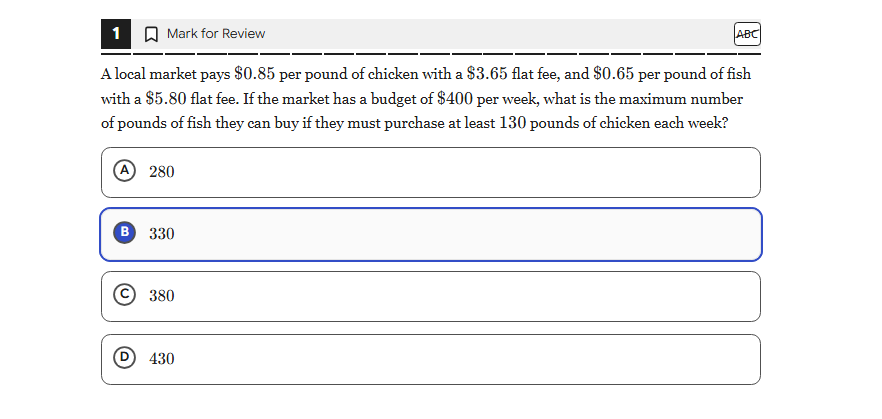
1. Multiple Choice
Used in: SAT, ACT, SHSAT.
The most familiar and widely used question format. The student is presented with a single question stem and a list of answer options (typically 3–5), and selects exactly one option as their response.
Multiple Choice is the default question type for the Reading & Writing and Math modules of the SAT and ACT, and is the backbone of the EdisonOS Library full-length tests. It supports both text and image-based options, and works seamlessly with the Answer Eliminator and Line Reader tools available to students during a test.
When to use it:
Single-best-answer questions across reading, grammar, and most math problems
Questions where you want to measure recognition rather than recall
Any scenario where exactly one option is unambiguously correct
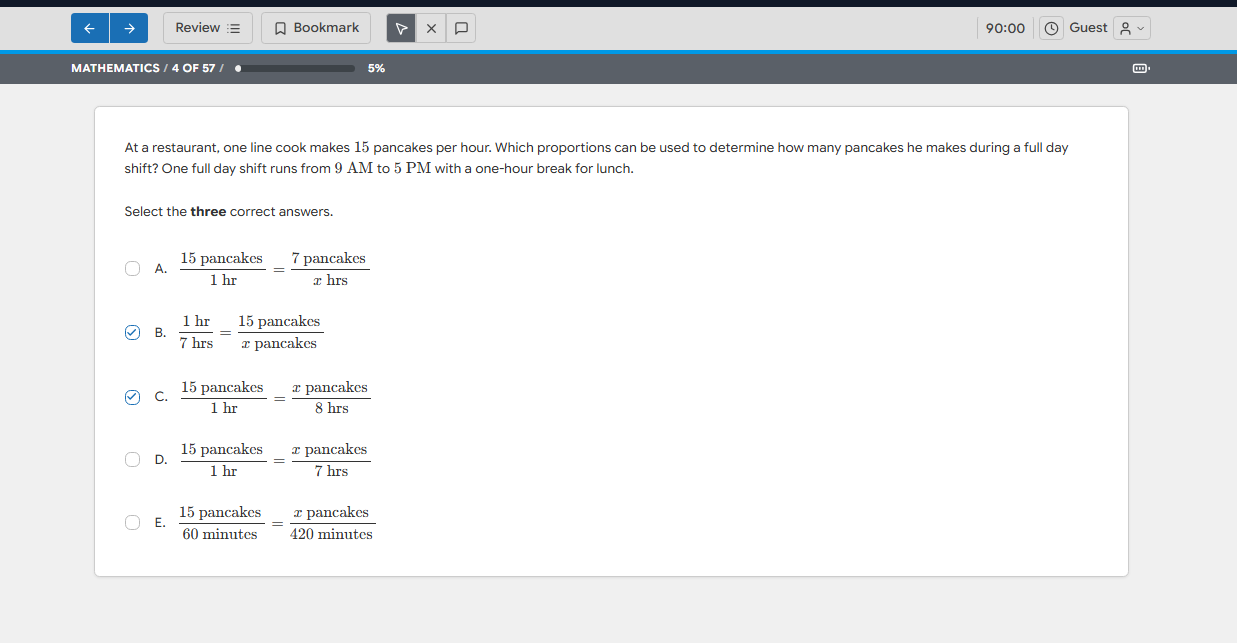
2. Multiple Select
Used in: SHSAT, Diagnostic Assessment (DA), Custom Programs
Visually similar to Multiple Choice, but the student must select two or more correct options from the list. The question stem will explicitly tell the student how many answers to choose (for example, "Select the three correct answers").
When to use it:
Math questions where multiple equivalent expressions are correct (e.g. unit-conversion proportions)
Reading questions where multiple statements from a passage support a conclusion
Concept-check questions where you want to rule out single-answer guessing
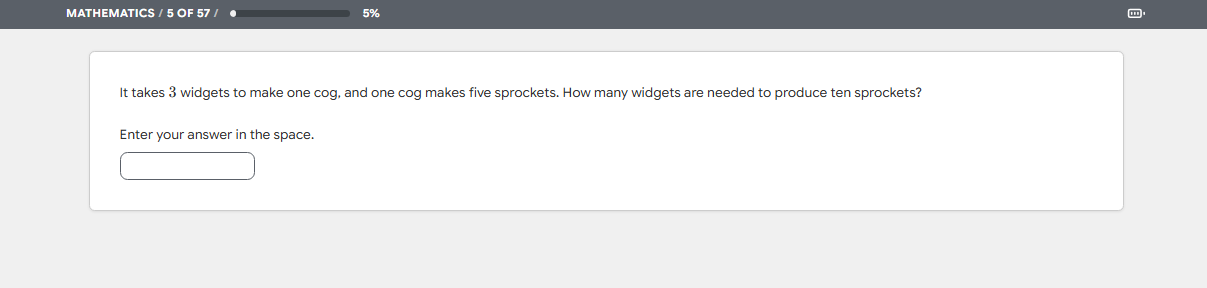
3. Student-Produced Response (SPR)
Used in: SAT, ACT, SHSAT, Custom Programs
Also known as Grid-In or Free-Response. The student types a numerical or short-text answer directly into an input box and no answer choices are provided. This forces the student to actually compute or recall the answer rather than recognise it from a list, which raises the cognitive demand significantly.
Student-Produced Response questions support multiple accepted answer formats (for example, a fraction and its decimal equivalent can both be marked correct), and EdisonOS automatically normalises whitespace and common formatting variations during grading.
When to use it:
Math questions where the student must compute a specific value (e.g. word problems, algebra, geometry)
Questions where eliminating answer choices would trivialise the problem
Any item where you want to see what the student produces rather than what they recognise
4. True or False
Used in: Diagnostic Assessment (DA)
The student is presented with a statement and selects whether it is True or False. This is the simplest possible question format and is most useful in formative assessments, classroom comprehension checks, and quick concept-recall quizzes.
True or False is generally not used in standardised SAT, ACT, or SHSAT practice tests because the format is uncommon on those real exams. It is most useful inside custom academy programs, in-class quizzes, and diagnostic tests built by tutors.
When to use it:
Quick comprehension checks during or after a lesson
Verifying conceptual understanding before moving to harder formats
Warm-up questions at the start of a problem set
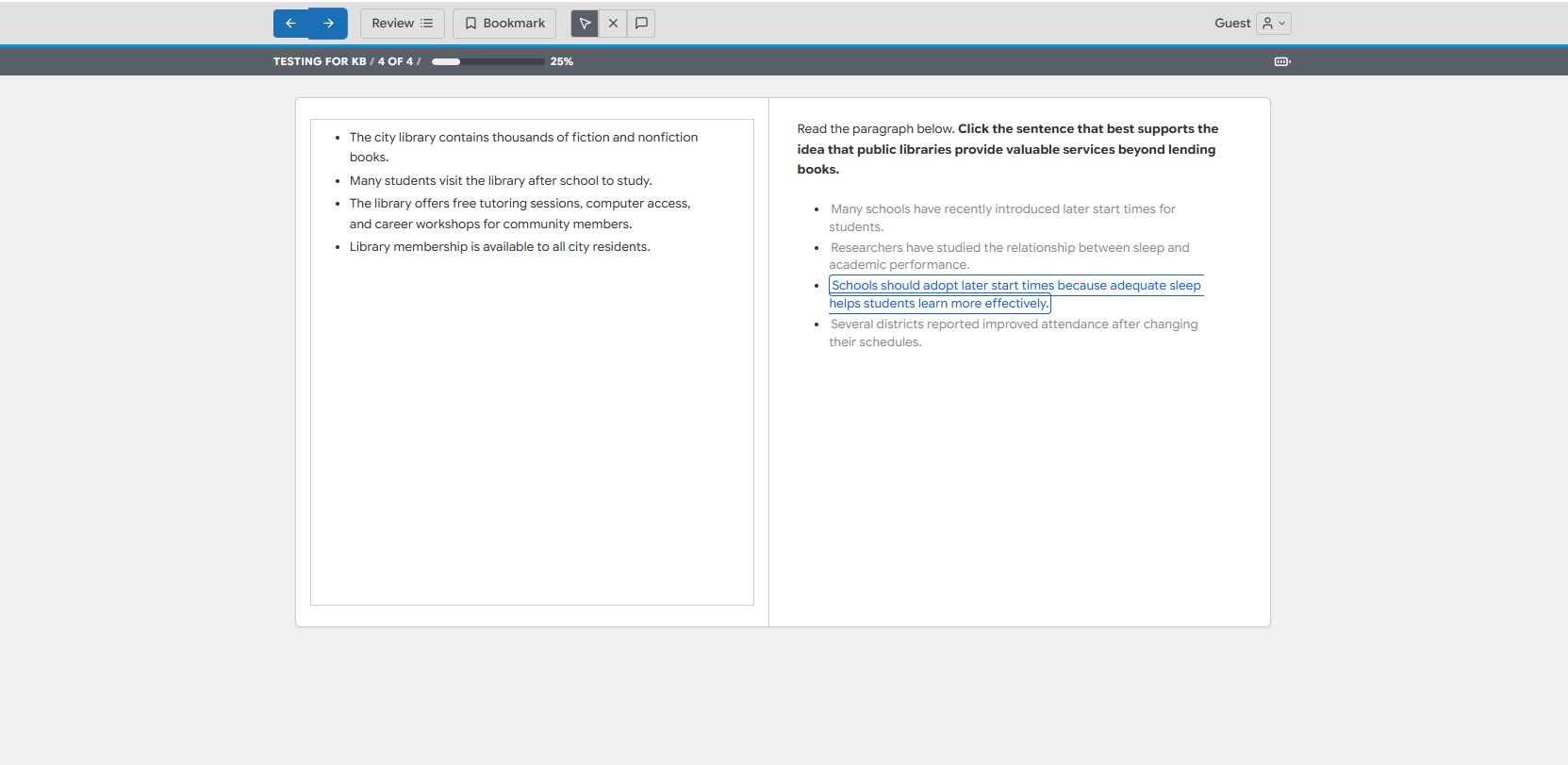
5. Hot Text Question
Used in: SHSAT, Custom Programs
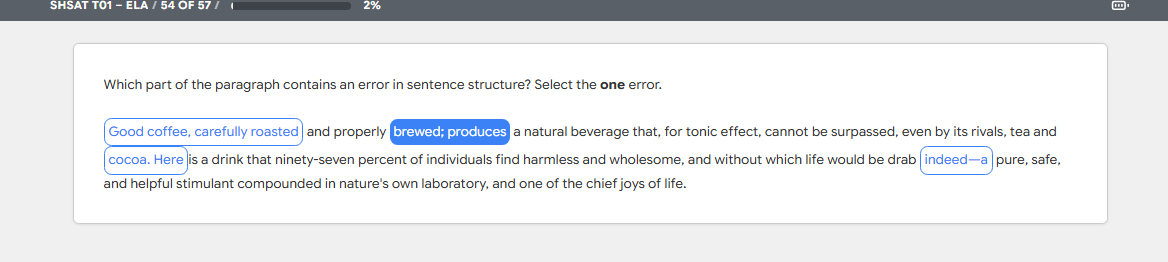
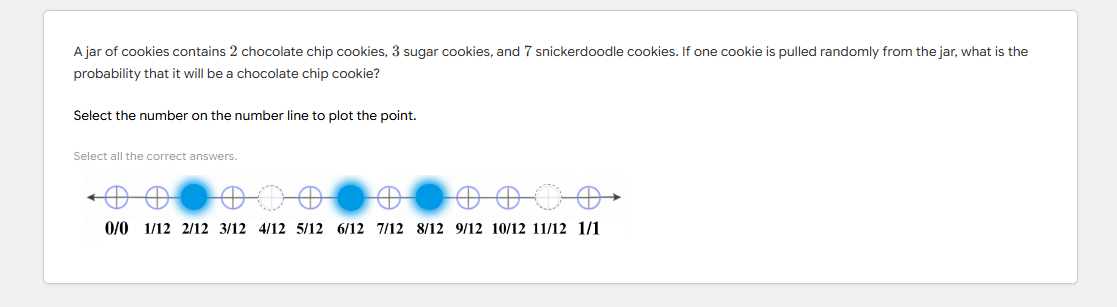
The student clicks on specific words, phrases, sentences, or points within a passage, paragraph, or visual element to mark their answer. Hot Text questions are commonly used for tasks such as identifying the sentence in a paragraph that contains an error, selecting the topic sentence of a paragraph, or plotting a point on a number line.
In EdisonOS, the Hot Text format also covers number-line plotting questions where the student clicks the correct point along a marked line also a format that frequently appears in SHSAT Math and probability questions.
When to use it:
Identifying a specific sentence or phrase inside a longer passage
Plotting a point on a number line, coordinate axis, or similar visual
Reading-comprehension tasks where the answer is a passage location, not a separate option
6. Fill in the Blank
Used in: Custom Programs
The student types a missing word, phrase, or short expression directly into a blank within a sentence or equation. Fill in the Blank is closely related to Student-Produced Response but is typically used for short-text completion (a vocabulary word, a grammatical form, a single term) rather than a numerical computation.
The grading engine supports multiple accepted answers per blank, case-insensitive matching, and basic synonym handling so that minor spelling or phrasing variations do not unfairly mark a student wrong.
When to use it:
Vocabulary, grammar, and language-completion tasks
Equation-completion tasks in early algebra
Cloze-style reading exercises
7. Matrix Grid
Used in: SHSAT, Custom Programs
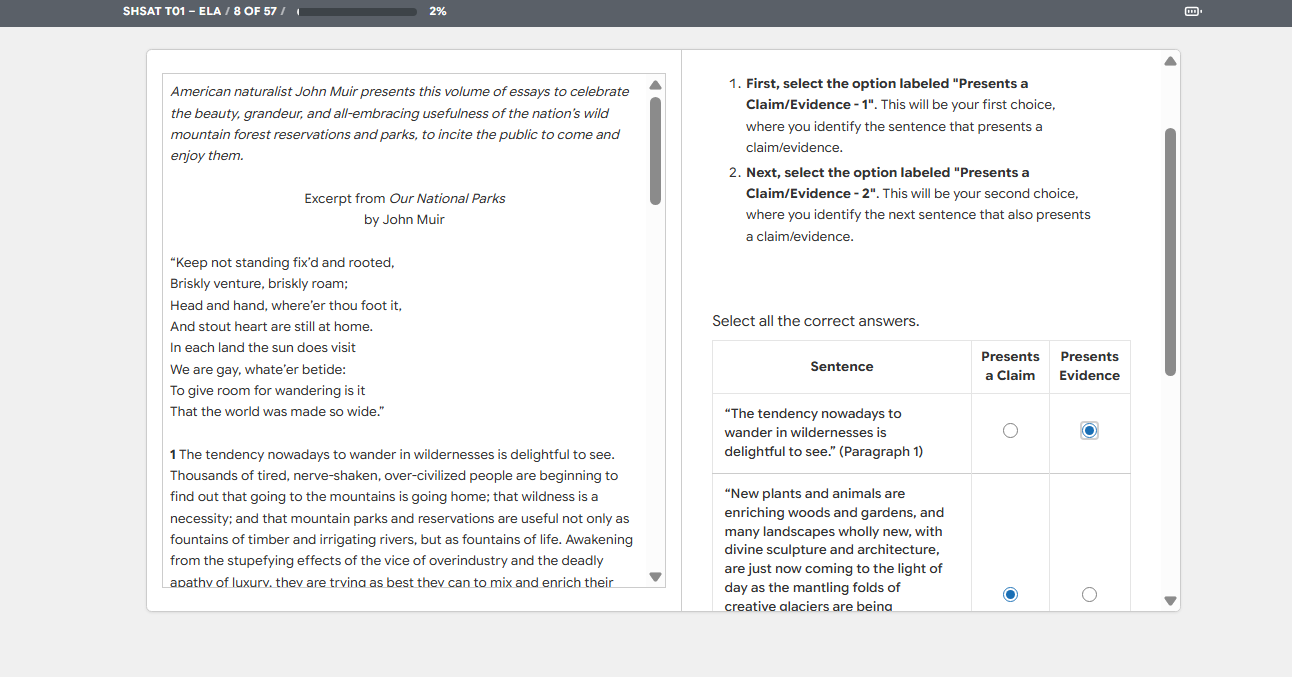
The student answers across a grid where each row represents a sub-item and each column represents a possible response. The student selects one (or more) cells per row to indicate their answer. Matrix Grid is especially useful for questions that ask the student to classify or rate multiple items against the same set of options.
This question type appears most often in SHSAT-style diagnostic and reasoning sections and is rarely used in SAT or ACT practice tests.
When to use it:
Classifying multiple items along the same set of categories (e.g. "for each statement, mark whether it is supported, contradicted, or not addressed by the passage")
Mapping items to attributes
Comparison-style reasoning where the same options apply to several prompts
8. Drag and Drop
Used in: SHSAT, Custom Programs
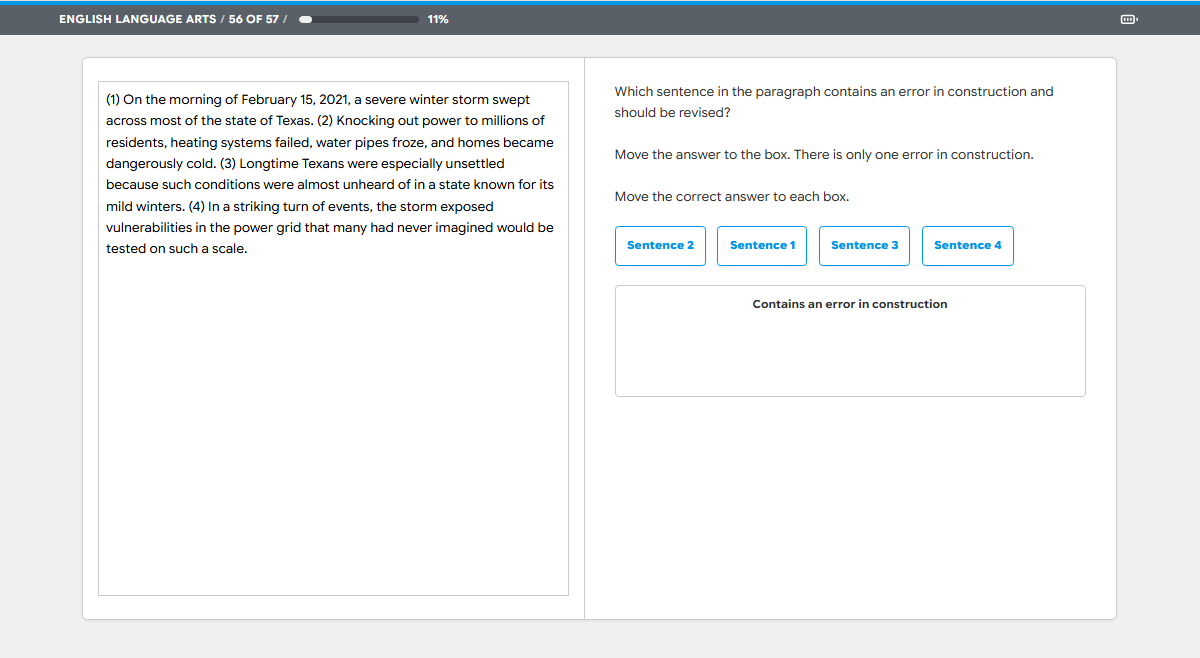
The student drags answer items from a source area into target boxes, slots, or positions on screen. Drag and Drop is one of the most flexible question types in EdisonOS as it supports phrase-into-box mapping, sentence reordering, sequencing, and matching tasks.
The format works particularly well for Reading & Writing tasks where the student must identify which phrases affect the tone of an excerpt, which sentence in a paragraph contains a construction error, or which proportional expression matches a given setup.
When to use it:
Identifying phrases that match a specific tone, theme, or function
Selecting the sentence in a paragraph that needs to be revised
Matching answer choices to placeholders inside a worked solution
Ordering or sequencing tasks
9. Categorize
Used in: SHSAT, Custom Programs
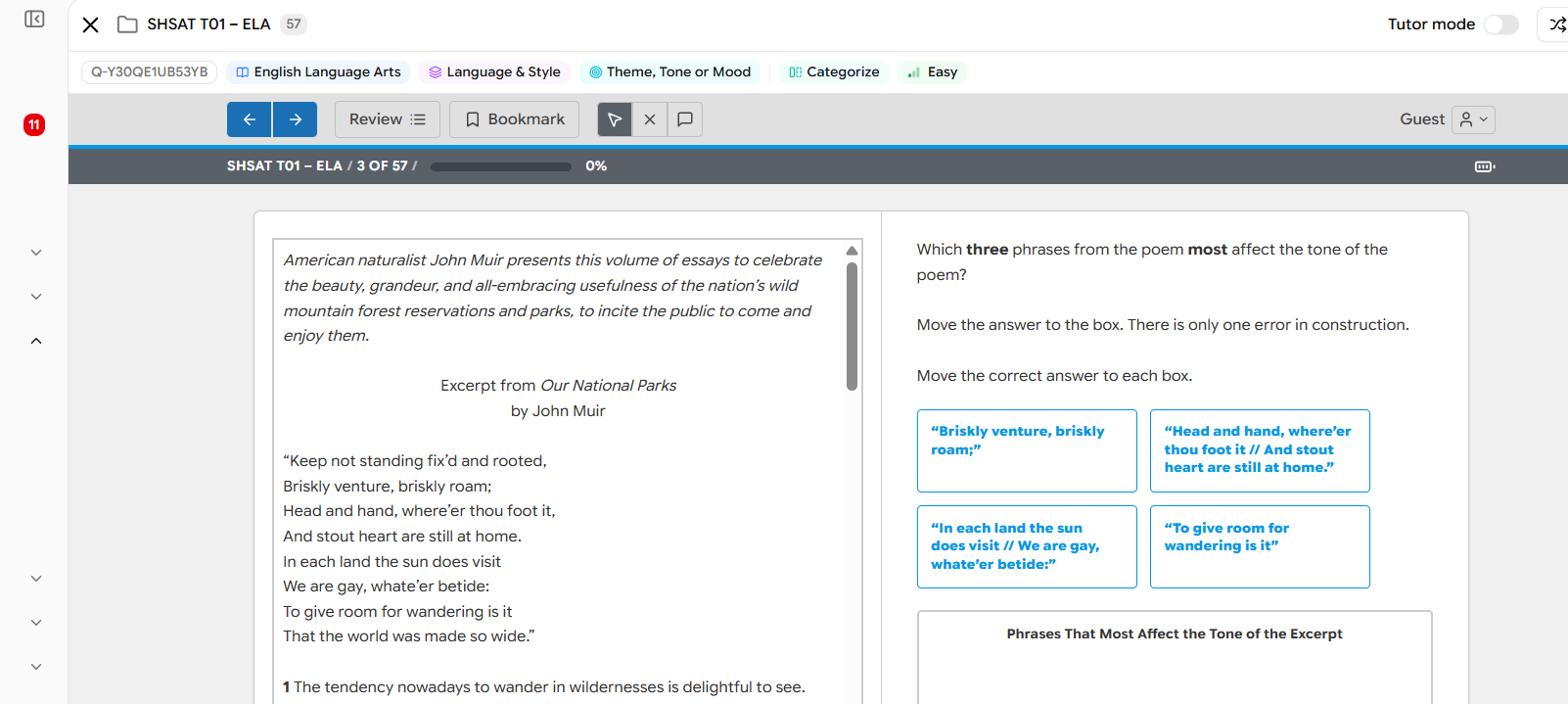
A specialised form of Drag and Drop where the student sorts a set of items into two or more labeled categories. Categorize differs from a generic Drag and Drop in that the targets are explicitly named buckets and an item is correct only if it lands in the right bucket.
This format is well-suited to vocabulary classification, parts-of-speech sorting, theme grouping in reading passages, and classifying mathematical objects (e.g. "rational vs. irrational", "linear vs. quadratic").
When to use it:
Sorting words, terms, or concepts into named categories
Grouping passage details by theme or function
Mathematical classification tasks
10. Image Hotspot
Used in: SHSAT, Custom Programs
The student clicks a specific region of an image to indicate their answer. The image can be a diagram, map, graph, chart, scientific illustration, or any visual where the answer is a location rather than a textual choice. EdisonOS supports both single-region and multi-region hotspot questions.
Image Hotspot is most commonly used in SHSAT science-style diagrams, geography questions, and any custom program that uses visual stimuli where the answer is best expressed by pointing at the image.
When to use it:
Identifying a region on a map, diagram, or chart
Pointing to a specific component on an annotated illustration
Visual identification tasks where text-based answers would be awkward
Always verify the program context before adding questions. A question type that appears in one program may not be available in another. For example, Matrix Grid and Image Hotspot are available only in SHSAT and Custom programs and will not show up inside an SAT or ACT question bank.
A question bank is only as good as the variety within it. Mix formats intentionally, mirror the real exam where it matters, and challenge students in ways that keep them sharp not just familiar with the pattern.
11. Image Collage
Used in: Custom Programs
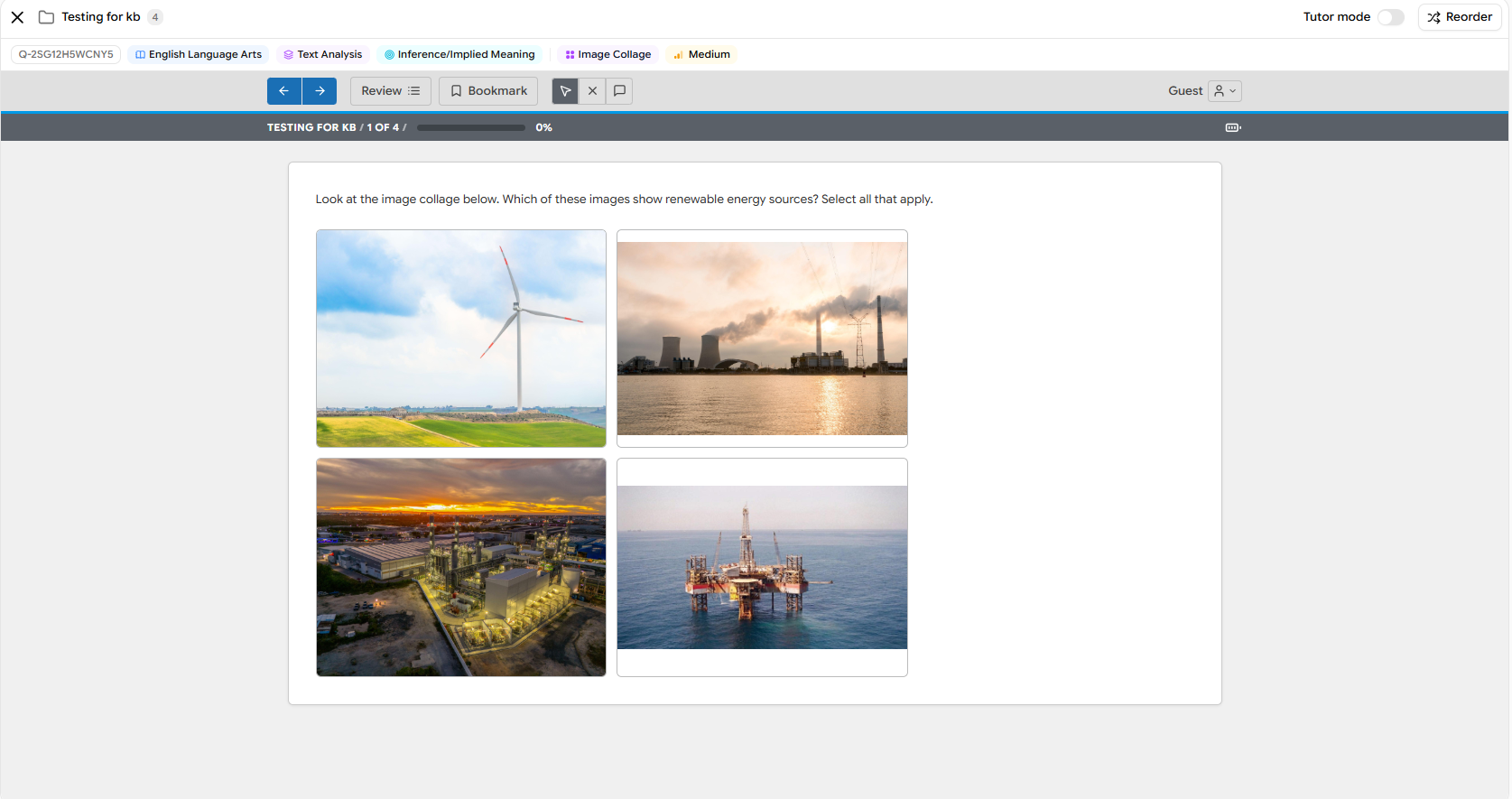
The student is presented with a set of images arranged in a grid (a "collage") and selects the image or images that correctly answer the question. Unlike Image Hotspot, where the answer is a region inside a single image, Image Collage treats each image in the grid as a distinct, selectable option. The format supports both single-selection and select-all-that-apply questions.
Image Collage is well-suited to visual identification and classification tasks where the answer choices are best expressed as pictures rather than text, such as identifying examples of a concept, grouping by visual attribute, or distinguishing one category of image from another.
When to use it:
Visual "select all that apply" questions (e.g. "Which of these images show renewable energy sources?")
Identification tasks where picture-based options are clearer than text
Concept-recognition questions built around photographs, diagrams, or illustrations
12. Drop-down
Used in: Custom Programs
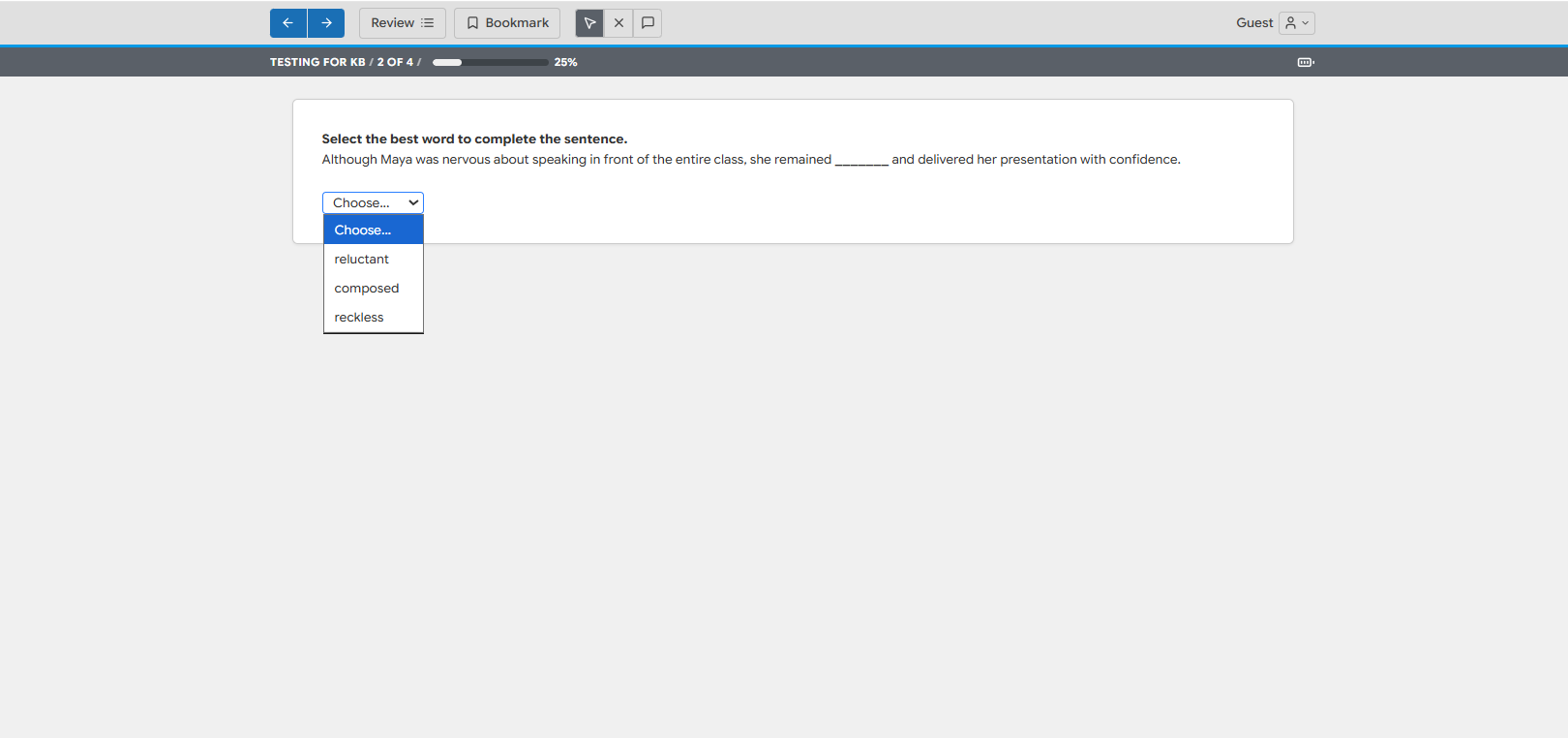
The student selects the correct answer from an inline drop-down menu placed directly inside a sentence or passage. Rather than choosing from a separate list of options, the student opens the drop-down at the blank and picks the word or phrase that best completes the text. A single question can contain one or several drop-downs.
Drop-down is closely related to Fill in the Blank, but instead of typing a response the student chooses from a controlled set of options. This keeps grading precise while still requiring the student to read the surrounding context and choose the best fit, making it ideal for grammar, vocabulary, and sentence-completion tasks.
When to use it:
Vocabulary and word-choice questions in context (e.g. choosing between reluctant, composed, and reckless)
Grammar and usage completion tasks
Passage-based cloze questions where you want a fixed set of answer choices
13. Mark the Word
Used in: Custom Programs
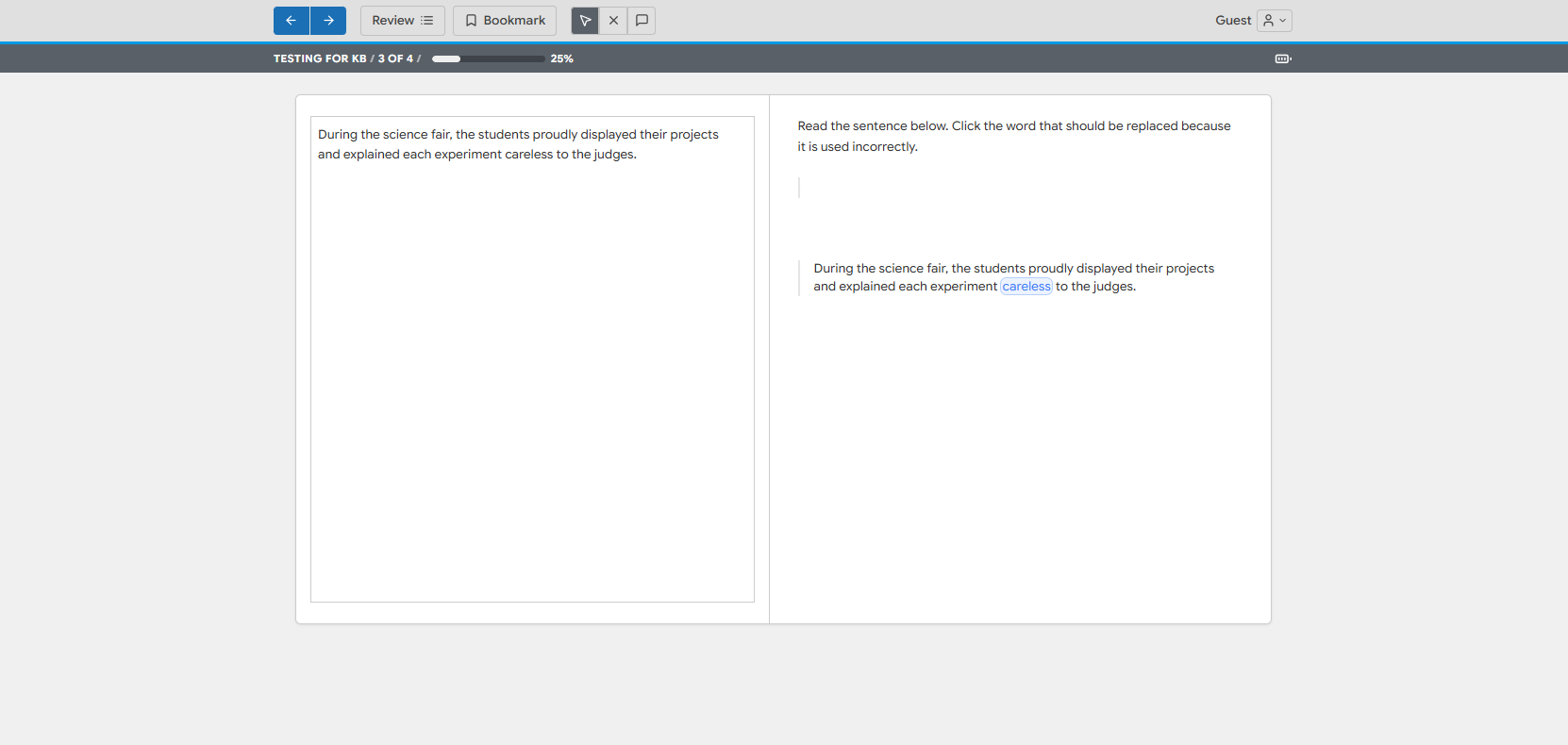
The student clicks an individual word within a sentence or passage to mark it as their answer. Each eligible word becomes individually selectable, and the student identifies the single word that satisfies the prompt, such as a word used incorrectly, a misspelled word, or a particular part of speech.
Mark the Word is a focused, word-level relative of the Hot Text format. Where Hot Text can target words, phrases, or sentences, Mark the Word is purpose-built for pinpointing one specific word, which makes it especially effective for grammar, usage, and editing exercises.
When to use it:
Identifying a word used incorrectly in a sentence (e.g. careless vs. carelessly)
Spotting a misspelled or misused word
Picking out a specific part of speech or vocabulary word in context
14. Mark the Sentence
Used in: Custom Programs
The student clicks an entire sentence within a paragraph or list to mark it as their answer. Each sentence becomes individually selectable, and the student chooses the one sentence that best answers the prompt, such as the sentence that states the main idea, best supports a claim, or contains an error.
Mark the Sentence is the sentence-level counterpart to Mark the Word. It is well-suited to reading-comprehension and analysis tasks where the answer is a complete sentence located within a passage rather than a separate answer choice.
When to use it:
Identifying the sentence that best supports a stated idea or claim
Selecting the topic sentence or main idea of a paragraph
Locating the sentence that contains an error or is irrelevant to the passage