
4.3 Managing Questions
Library access & scope
EdisonOS has two libraries which are the platform-managed EdisonOS Library and your personal My Library. All create, edit, and folder management actions are scoped exclusively to My Library.
Questions in the EdisonOS Library are read-only. You can reference them in assessments but cannot create or modify content within that library.
Creating questions
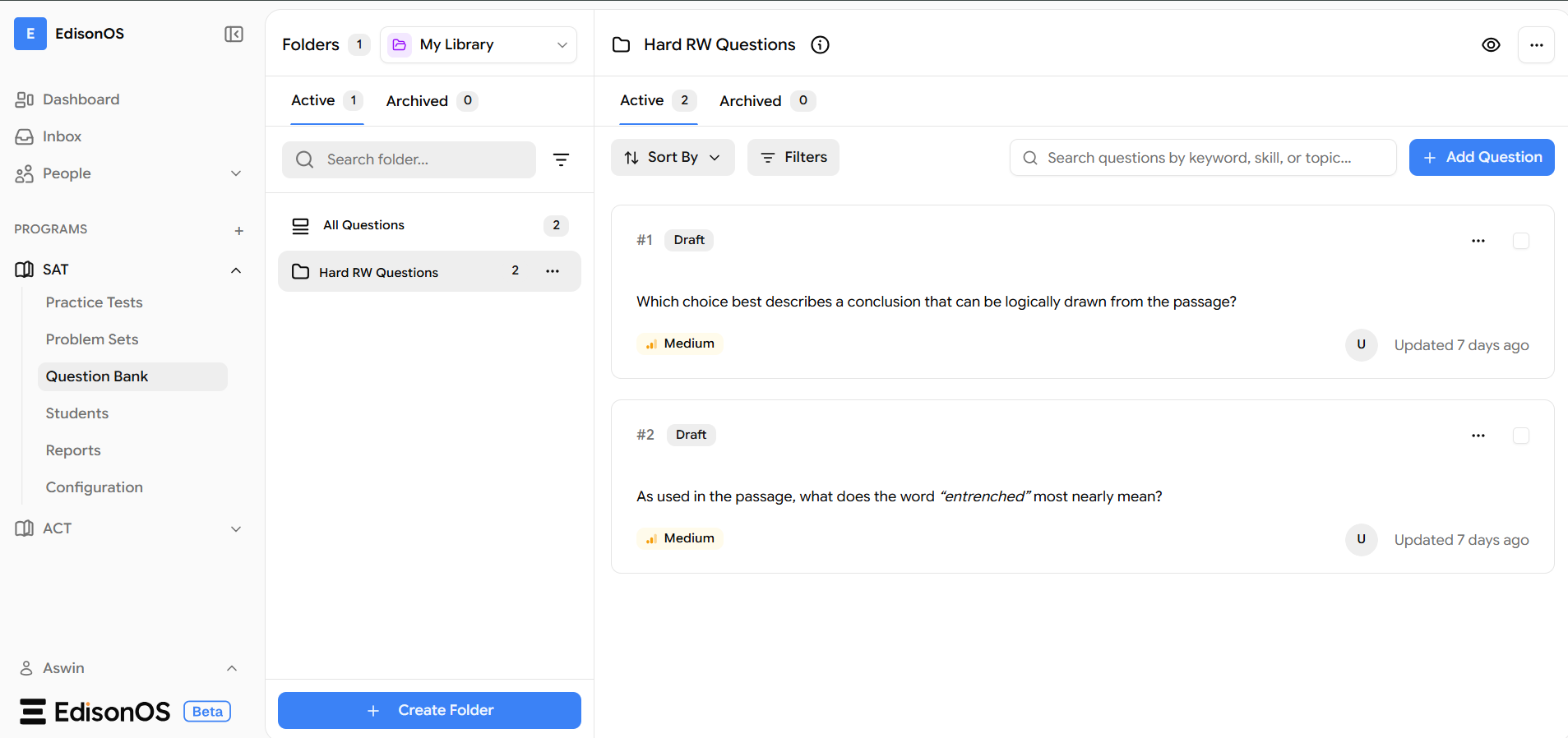
Questions always live inside a folder. Before adding a question, you need either an existing folder or a new one under My Library.
Starting from a new folder
Switch to My Library - Use the library switcher at the top of the left panel and select My Library.
Create a folder - Click
+ Create Folderat the bottom of the left panel. Name it clearly and specifically.Add a question - Open the folder and click
+ Add Questionin the top-right of the question panel.Complete the details - Fill in all required fields in the Create Question window. The question saves directly into the folder on completion.
Adding to an existing folder
Navigate to any existing folder in My Library → click + Add Question → complete the Create Question window. The question saves directly into that folder.
Questions are created in Draft status by default. Review and publish before including them in assessments.
Editing questions
Edits are applied only after you save, the question remains unchanged until you confirm.
Open the question - Click the specific question inside your folder.
Select Edit - On that specific question, click on the three dots of that specific question, and click on edit.
Save - Update the relevant fields and save. Changes reflect immediately in the folder view.
Bulk actions
Action | Status |
|---|---|
Import questions | Coming soon |
Bulk tagging | Coming soon |
Bulk delete | Coming soon |
Move questions | Available |
Best practices
Establish a folder naming convention before scaling - e.g. Domain · Difficulty · Type. Retrofitting structure on a large bank is painful.
Search All Questions before adding new ones. Duplicates across folders create inconsistency in assessments.
Keep folder scope tight. "Math" becomes unnavigable fast prefer "SAT Math Adaptive -Lower".
Use a dedicated draft folder for work-in-progress. Move to live folders only after review.
Avoid inconsistent difficulty tagging across folders as it breaks adaptive logic downstream.