15.20 How to Update Test Credits for a Student?
You can manage the Credit balance for individual students from the Users tab.
Where is this setting?
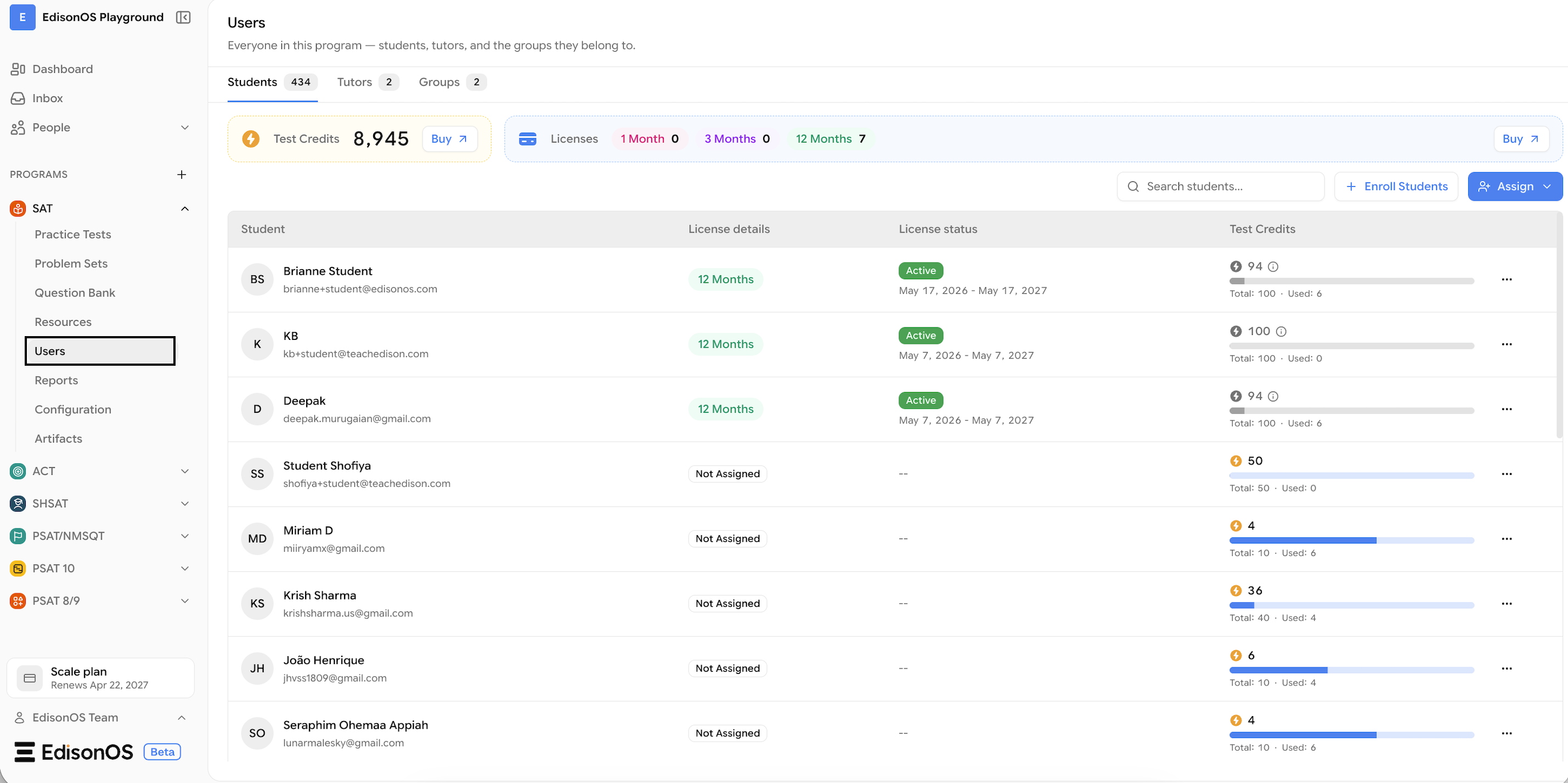
Search for the required student.
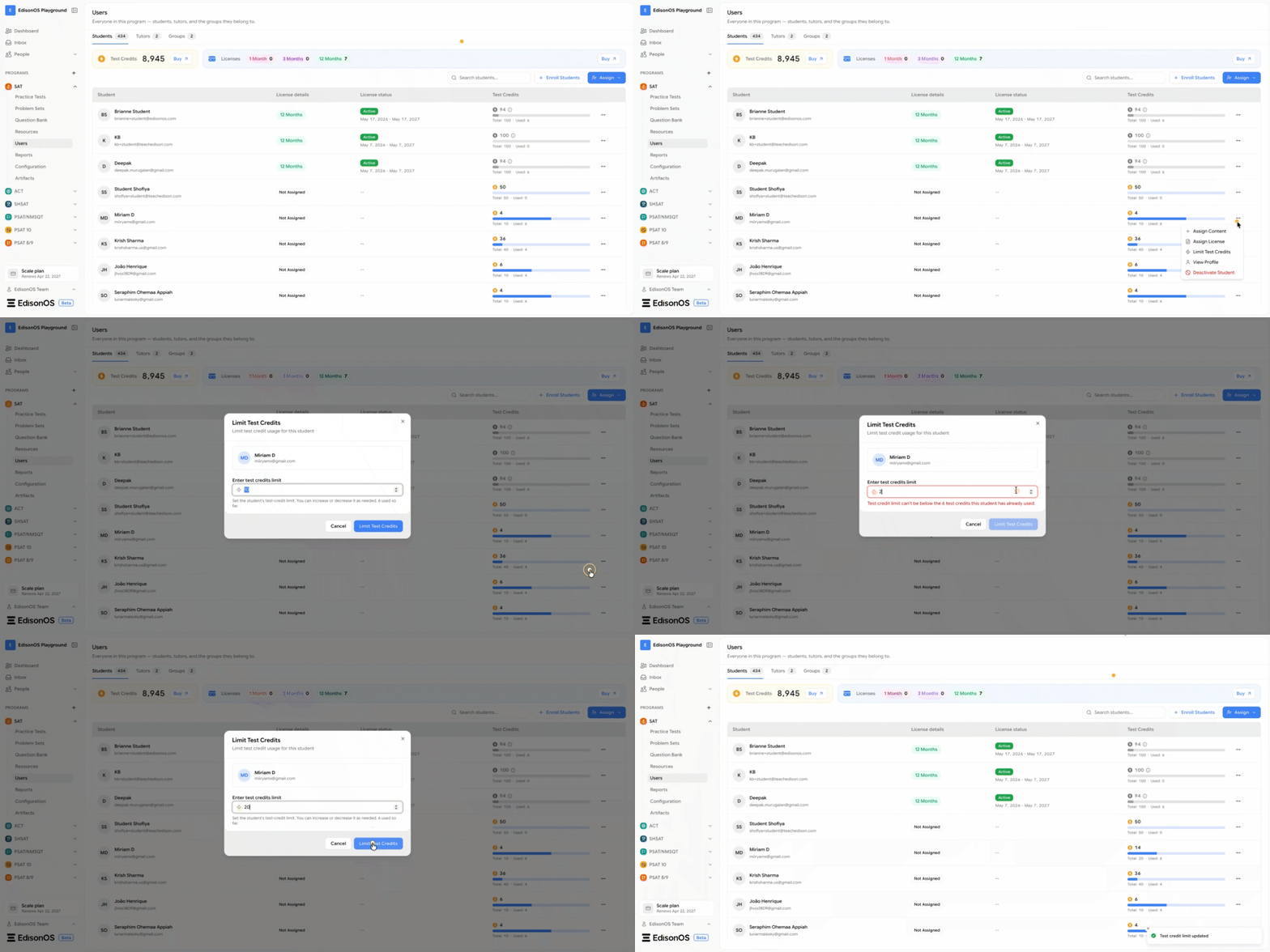
Click the three-dot menu (⋯) next to the student's name.
Select Limit Test Credits.
Increase or decrease the student's Credit balance as needed.
Save your changes.
How do you do it?
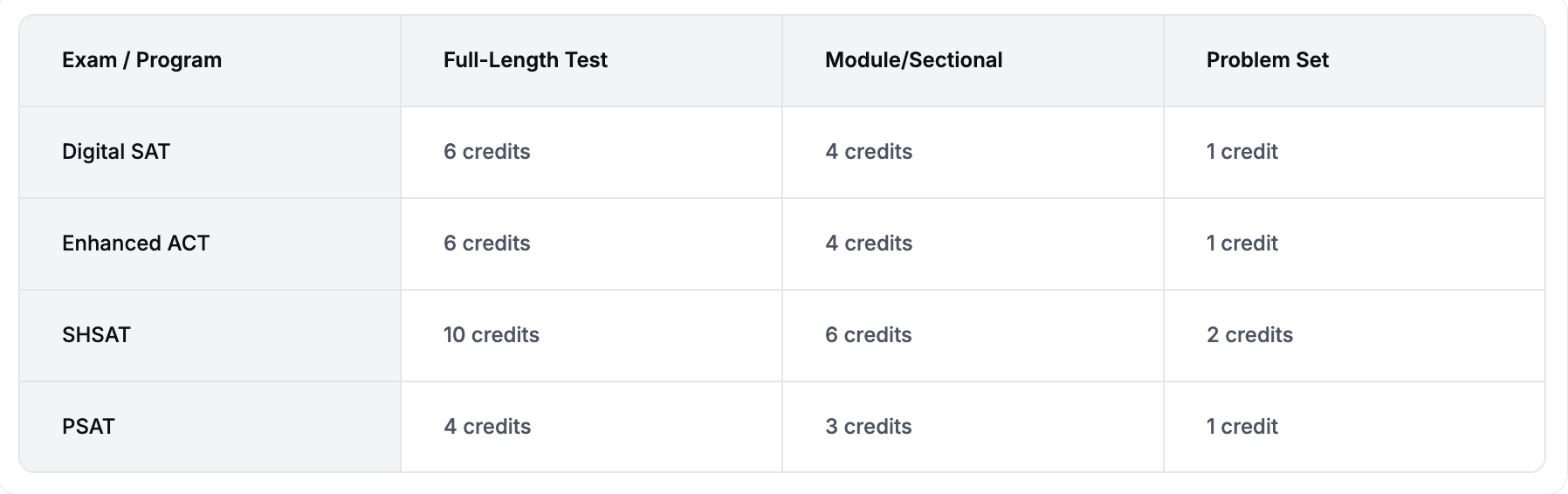
FYI - Credit Per Program