
B) How to Map Your Domain on Namecheap
By following the steps outlined, you can point your domain to EdisonOS by adding a few DNS records inside your GoDaddy account. This is available on all the plans.
Open your EdisonOS Custom Domain page (Academy Settings > Domain > Custom Domain) in a separate tab. EdisonOS displays the exact records you need to add the Type, Name, and Value for each one. Always copy the values from there.
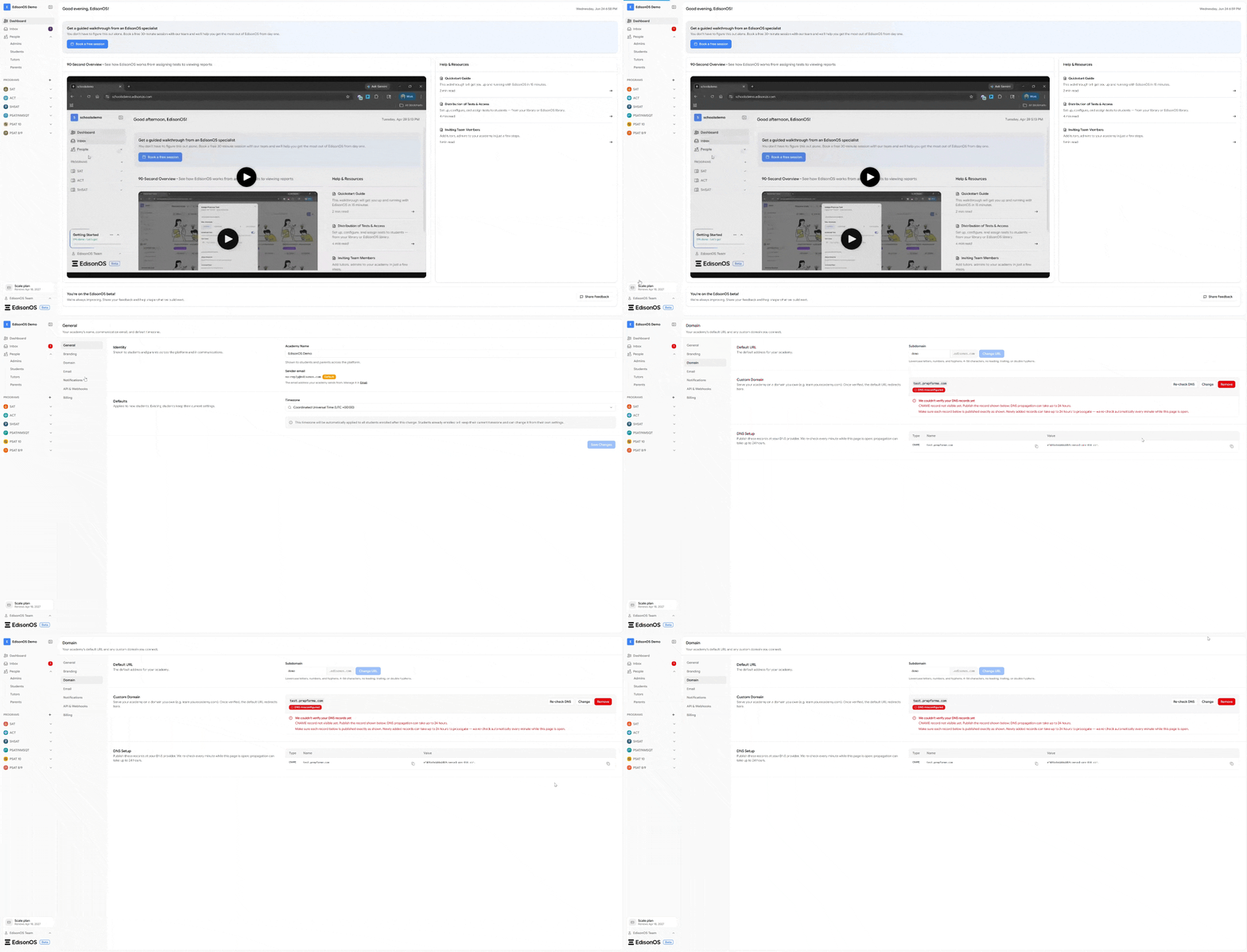
Add your domain mapping records
1. Log in to your Namecheap account at namecheap.com.
2. From the left sidebar, select "Domain List".
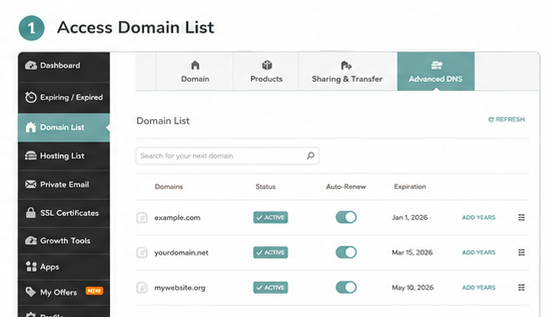
3. Locate the domain you want to connect and click "Manage" next to it.
4. At the top of the page, switch to the "Advanced DNS" tab. You will see the "Host Records" section (a new domain may show "No Records Found").
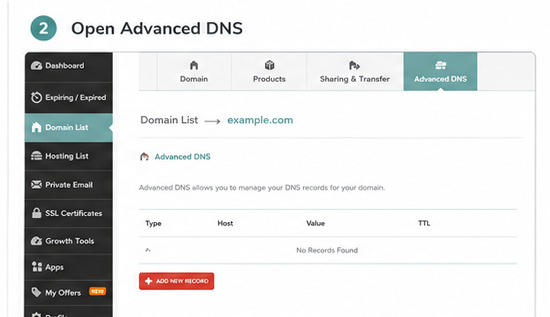
5. In the "Host Records" section, click "Add New Record".
6. From the "Type" dropdown, select "A Record" for a root-domain mapping.
7. In the "Host" field, enter @ to map your bare/root domain (for example, yourdomain.com). For a subdomain, enter only the prefix (for example, www or app) without the full domain.
8. In the "Value" field, paste the IP address from your EdisonOS Custom Domain page (for example, 192.0.2.1).
9. Leave "TTL" on "Automatic" unless EdisonOS specifies a value, then click the green Save ( ✓ ) icon.
10. To point the www version, click "Add New Record" again, select "CNAME Record", enter www in "Host", enter @ (or your EdisonOS target) in "Value", and save.
Click here to view the YouTube tutorial on how to do this
If the "Add New Record" option is not available, your domain is pointed to third-party or Namecheap hosting nameservers. Switch the "Nameservers" dropdown (on the Domain tab) to "Namecheap BasicDNS" first, then return here.
A CNAME record cannot be used on the root @ host. Namecheap automatically appends your domain to CNAME values, so enter the target without duplicating your domain name.
A newly registered Namecheap domain ships with default parking-page records (URL Redirect / CNAME on @ and www). Delete these, as duplicate records on the same Host will conflict.
Verify and wait for propagation
1. Return to your EdisonOS Custom Domain page and click "Verify" (or "Check status").
2. Namecheap host-record changes usually take effect within about 30 minutes; full propagation can take up to 24-48 hours.
3. If verification fails right away, wait a little and check again before making further changes.
You can confirm a record is live using a free DNS lookup tool by searching for your domain and the record type. If the value matches what EdisonOS provided, the setup is complete.
If you need further assistance, reach out through email help@edisonos.com.