
15.12 AI Credits
Understanding AI Credits:
AI Credits are used whenever you upload a PDF using AI extractor. Each PDF upload consumes AI credits, which are automatically deducted from your available balance.
How it will work:
Every newly enrolled customer receives 25 AI Credits by default.
AI Credits are charged on a 1 Credit = $1 basis.
For example, if you upload a Full-Length Test or a Problem Set using the AI Extractor, AI Credits will be consumed once students begin attempting that assessment.
Each AI request may consume a different number of AI credits, depending on the request.
A 25% markup is applied to the AI Credits consumed for each AI request.
Default AI Credit Allocation:
Navigate to the Scale plan.
Click Billing from the left navigation menu.
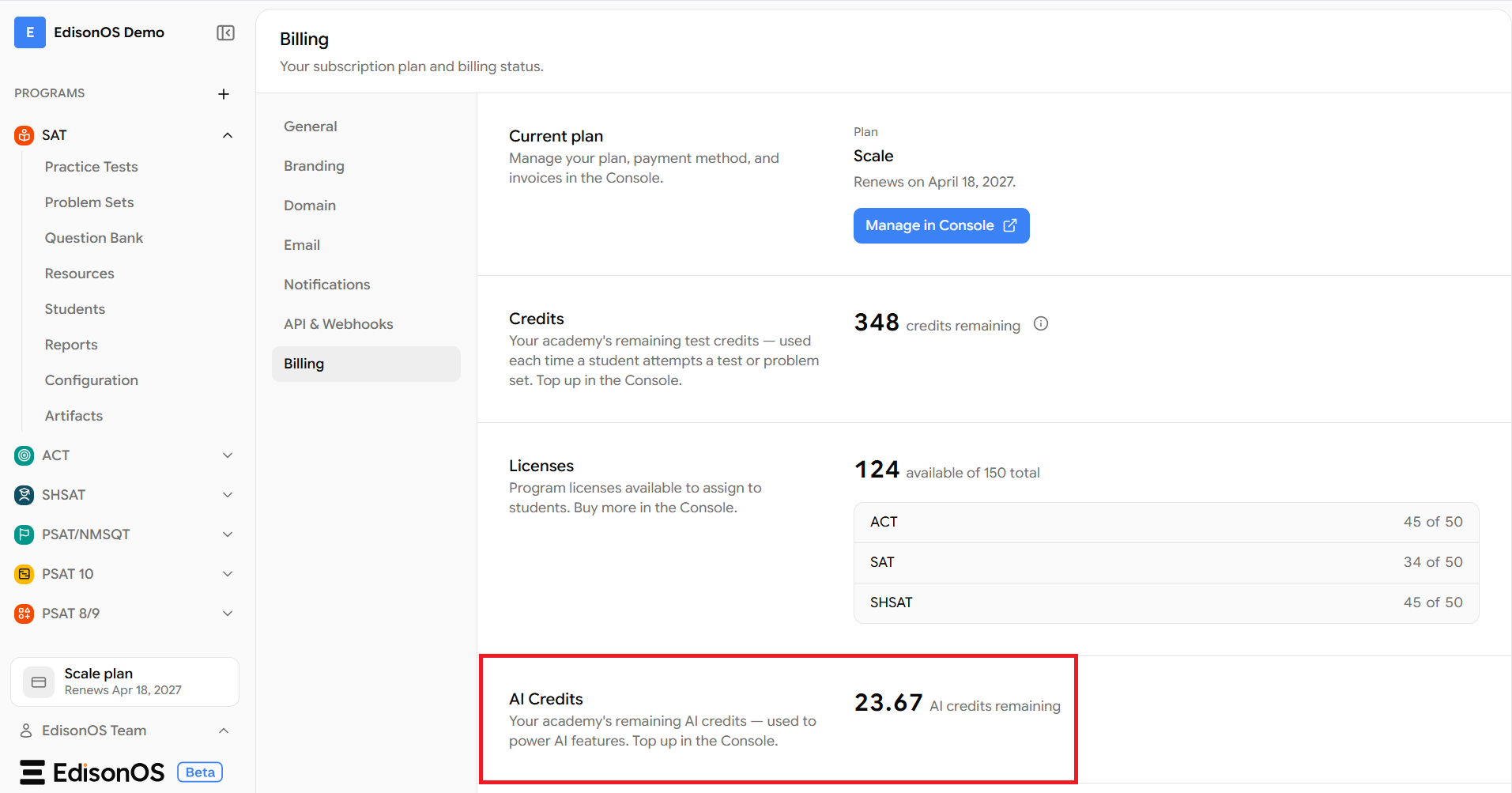
View your default AI Credit balance on the Billing page.
Recharging AI Credits:
If your AI Credits are running low, you can recharge your account by purchasing additional AI Credits.
Please note the following before recharging:
The minimum recharge amount is 20 AI Credits.
Bulk discounts may be available depending on the recharge amount.
A 25% markup is applied to each AI request when it is processed. The markup is not applied during recharge.
Minimum Balance Required for AI Features:
To use AI-powered features, your AI Credit balance must be greater than 10 credits.
If your balance is 10 credits or less, you'll need to recharge before using AI features again.
Understanding Negative AI Credit Balances:
The exact cost of an AI request is determined only after it is processed; your AI credit balance may occasionally become negative. The total AI Credits deducted for an AI request include the applicable 25% markup.
Example:
Suppose you have 11 AI Credits remaining.
You use an AI feature.
The request ends up consuming 15 AI Credits.
Your new balance becomes -4 AI Credits.
This allows your AI request to complete successfully instead of stopping midway.
Recharging After a Negative Balance:
If your balance becomes negative, your next recharge must cover:
The minimum recharge amount (20 AI Credits)
Your outstanding negative balance.
Example:
Current balance: -4 AI Credits
Minimum recharge required:
Minimum recharge = 20 AI Credits
Outstanding balance = 4 AI Credits
Total minimum recharge = 24 AI Credits
Steps to purchase AI Credits:
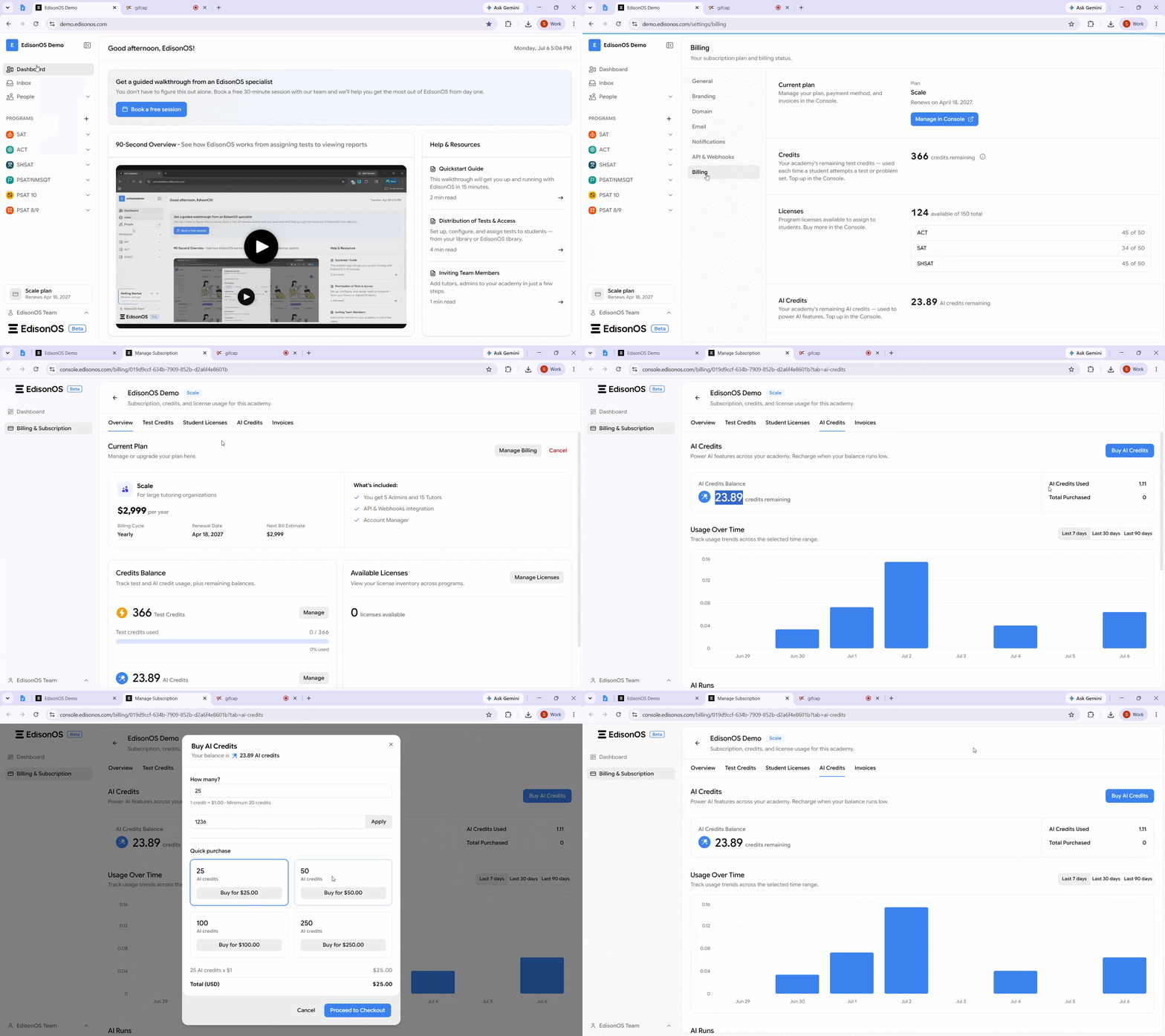
From your academy dashboard, navigate to Your Plan.
Click Billing, and then select Manage Console to access the Console App.
In the Console App, navigate to Billing & Subscription, and then click the AI credits tab.
Click Buy AI credits in the top-right corner of the page.
The AI Credits feature is currently under development. The information in this article is based on the latest details available and may be updated as the feature is finalized.