
5.1.6 Based on Combining Question Filters (Domain, Type & Difficulty)
Filters used: Question Domain, Question Type, Difficulty Level
The Question selection method lets you refine your selection by combining filters. Adding several filters together narrows the pool to exactly the questions you want for example, only the Medium Algebra questions of a specific type.
Scenario:
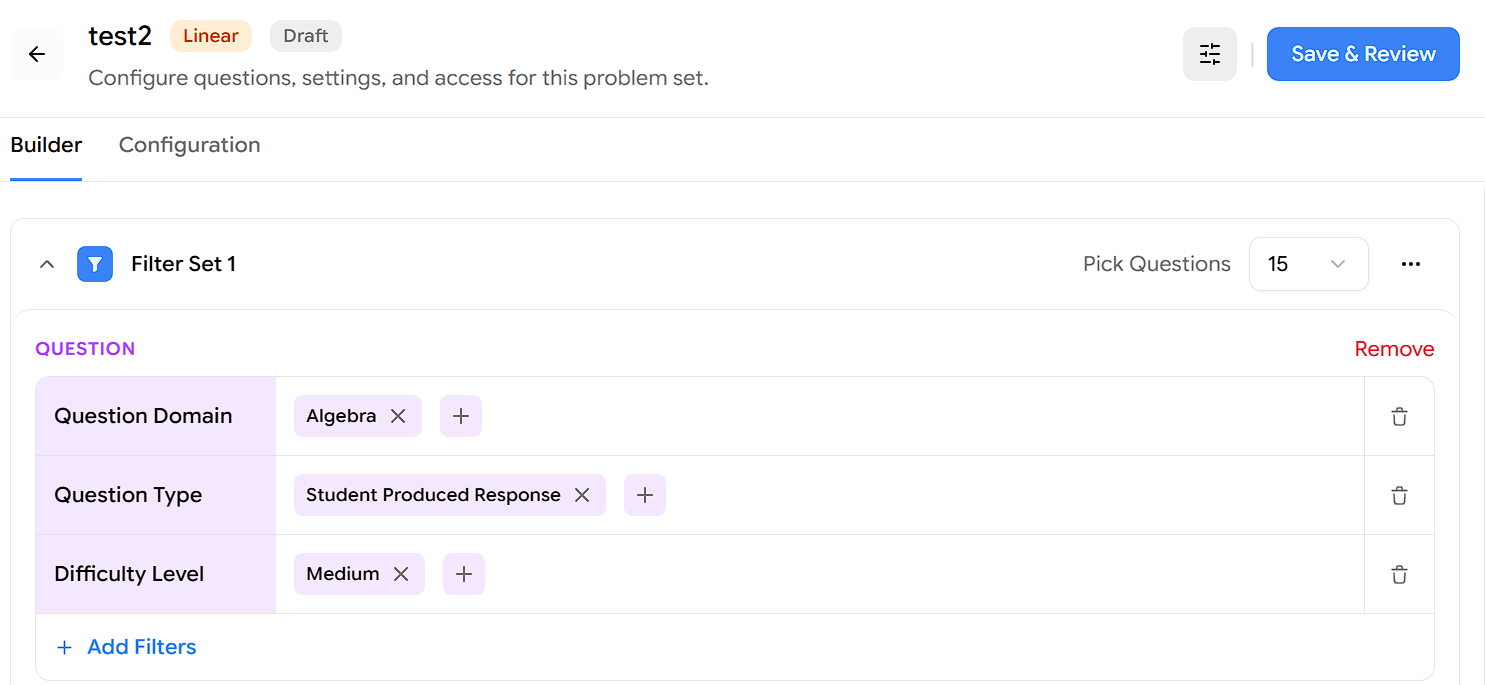
Pick 15 questions where the question domain is Algebra, the question type is Student Produced Response, and the difficulty level is Medium.
Open the problem set on the Builder tab. You'll see Filter Set 1 with a Pick Questions value on the right.
Set Pick Questions to 15, the number of questions this Filter Set should contribute.
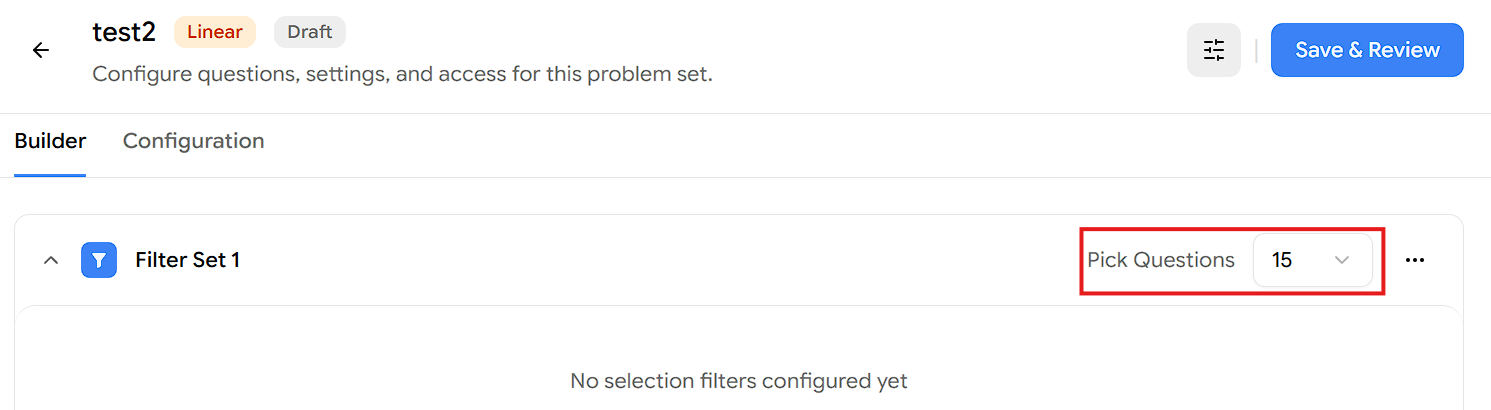
Click Add Selection Method and choose Question.
Under the Question section, click Add Filters, choose Question Domain, and select Algebra.
Click Add Filters again, choose Question Type, and select Student Produced Response.
Click Add Filters again, choose Difficulty Level, and select Medium.
Click Apply Filter to confirm your selections. Each filter narrows the pool, so together they target - Algebra questions of the Student Produced Response type at Medium difficulty.
Click Save & Review, then publish the test to assign it to your students.
Result:
The Filter Set pulls 15 questions that are in the Algebra domain, Student Produced Response type, and Medium difficulty — a precisely targeted set built by stacking Question filters.
Note: Make sure enough questions match your combined filters. If fewer than 15 questions match all three conditions, either loosen a filter (for example, allow more than one difficulty), add more folders or domains, or reduce the Pick Questions count so it matches what's available.