
5.1.5 Based On The Tools Used
Options: Calculator, Magnifier, Line Reader, Option Eliminator, Answer Masking, Reference Sheet, Highlights & Notes
Tools Used - filters questions by which on-screen tools the student used while attempting them. Use it to find questions where students relied on specific supports.
Scenario:
Pick 10 questions from Math where the student used the Calculator, the Option Eliminator, and the Highlights & Notes tool.
Steps:
Open the problem set on the Builder tab. You'll see Filter Set 1 with a Pick Questions value on the right.
Set Pick Questions to 10, the number of questions this Filter Set should contribute.
Add the Folder selection method and select the Math folder names (for example, Digital SAT T01 – Math Baseline, Math Lower, Math Upper). Alternatively, you can use the Question selection method and set the Question Module filter to Math.
Here we selected Question Module - Math
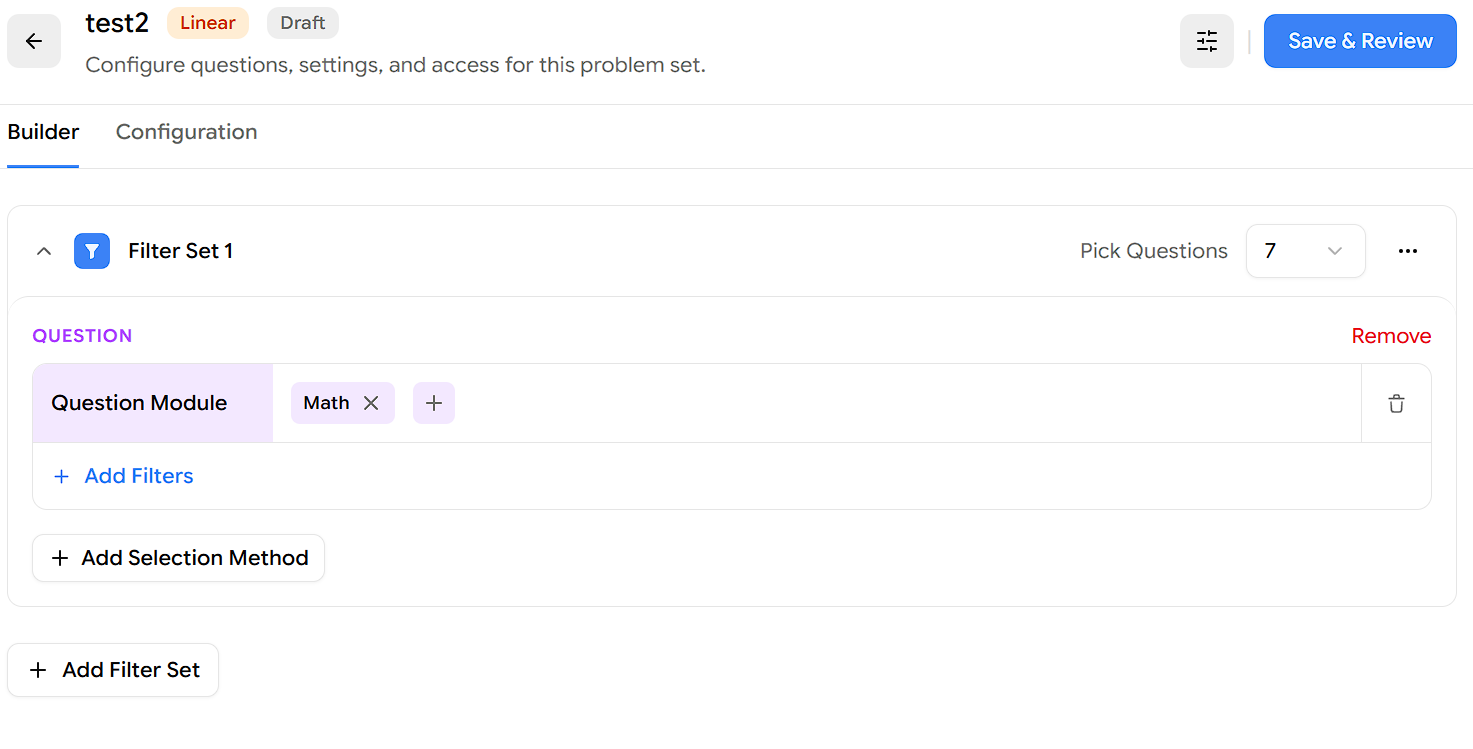
Click Add Selection Method and choose Attempt.
Under the Attempt section, click Add Filters.
In the Filters popup, click Tools Used.
With the condition set to is any of, select Calculator, Option Eliminator, and Highlights & Notes.
Click Apply Filter.
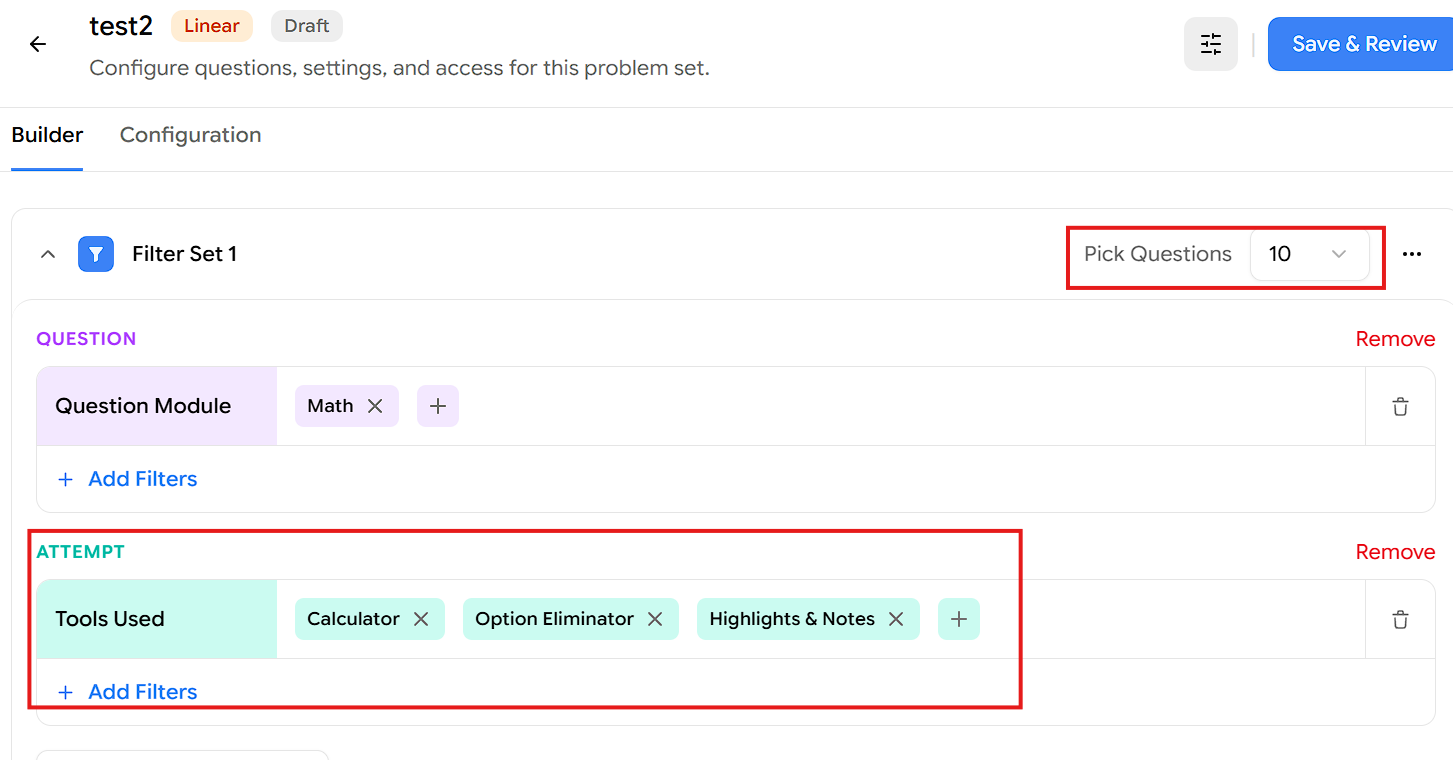
Click Save & Review, then publish the test to assign it to your students.
Result:
The Filter Set pulls 10 questions from the Question Module - Math, where the student used the Calculator, Option Eliminator, or Highlights & Notes tool during their attempt.
Note: Make sure enough questions match your filter. If the selected folders don't have 10 questions where these tools were used, either add more test folders to the selection or reduce the Pick Questions count so it matches what's available.