
5.1.4 Based on Mark as Review - True
Options: True, False
Marked for Review filters questions by whether a student flagged them for review during a test. Use it to revisit the questions students weren't sure about.
Scenario:
Pick 7 questions from the Digital SAT Test 1 that the student marked for review while attempting the test.
Steps:
Open the problem set on the Builder tab. You'll see Filter Set 1 with a Pick Questions value on the right.
Set Pick Questions to 7, the number of questions this Filter Set should contribute.
Add the Folder selection method and select the folder names for the Digital SAT Test 1
Note: Because this is a full-length test, it has six folders — which is why we're picking those six folders here. If you'd rather select on a test-name basis instead, that's covered too
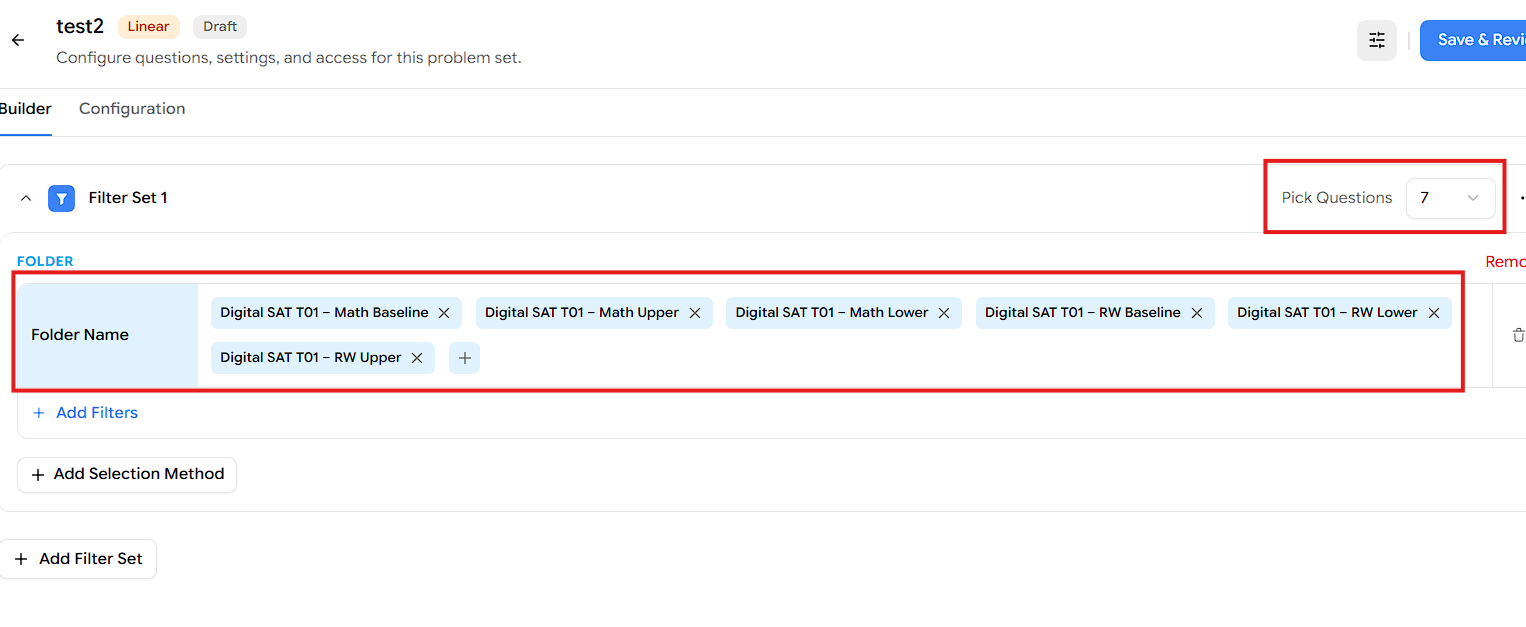
Click Add Selection Method and choose Attempt.
Under the Attempt section, click Add Filters.
In the Filters popup, click Marked for Review.
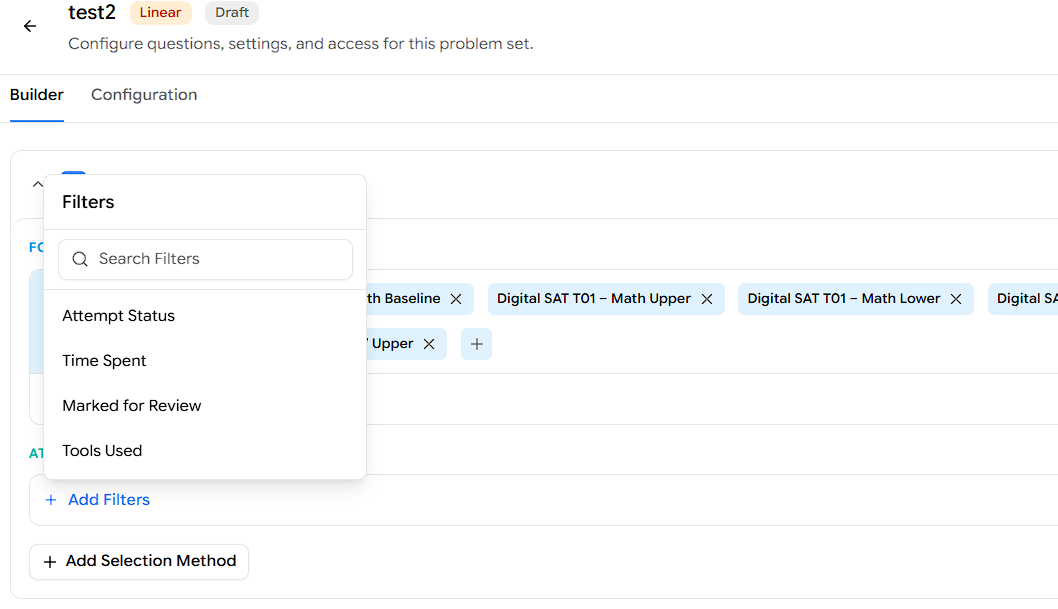
With the condition set to is, select True.
Click Apply Filter.
Click Save & Review, then publish the test to assign it to your students.
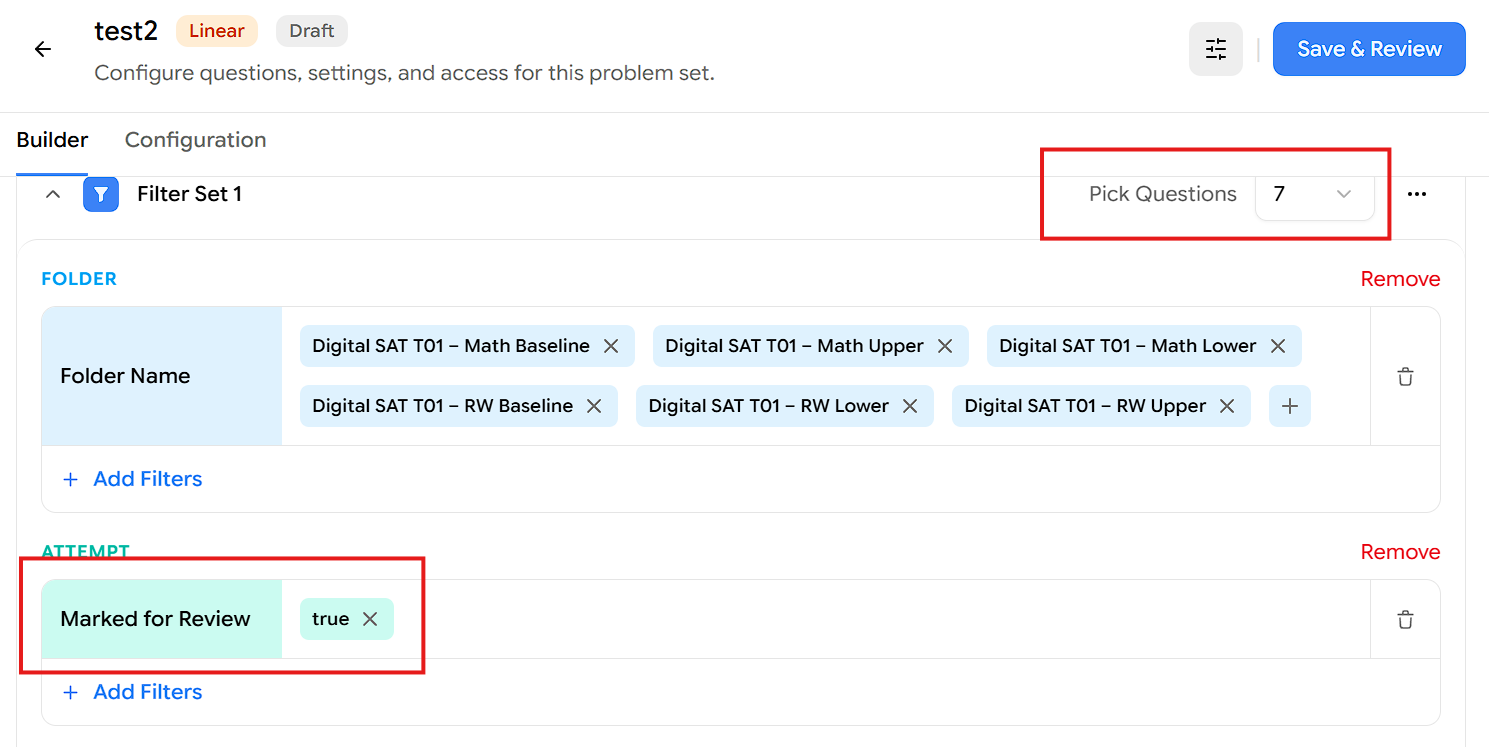
Result:
The Filter Set pulls 7 questions from the selected Digital SAT Test 1 folders that the student marked for review during their attempt — letting them revisit the questions they flagged.
Note: Make sure enough questions match your filter. If the selected folders don't have 7 marked-for-review questions available, either add more test folders to the selection or reduce the Pick Questions count so it matches what's available.