
15.7 How to Purchase / Buy Test Credits ?
This Quick Help explains how to navigate to the plan details area, access the console, and purchase test credits.
Key StepsAcademy Settings → Billing→ Manage In Console → Test Credits → Buy Test Credits
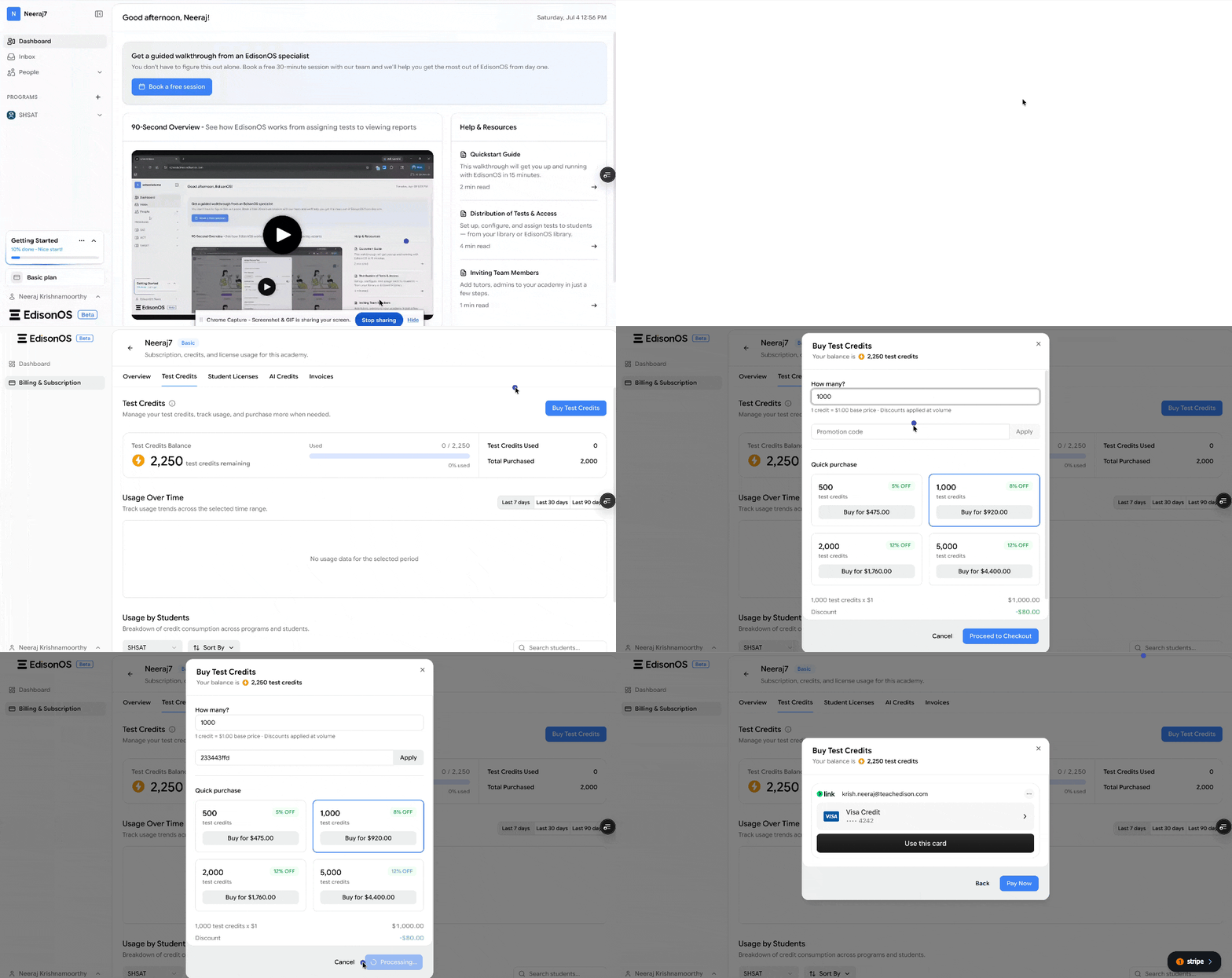
1. Open Plan Details from the Account Menu: From the main dashboard, locate Plan Details in the bottom-left corner. Click to open the current subscription. Next, click Manage in Console to access the purchasing area.
2. Purchase Test Credits and Complete Checkout: In the console, go to Test Credits and click Buy Credits. Enter the number of credits to purchase and click Proceed to Checkout. Enter card details and confirm the transaction before exiting.
Cautionary Notes: Double-check the number of credits and verify payment details before checking out.