
15.6 Students Can't Access Their Test Report ("Access Denied")
Students see the "Access Denied" when they try to access the report fromReports > Test History > View report"against the respective test name.
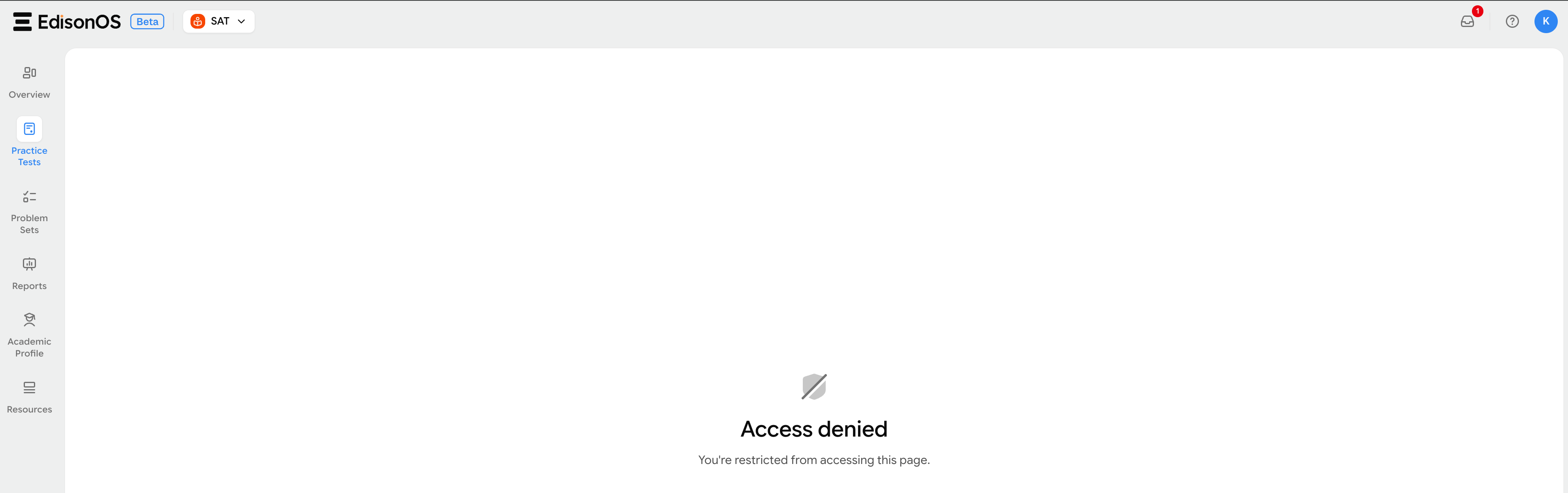
Root cause: When you use the "Invitation link" or "direct enrolment" to add a student to a test, you may have chosen an option that hides the report from the student after they finish the test. The options you might have picked could have been any of "Thank You," "Custom URL," or "Dashboard."
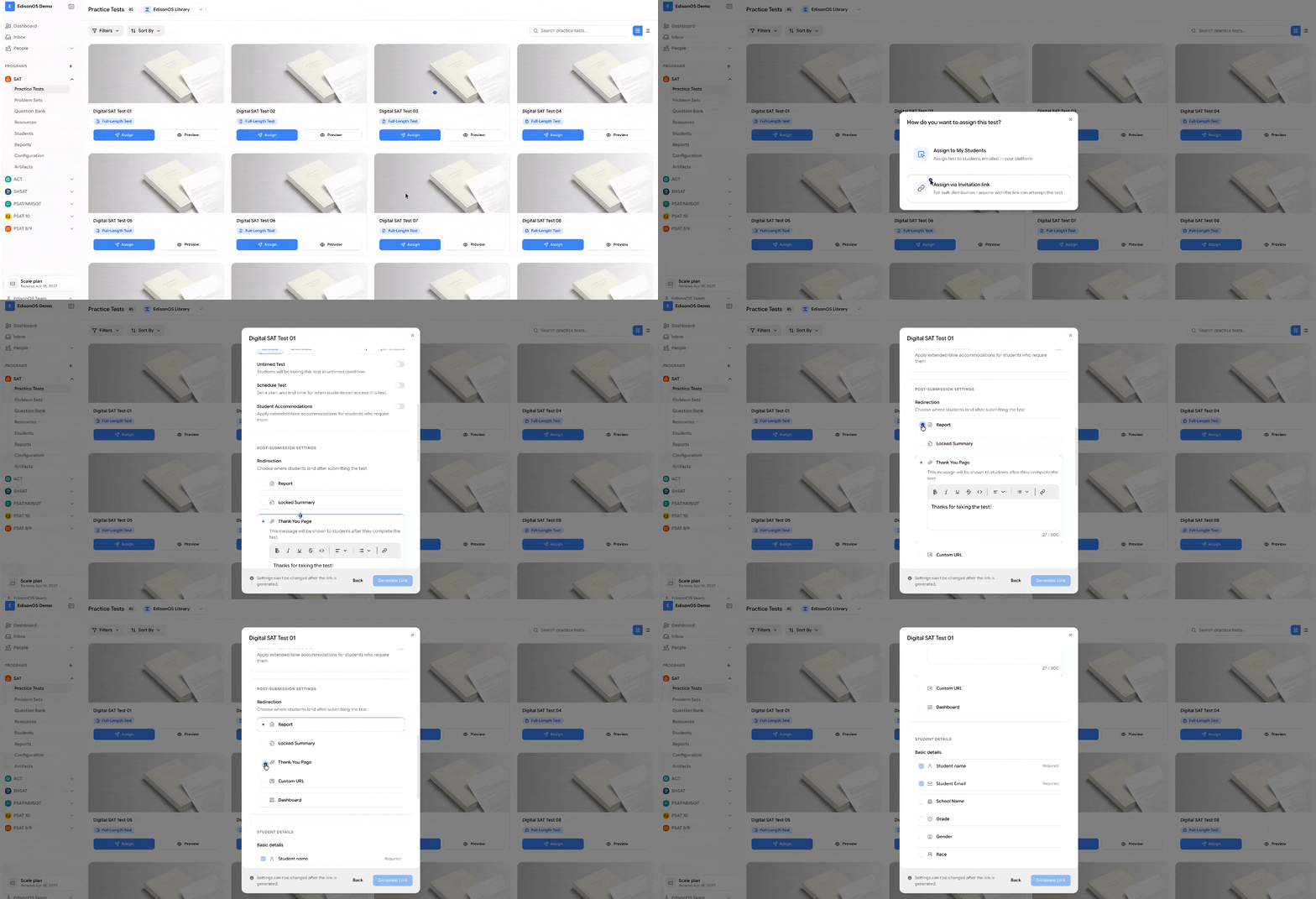
Thank You Page - Acknowledges completion with a custom message. It is good for lead-capture flows where the score is not the main focus; the conversation afterwards is.
Custom URL - Redirects students to a specified URL. This is useful for marketing, such as directing them to a "Book a Free Consultation" page, your pricing page, or a Calendly link.
Dashboard - Sends students to their EdisonOS dashboard. It is best when you want the student to take more tests assigned to them.
Pro Tip! To allow students to view their reports right after finishing a test, don't change advanced settings when assigning the test. If you want to show analytics without the questions, choose the "Locked Summary" option.
To help students review the report, do the following: Program (SAT) > Practice Test > Enrolled Students > Select the student > Click the Pencil icon.
Control report access by choosing one of the options.
Summary Page (default) - Displays a complete performance summary, including score, accuracy, time spent, and a breakdown of questions answered correctly, incorrectly, or skipped. It is best for self-paced practice with instant feedback.
Locked Summary - Provides performance analytics while keeping the questions hidden until you (the admin) unlock them. This is useful for allowing students to re-attempt the same test.
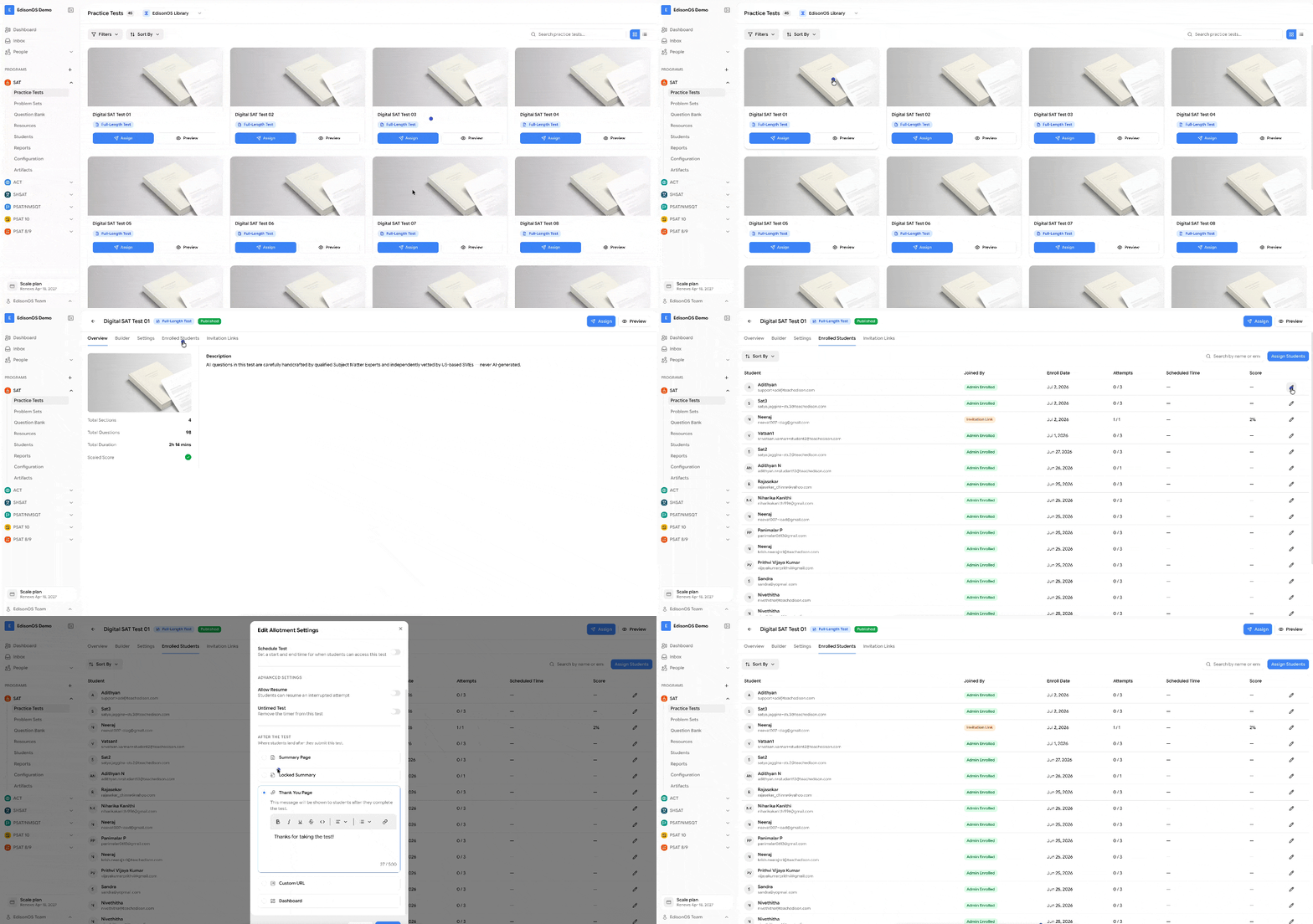
Once you change the access control, the student will be able to see the report.