12.3 Billing & Invoices
Every transaction on EdisonOS whether a subscription purchase, a credit top-up, a license purchase, or a plan upgrade generates an invoice that can be viewed and downloaded from the Console App.
Accessing Invoices
In the Console App, go to Billing & Subscription.
Click on the Invoices tab.
You will see a complete list of all past transactions, including:
Subscription payments
Credit purchases
License purchases
Plan upgrades
Downloading an Invoice
Click View Invoice or Download PDF on any transaction to get a full invoice document. These PDFs are suitable for expense reporting, accounting records, or sharing with finance teams.
Treat the Console App's Billing & Subscription section as a monthly management task to review your credit balance, check the licensed students list, download any new invoices, and confirm your plan still matches your academy's size and needs. A few minutes each month prevents billing surprises and access disruptions mid-program.
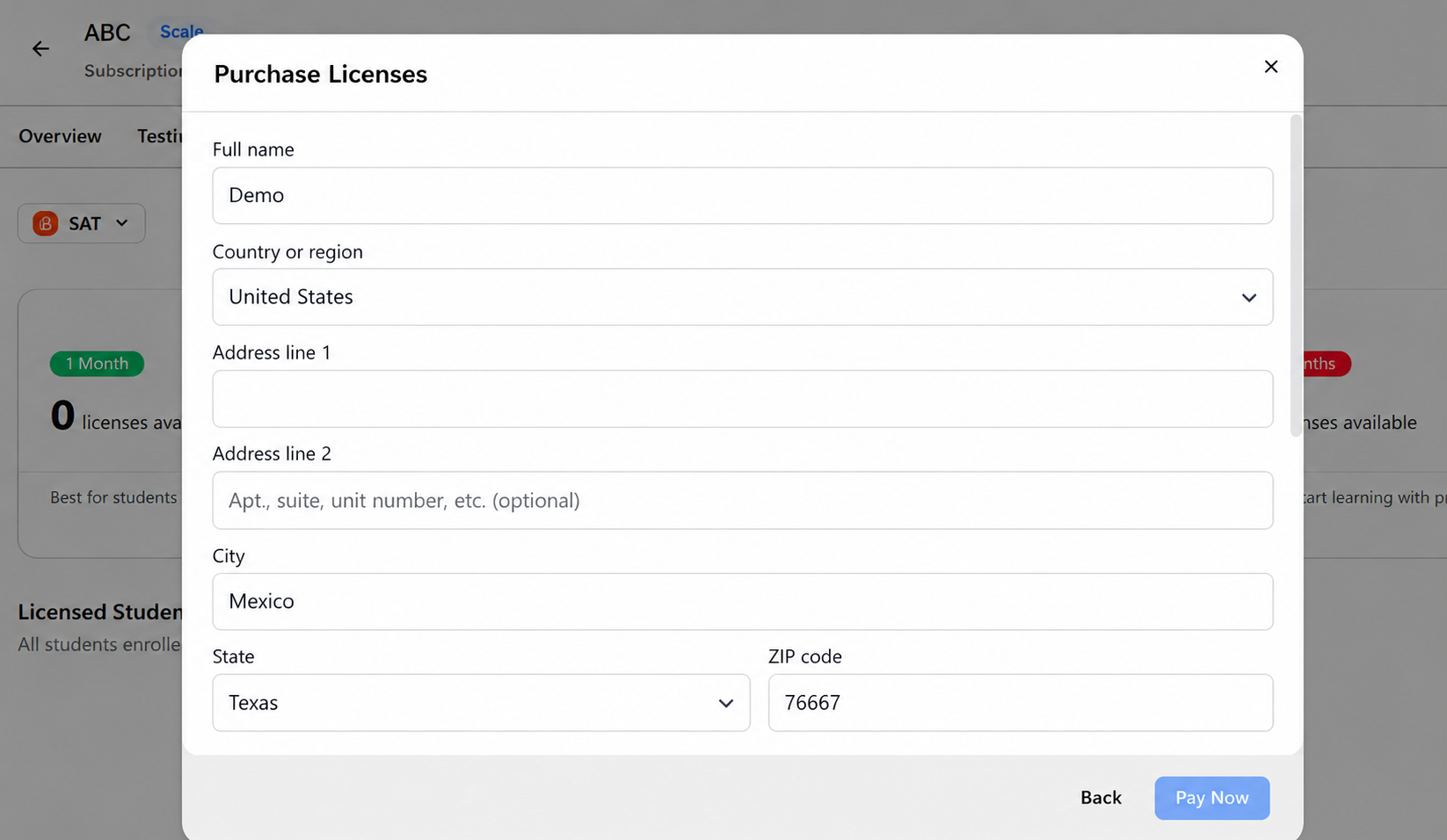
Billing Address Required at Checkout
When purchasing a license or AI credits in the Console app, you must provide a billing address during checkout.
The billing address section is now mandatory for customers in all countries.
You cannot complete the payment until all required billing address details are entered.
Navigate to:
Console → Billing → Buy Licenses (or Buy Credits) → Billing address → Pay Now