
12.2 Managing Subscription
Your subscription, including your current plan, expiration date, credit balance, license inventory, and invoices, is managed across two places: the Academy App (where you get a quick snapshot) and the Console App (where you make changes like purchasing credits, buying licenses, or changing your plan).
Viewing Your Current Plan from the Academy App
From inside your Academy App, click on your plan name in the bottom-left corner (for example, "Scale plan").
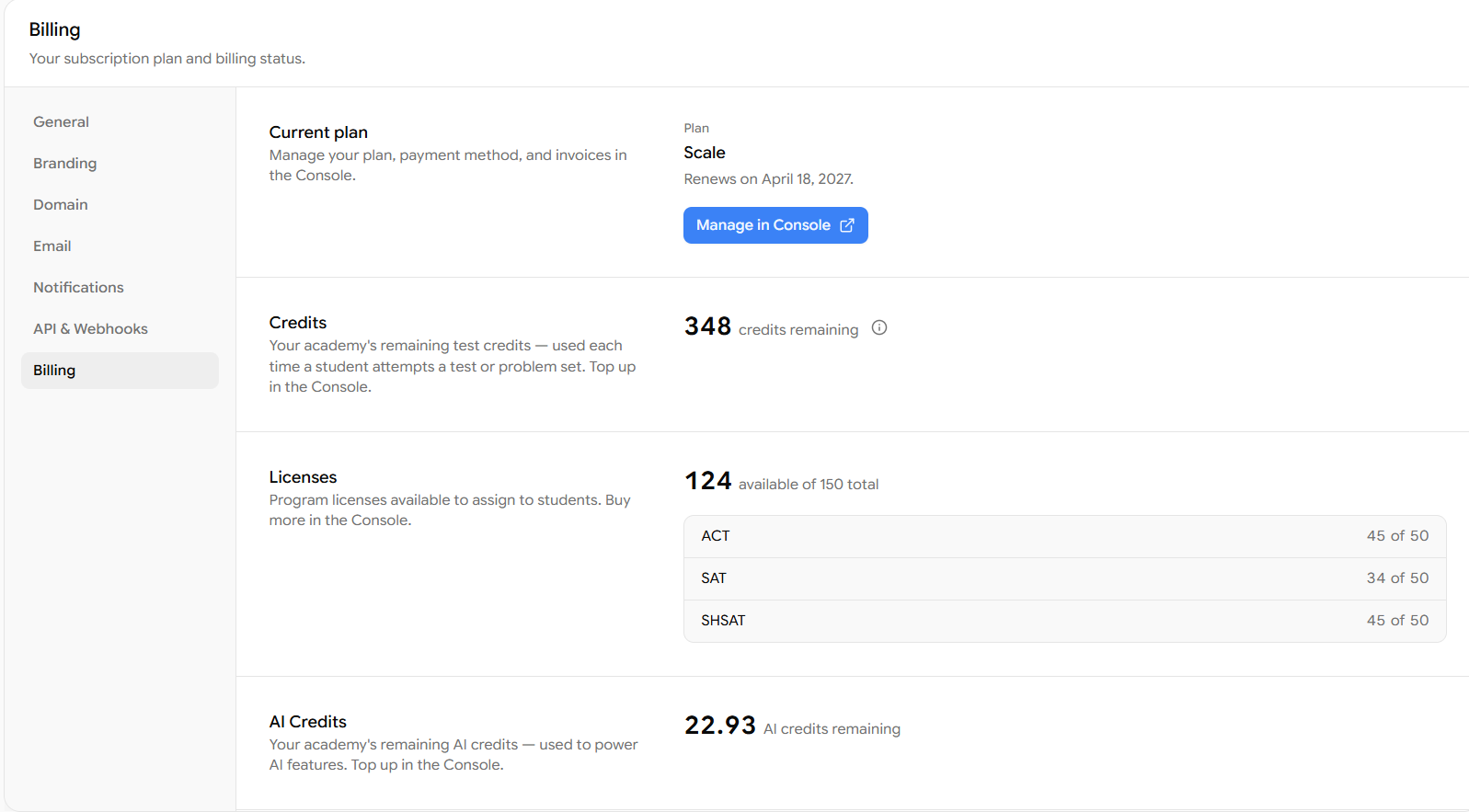
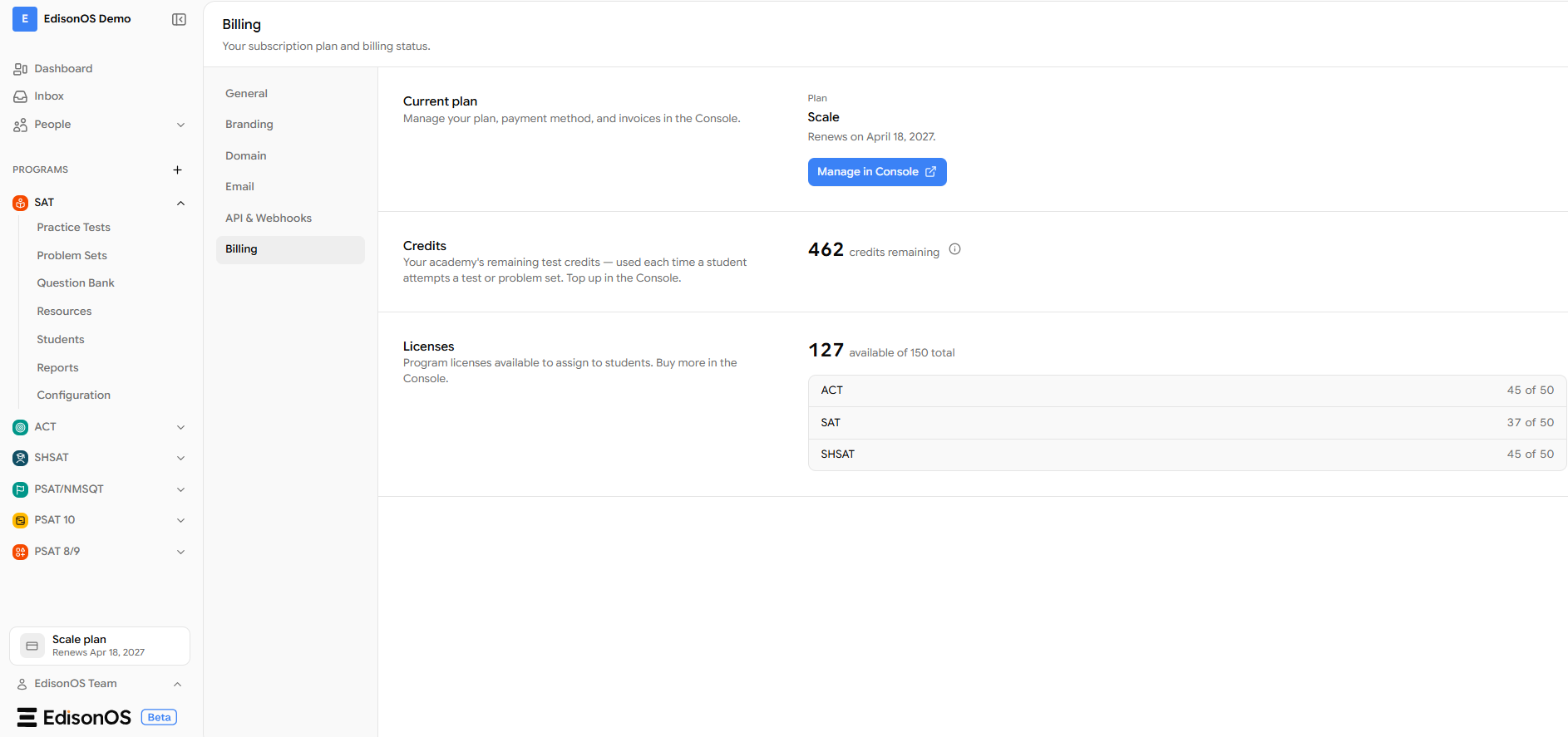
This opens the Billing screen, where you can see at a glance:
Current plan and its renewal date
Credits remaining - your academy's test credits, used each time a student attempts a test or problem set
Licenses - how many are available out of your total, broken down by program (ACT, SAT, SHSAT, etc.)
AI Credits - your remaining AI Credits, used each time when you use tools like AI Question Extractor.
If you want to purchase licenses, buy credits, or change your current plan, click Manage in Console. This redirects you to the Console App, where all of those actions are performed.
Managing Your Subscription in the Console App
Clicking Manage in Console takes you to the Billing & Subscription page for that specific academy. The page is organized into four tabs: Overview, Credits, Licenses, and Invoices.
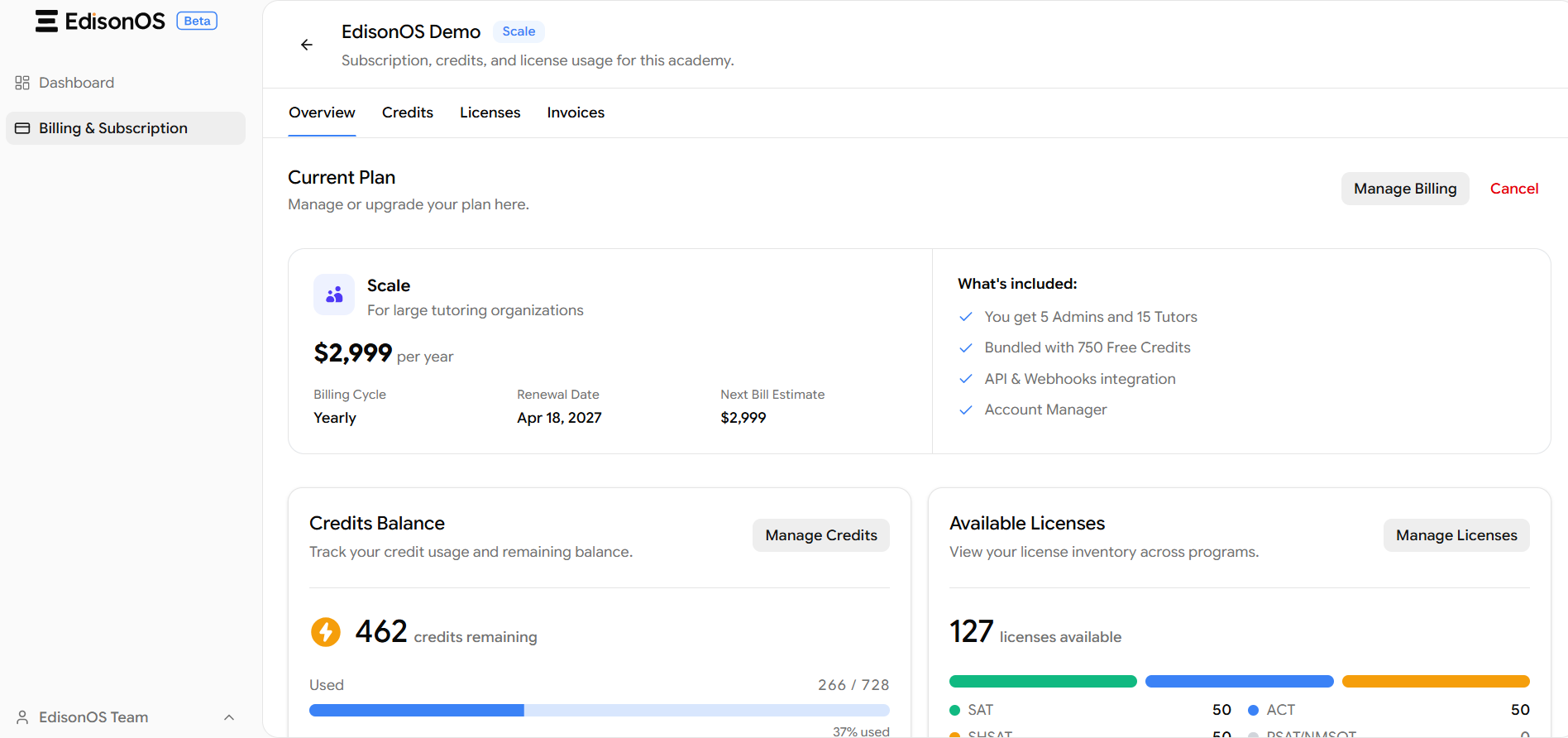
Overview
The Overview tab shows your Current Plan along with its details — billing cycle, renewal date, next bill estimate, and everything included in the plan (admin seats, tutor seats, bundled credits, API & webhooks integration, and account manager).
From here you can:
Click Manage Billing to change or upgrade your plan. (If you are already on the highest plan, you will see Manage Billing rather than an upgrade prompt.)
Click Cancel to cancel your subscription.
Click Manage Credits to jump to the Credits page and purchase more credits.
Click Manage Licenses to jump to the Licenses page and buy licenses for each program (SAT, ACT, and others).
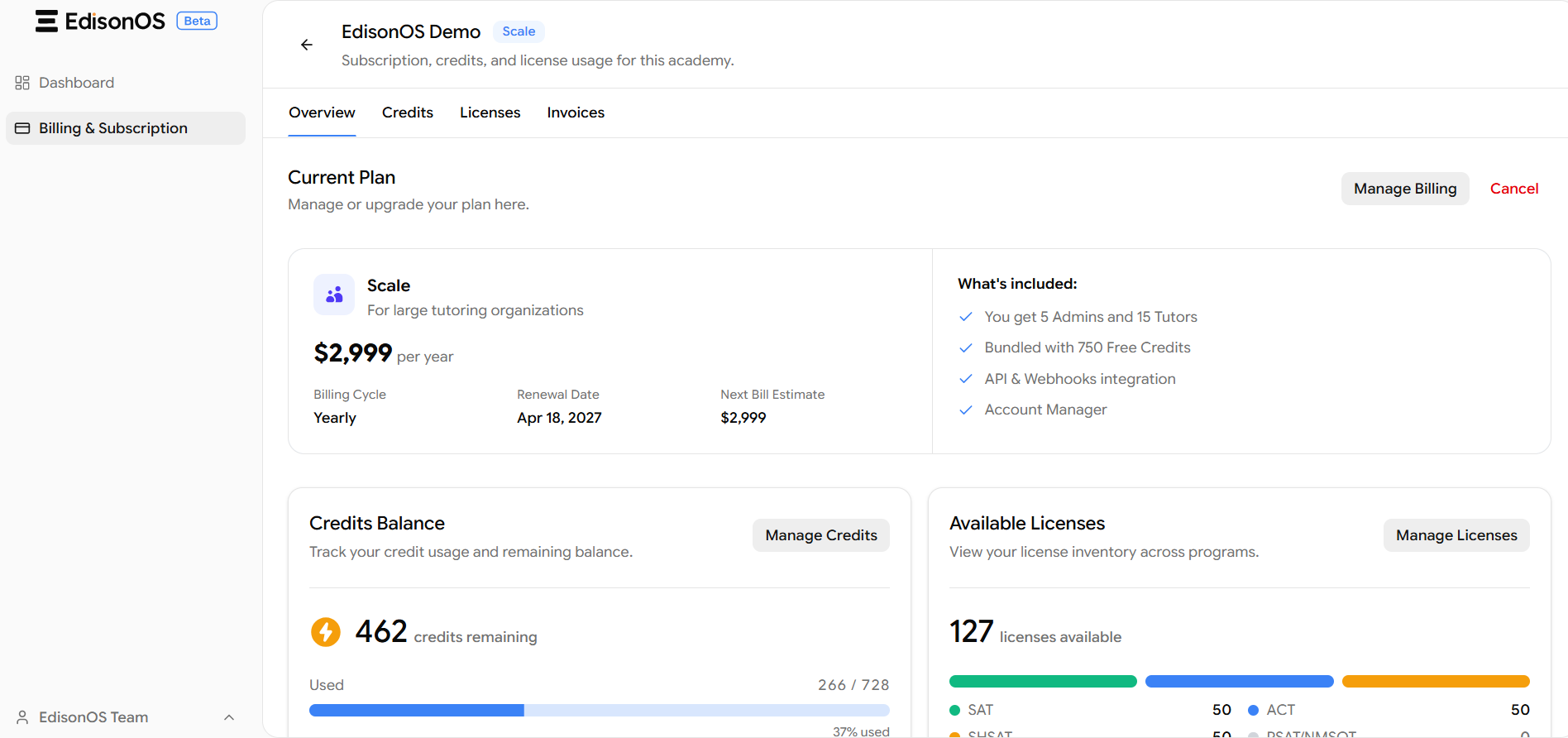
Credits
The Credits tab is where you manage credits, track usage, and purchase more when needed. Here you can see:
Credits Balance - your remaining credits, the amount used out of your total, and the percentage consumed.
Credits Used and Total Purchased Credits summary.
Credits Usage Over Time - a bar chart tracking usage trends, which you can filter by Last 7 days, Last 30 days, or Last 90 days.
Credits Usage by Students - a per-student breakdown showing Practice Test Credits, Problem Sets Credits, and Total Credits Used. You can filter this by program (e.g., SAT) and search for a specific student.
A Buy Credits button in the top-right to purchase additional credits.
Licenses
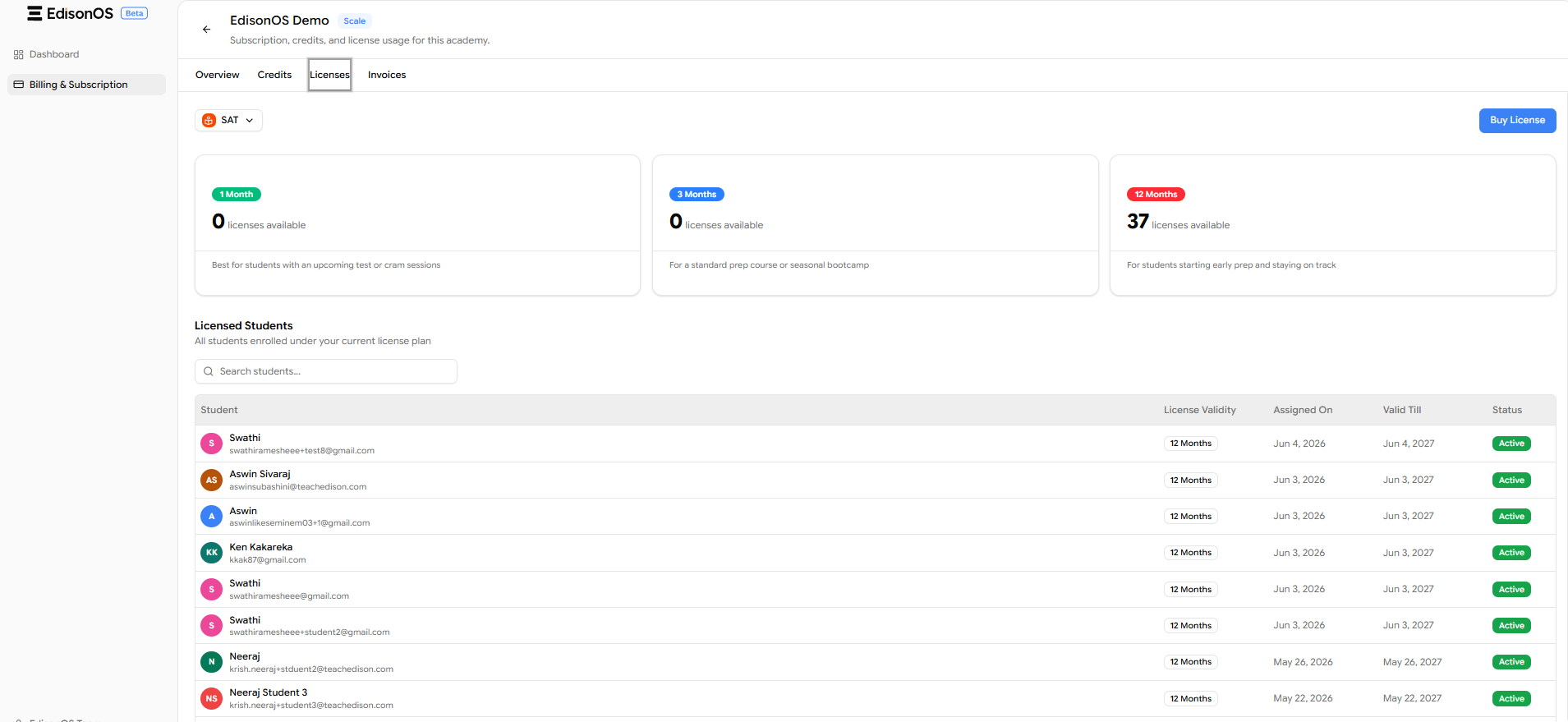
The Licenses tab is where you view your license inventory and purchase more for each program. Using the program dropdown (e.g., SAT) at the top, you can see:
License availability grouped by validity: 1 Month, 3 Months, and 12 Months, each showing how many licenses are available and a short note on who each duration is best suited for.
Licensed Students - a full list of every student enrolled under your current license plan, showing each student's License Validity, Assigned On date, Valid Till date, and Status (e.g., Active). You can search this list for a specific student.
A Buy License button in the top-right to purchase licenses for the selected program.
Invoices
The Invoices tab lets you manage your invoices and download receipts. Each invoice row shows the invoice number, Type (Subscription or Licenses), Status (Paid, Void, etc.), Amount, and Billing date. You can search for a specific invoice, download an individual invoice from the actions menu, or use Download all to export everything at once.
Summary
Managing your subscription in EdisonOS is designed to be quick to view and simple to act on. Use the Academy App for an at-a-glance look at your plan, remaining credits, and available licenses, then jump into the Console App via Manage in Console whenever you need to make a change.
From the Console, the four tabs give you full control: Overview for your plan details and upgrades, Credits for tracking and topping up usage, Licenses for managing program access across SAT, ACT, and other programs, and Invoices for downloading your billing records.
A good habit is to review your credit balance and license availability at the start of each new test cycle especially before assigning full-length practice tests to a large cohort so you never run out mid-cycle and interrupt student access.
If you need to downgrade your plan or have any billing questions that can't be resolved self-service, reach out to EdisonOS support directly through the Manage Billing section.