
15.23 Student Faces "Unable to Start Test"
What’s happening?
You’ve assigned a Practice Test or Problem Set to a student, but when the student clicks “Start Test,” they see the following message:
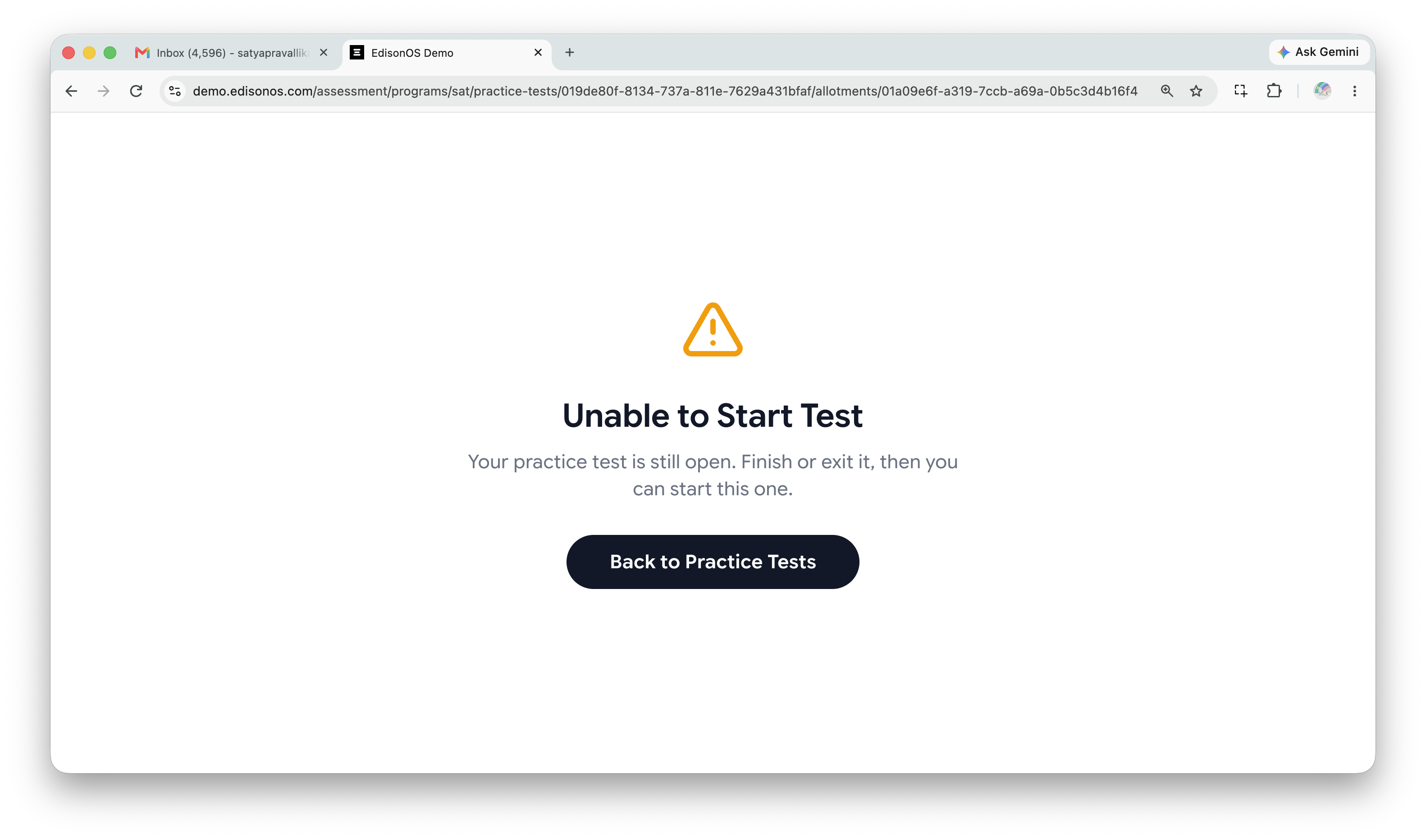
What does this mean?
The student already has a test open in another browser window. They need to properly exit that test before starting another one.
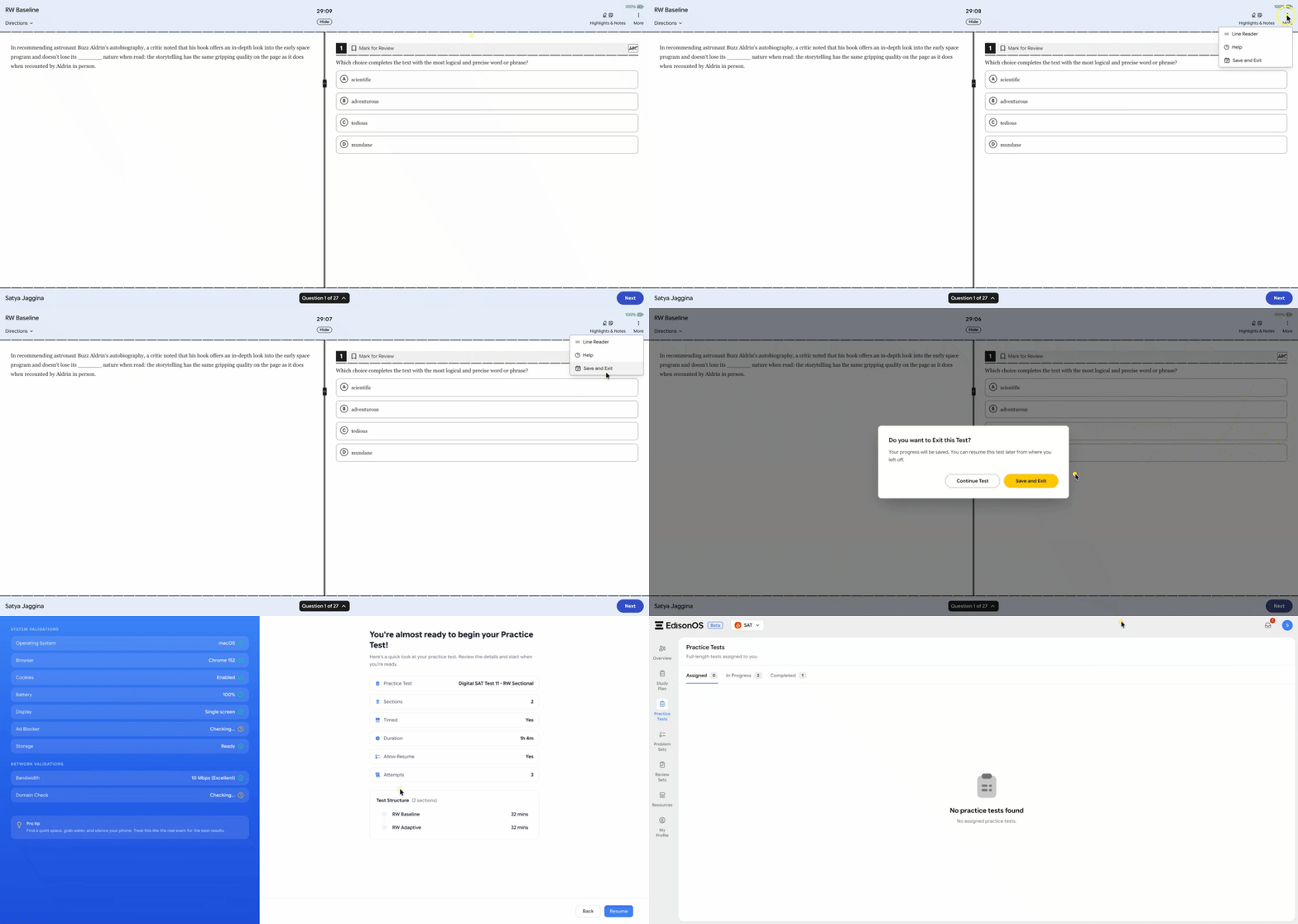
Important: Students will see “Save and Exit” only when “Allow Resume” was enabled while assigning the test. If “Allow Resume” was disabled, they will see “End Test” instead.
How can I help my student fix this (in SAT Theme)?
Ask the student to:
Go back to the browser window where they originally started the test.
Click “Save and Exit” to properly exit the test.
Once the test has been saved and exited, they can open a new window and start another test.
Still having trouble?
If the issue persists even after following the steps above, please reach out to our support team at help@edisonos.com. We’ll be happy to help!