
15.22 How to Enable "Resume" for a Student After Assigning a Test
If a student needs to be able to resume a test after starting it, you can enable this on a per-student basis by following these steps:
Go to the respective program (SAT, ACT, etc.)
Go to the Practice Tests or Problem Sets tab
Click on the test you want to update the setting for
Go to the Enrolled Students tab
Find the student you want to enable resume for
Click the three dots beside the student's name, then click Edit
Under Test Behavior, you'll see the Allow Resume option — turn it on
Click Update to save the change
How do you do it?
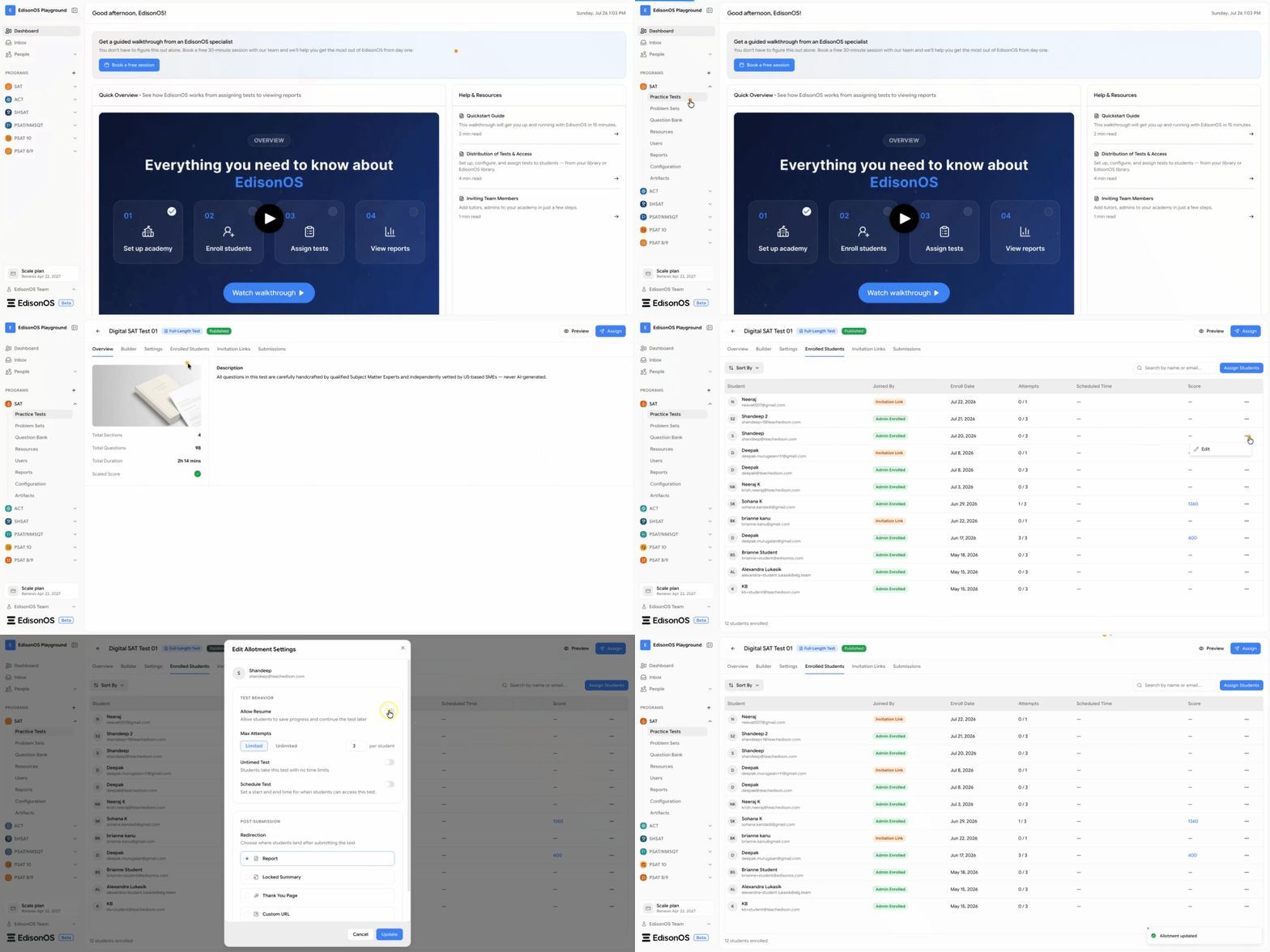
The student will now be able to resume the test from where they left off.