
Overview of Problem Sets
Problem Sets are skill-level practice tests, focused sets of questions built around a single SAT skill, covering both Reading & Writing and Math. All questions are carefully handcrafted by qualified Subject Matter Experts and independently vetted by US-based SMEs — never AI-generated.
So instead of a whole exam, you can hand students exactly the practice they need for the area they're working on.
Click Problem Sets inside the SAT program to see the full list. At the top of the page, make sure the source is set to EdisonOS Library to browse the ready-made sets.
You can also switch the source to My Library, where you can create your own problem set.
Tip: Problem Sets aren't the only way to give students practice. Practice Tests let you assign a complete, exam-style SAT test when you want a full simulation instead of focused practice.
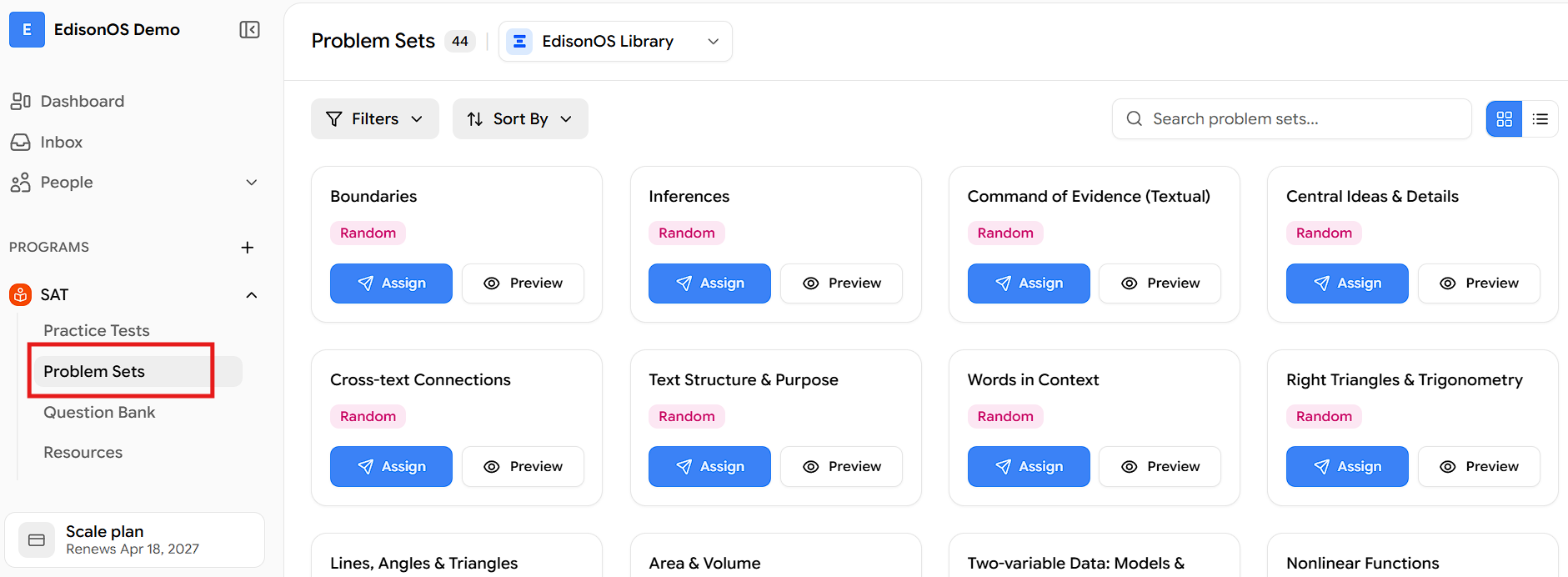
Finding a Problem Set:
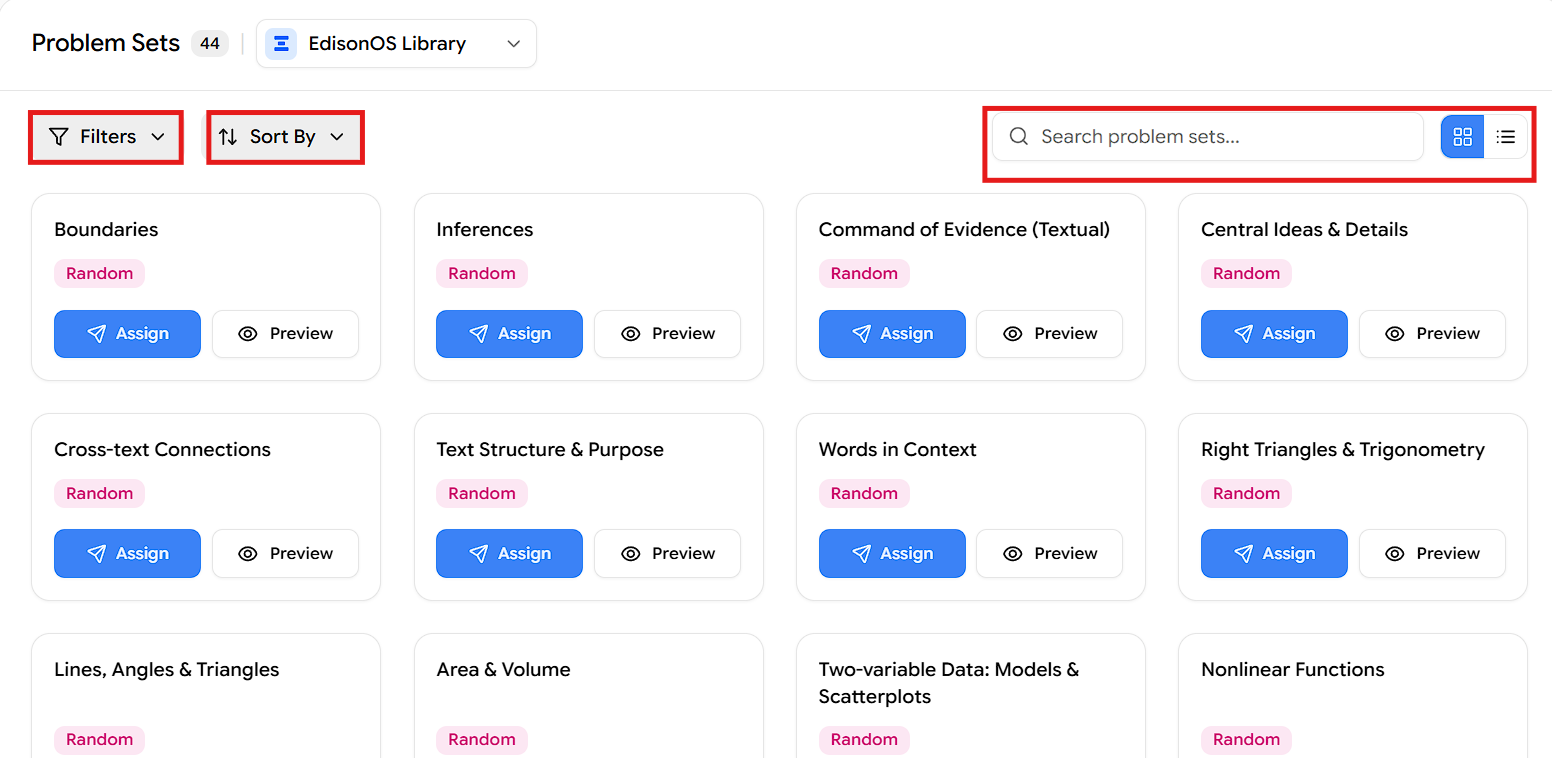
Each set appears as a card showing its name (for example, Boundaries), a delivery-type tag such as Random, and two buttons — Assign and Preview. To find the right one quickly, use:
Filters — narrow the list.
Sort By — reorder the sets.
Search — jump straight to a set by name.
Grid / list view — switch how sets are displayed.
When you've found the set you want, click Assign to send it to your students, or Preview to experience it as a student would.
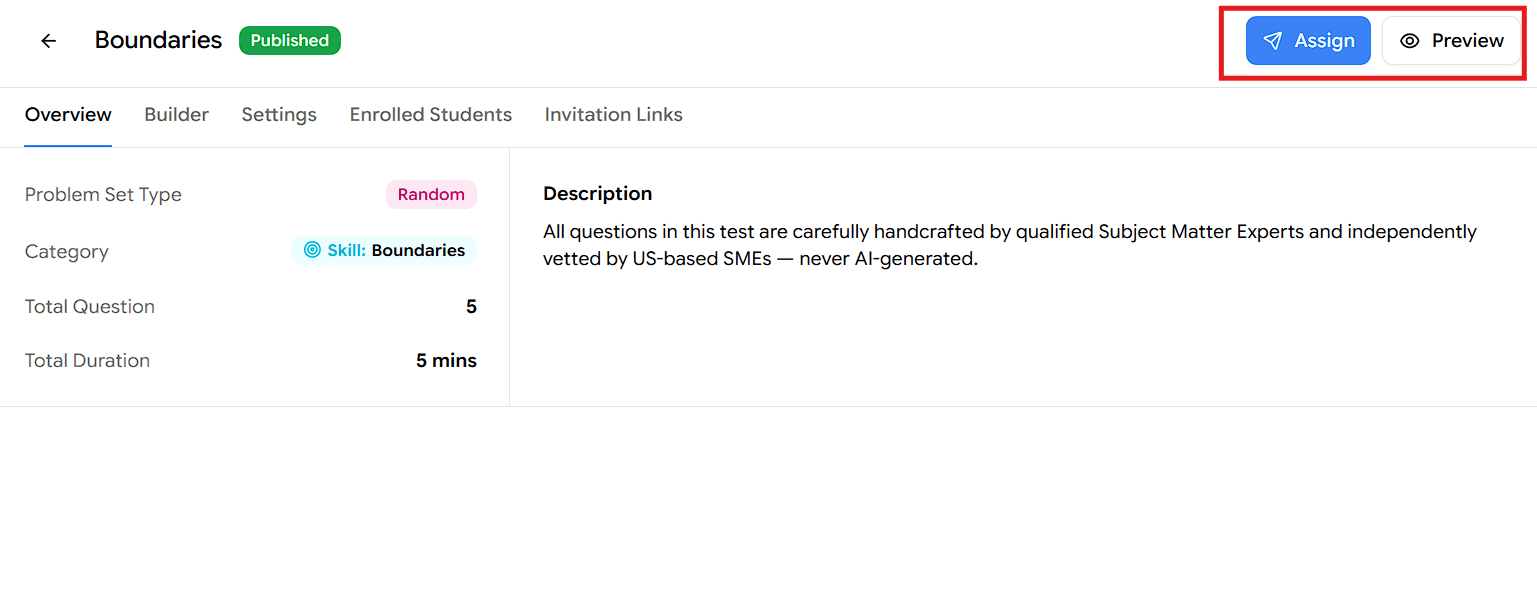
Overview of a specific problem set:
Click any set to open its Overview page. This is your at-a-glance summary of the set before you assign it.
At the top you'll see the set name, a Published status, and the Assign and Preview buttons.
Tip: These settings are common across all EdisonOS problem sets — you'll see the same layout whichever set you open.
The Overview lists the essentials -
Example 1 - Using the Boundaries set
Problem Set Type — Random: it picks questions randomly every time you take it, and every time you get new questions.
Category — Skill: Boundaries: the questions are picked from the Boundaries folder, which contains 70+ questions.
Total Questions — 5.
Total Duration — 5 mins.
Description — a short note about the set.
When you're ready, use Preview to experience the set as a student would, or Assign to send it to your students.
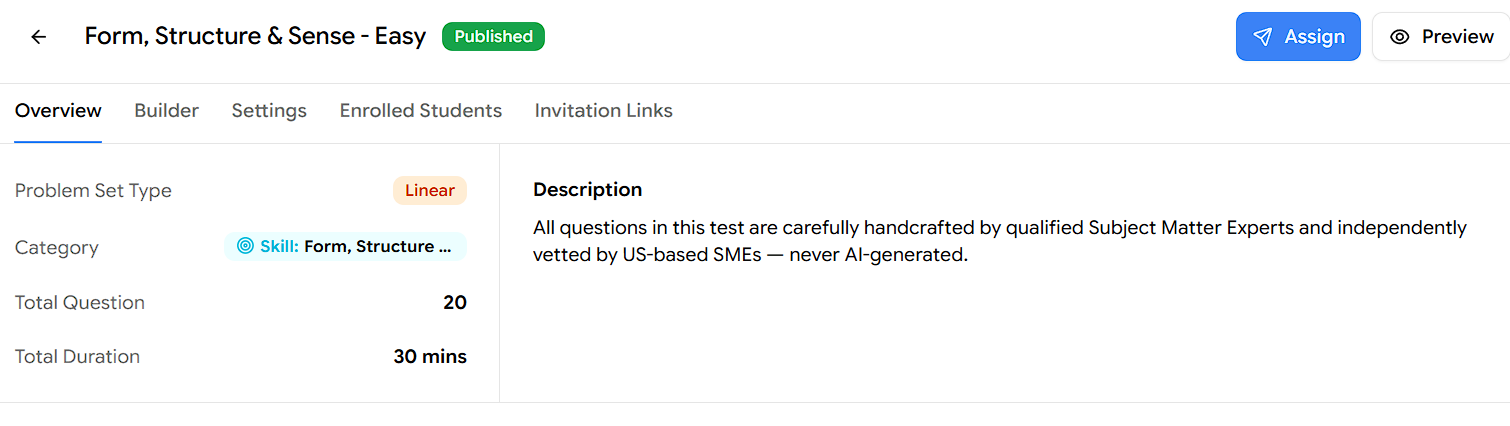
Example - 2, Using the Form, Structure & Sense - Easy set:
Problem Set Type — Linear: it serves the same questions in the same order every time you take it.
Category — Skill: Form, Structure & Sense: the questions are picked from that skill's folder.(how much questions here on this skill, kindly mention it)
Total Question — 20.
Total Duration — 30 mins.
Description — a short note about the set.
That covers everything you need to know about Problem Sets in the SAT program — what they are, how to find one in the EdisonOS Library, and how to read a single set's Overview before assigning it. From here, just pick a set, review its details, and assign it to get your students practising.